To Next Page

K
Kelly EnglishSep 16, 2025
What to do if computer does not recognize FujiFilm X100VI Digital Camera?
- SSheila GarrettSep 16, 2025
Be sure the FujiFilm Digital Camera and computer are correctly connected.

What to do if computer does not recognize FujiFilm X100VI Digital Camera?
Be sure the FujiFilm Digital Camera and computer are correctly connected.
What to do if my FujiFilm Digital Camera is unresponsive?
If your FujiFilm Digital Camera is unresponsive, it could be due to: * A temporary malfunction; try removing and reinserting the battery. * An exhausted battery; charge it or use a spare. * Connection to a wireless LAN; end the connection. * Locked controls; press and hold the MENU/OK button to unlock them.
Why does my FujiFilm X100VI battery runs down quickly?
If your FujiFilm Digital Camera battery drains quickly, consider the following: * If the battery is cold, warm it in a pocket before reinserting. * Clean any dirt from the battery terminals with a soft, dry cloth. * Turn off PRE-AF in the G AF/MF SETTING menu. * If the battery has been charged many times, it may need replacing.
What to do if my FujiFilm X100VI Digital Camera does not take a picture?
If your FujiFilm Digital Camera isn't taking pictures when you press the shutter button, check these: * The memory card may be full; insert a new one or delete pictures. * The memory card might not be formatted; format it in the camera. * Clean the memory card contacts if they're dirty. * The memory card could be damaged; try a new one. * The battery might be exhausted; charge or replace it. * The camera may have turned off automatically; turn it back on.
Why FujiFilm Digital Camera cannot connect to smartphone?
If your FujiFilm Digital Camera cannot connect to smartphone: * The smartphone and camera can connect to only one device at a time. End the connection and try again. * Try connecting again if there are several smartphones in the vicinity. * The camera may not be able to upload images created on other devices if the image was created on another device. * Uploading movies takes some time. In addition, smartphones may not accept upload of movies in formats they do not support if the image is a movie.
What to do if pressing Q button does not display the quick menu on FujiFilm X100VI?
End TTL-LOCK.
Why are some flash modes not available on my FujiFilm Digital Camera?
If some flash modes are not available on your FujiFilm Digital Camera, select ON for SOUND & FLASH.
Why does the flash on my FujiFilm X100VI not fully light the subject?
If the flash on your FujiFilm Digital Camera does not fully light the subject: * Position the subject within the flash range. * Hold the camera correctly to avoid obstructing the flash window. * Choose a slower shutter speed.
Why cannot connect FujiFilm X100VI to smartphone?
If your FujiFilm Digital Camera is not connecting to your smartphone, and POWER SUPPLY ON/COMM OFF is selected for USB POWER SUPPLY/COMM SETTING, select POWER SUPPLY OFF/COMM ON when the camera is connected via a Lightning connection to a device that does not supply power. Also, confirm that the camera is correctly connected, as the procedure varies with the type of connector your smartphone uses.
What to do if FujiFilm X100VI charging does not start with battery charger?
If your FujiFilm Digital Camera is not charging with the battery charger: * Insert the battery. * Reinsert the battery in the correct orientation. * Make sure the charger is correctly plugged in. * Ensure the plug adapter is correctly connected to the charger.
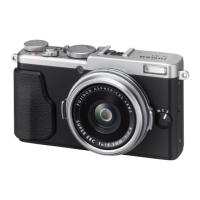
Identifies and describes the external buttons, dials, and components of the camera.
Instructions for charging the camera battery via USB or AC adapter.
Guide to taking photos using the Program AE (P) mode.
Step-by-step guide to filming movies in auto mode.
Exposure control options in Program, Shutter-Priority, Aperture-Priority, and Manual modes.
General safety guidelines to be read before operating the appliance.
 General
| Sensor Resolution | 26.1MP |
|---|---|
| Image Processor | X-Processor 5 |
| Video Recording | 6.2K/30p, 4K/60p, Full HD/240p |
| Lens | Fujinon 23mm f/2.0 |
| Continuous Shooting | 11 fps |
| Viewfinder | 3.69M-dot OLED |
| LCD Screen | 3.0-inch tilting touchscreen LCD with 1.62 million dots |
| Image Stabilization | 5-axis IBIS |
| Connectivity | Wi-Fi, Bluetooth |
| Battery Life | Approx. 310 frames (Normal Mode) |
| Dimensions | 128.0mm x 74.8mm x 55.3mm |
| Storage Media | SD/SDHC/SDXC card |