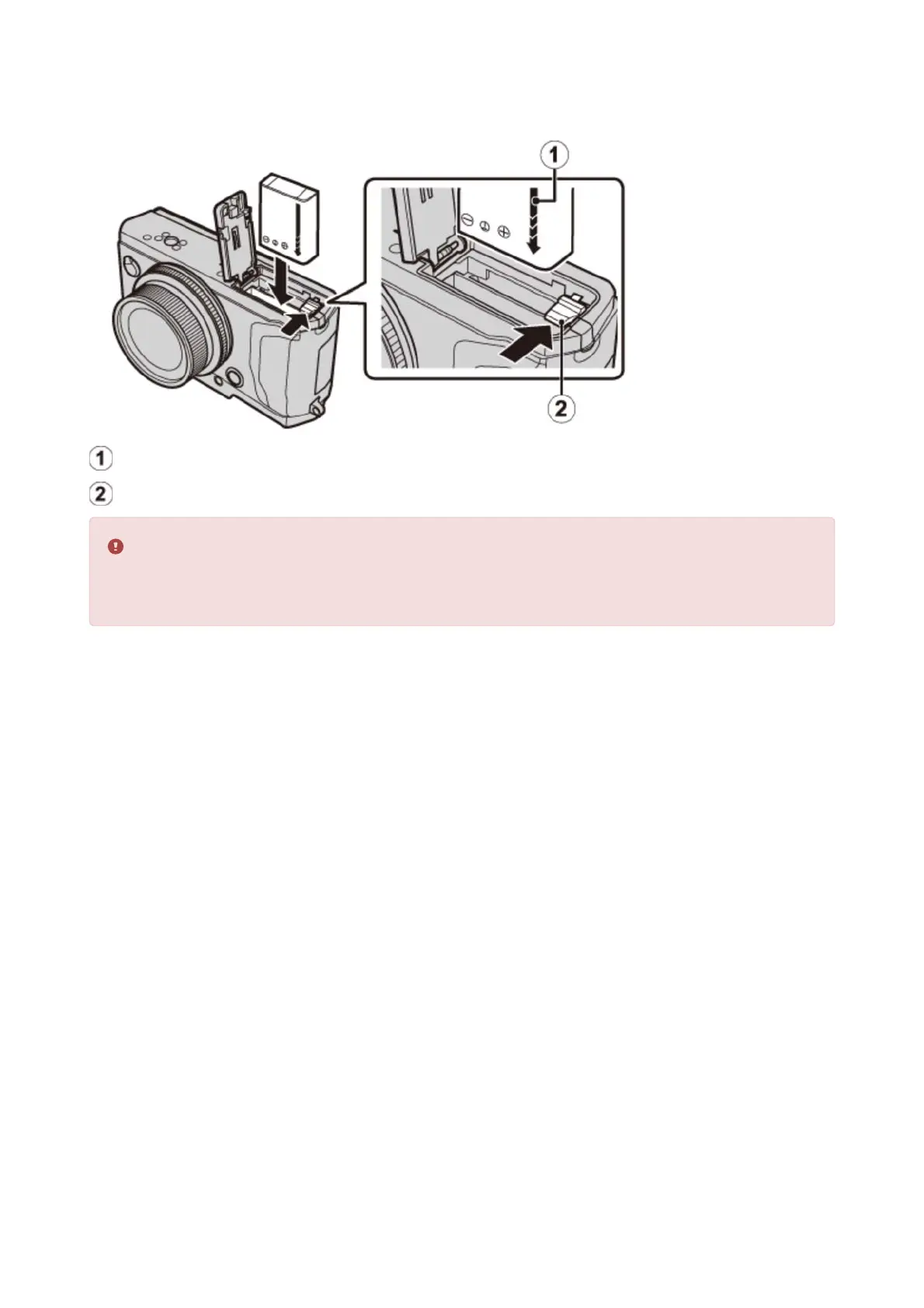
Insert the battery.
Using the battery to keep the battery latch pressed to one side, insert the battery contacts
first in the direction shown by the arrow. Confirm that the battery is securely latched.
Insert the battery in the orientation shown. Do not use force or attempt to insert
the battery upside down or backwards. The battery will slide in easily in the
correct orientation.
.
Arrow
Battery latch
Inserting the Battery and a Memory Card


 To Next Page