[TOY CAMERA]
[MINIATURE]
[POP COLOR]
[HIGH-KEY]
[LOW-KEY]
[DYNAMIC TONE]
[SOFT FOCUS]
[PARTIAL COLOR (RED)]
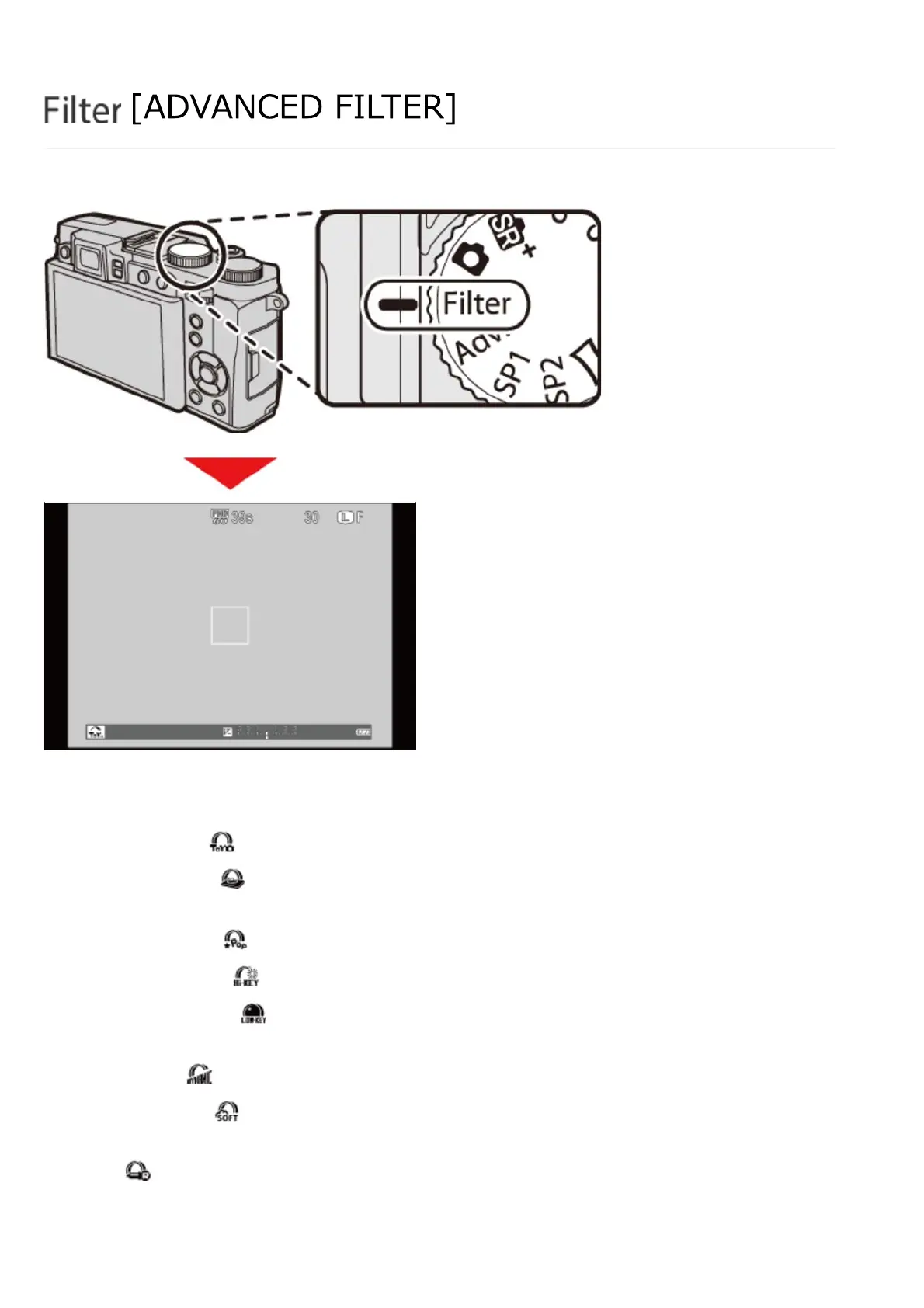
Take photos with filter effects.
Select [ADVANCED FILTER] in the shooting menu and choose from the following options:
Choose for a retro toy camera effect.
The tops and bottoms of pictures are blurred for a
diorama effect.
Create high-contrast images with saturated colors.
Create bright, low-contrast images.
Create uniformly dark tones with few areas of
emphasized highlights.
Dynamic tone expression is used for a fantasy effect.
Create a look that is evenly soft throughout the whole
image.
Reds are recorded in color, while other colors are
recorded in black and white.
[ADVANCED FILTER]



 To Next Page