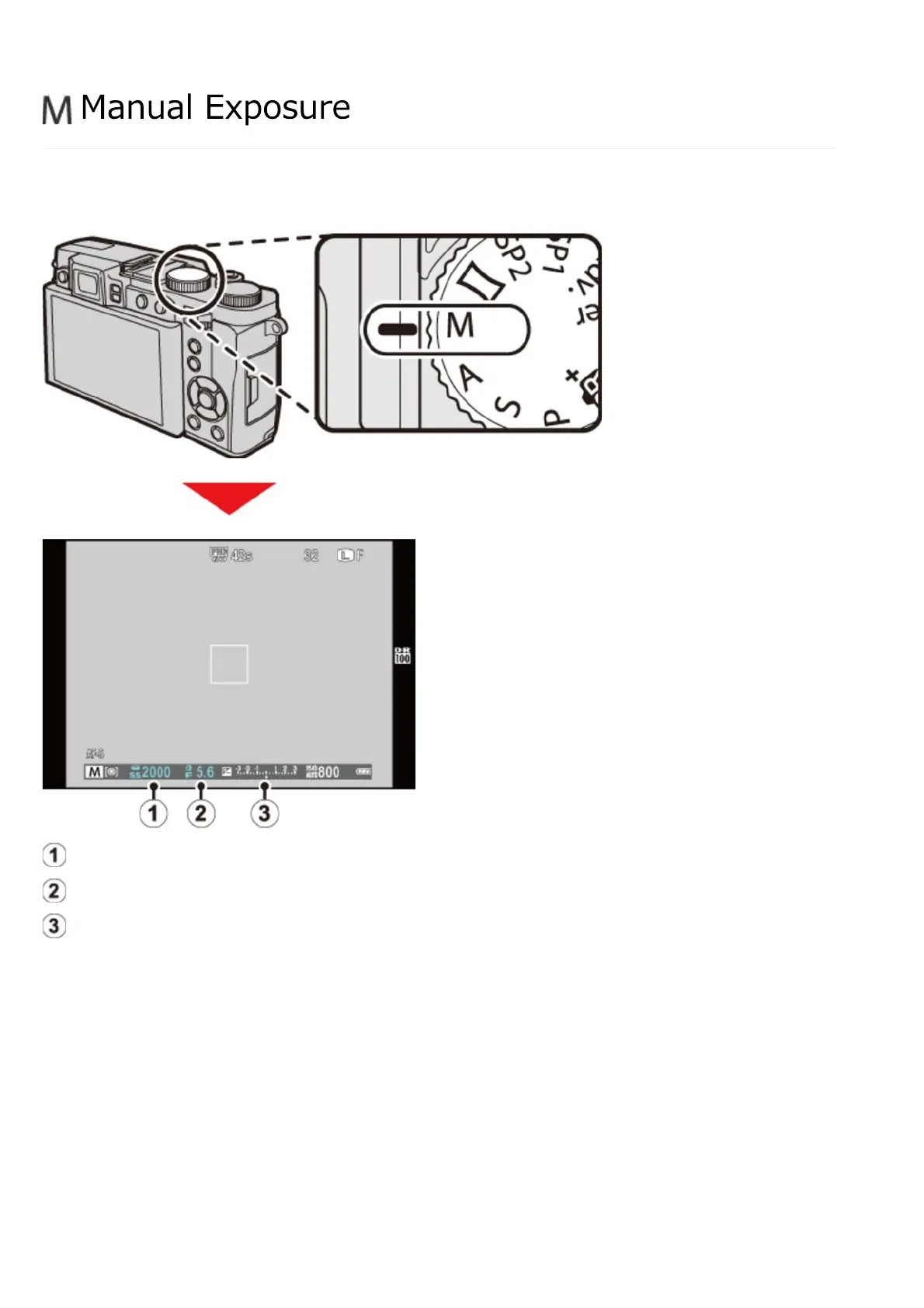
In this mode, you choose both shutter speed and aperture. If desired, exposure can be altered
from the value suggested by the camera.
Shutter speed
Aperture
Exposure indicator
Use the command dial and control ring to set shutter speed and aperture (to choose the functions
performed by the command dial and control ring, press the control ring options button).
Manual Exposure


 To Next Page