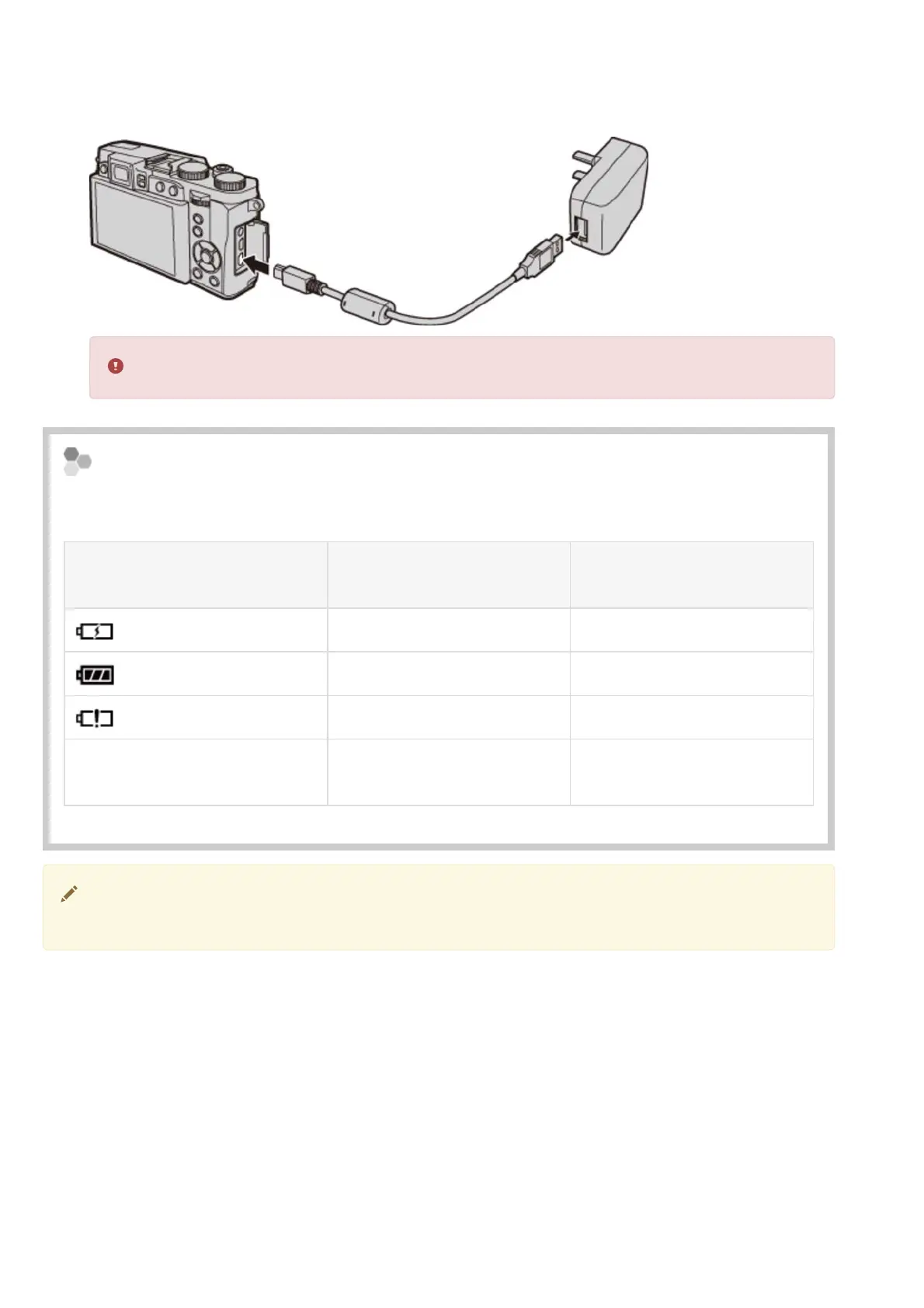
Charge the battery.
Connect the camera to the supplied AC power adapter using the supplied USB cable. Then
plug the AC power adapter into an indoor power outlet.
Be sure the connectors are in the correct orientation and then insert them fully.
.
Charge status
The battery status icons show battery charge status when the camera is turned on, and the
indicator lamp shows it when the camera is turned off.
Battery status icon when
camera on
Indicator lamp when
camera off
Battery status
(yellow)
On Battery charging.
(green)
Off Charging complete.
(red)
Blinks Battery fault.
No icon
Operating in external power
mode.
The camera operates in external power mode if the camera is turned on while the camera
is connected to AC power and the battery is inserted.
Charging the Battery



 To Next Page