EasyManua.ls Logo

Fujitsu AIR CONDITIONER - User Manual

Fujitsu AIR CONDITIONER
16 pages
Print Icon
To Next Page IconTo Next Page
Loading...
GUARDE ESTE MANUAL PARA CONSULTA
POSTERIOR
GUARDE ESTE MANUAL PARA PODERLO
CONSULTAR EN EL FUTURO
KEEP THIS MANUAL FOR FUTURE
REFERENCE
FUJITSU GENERAL LIMITED
AIR CONDITIONER
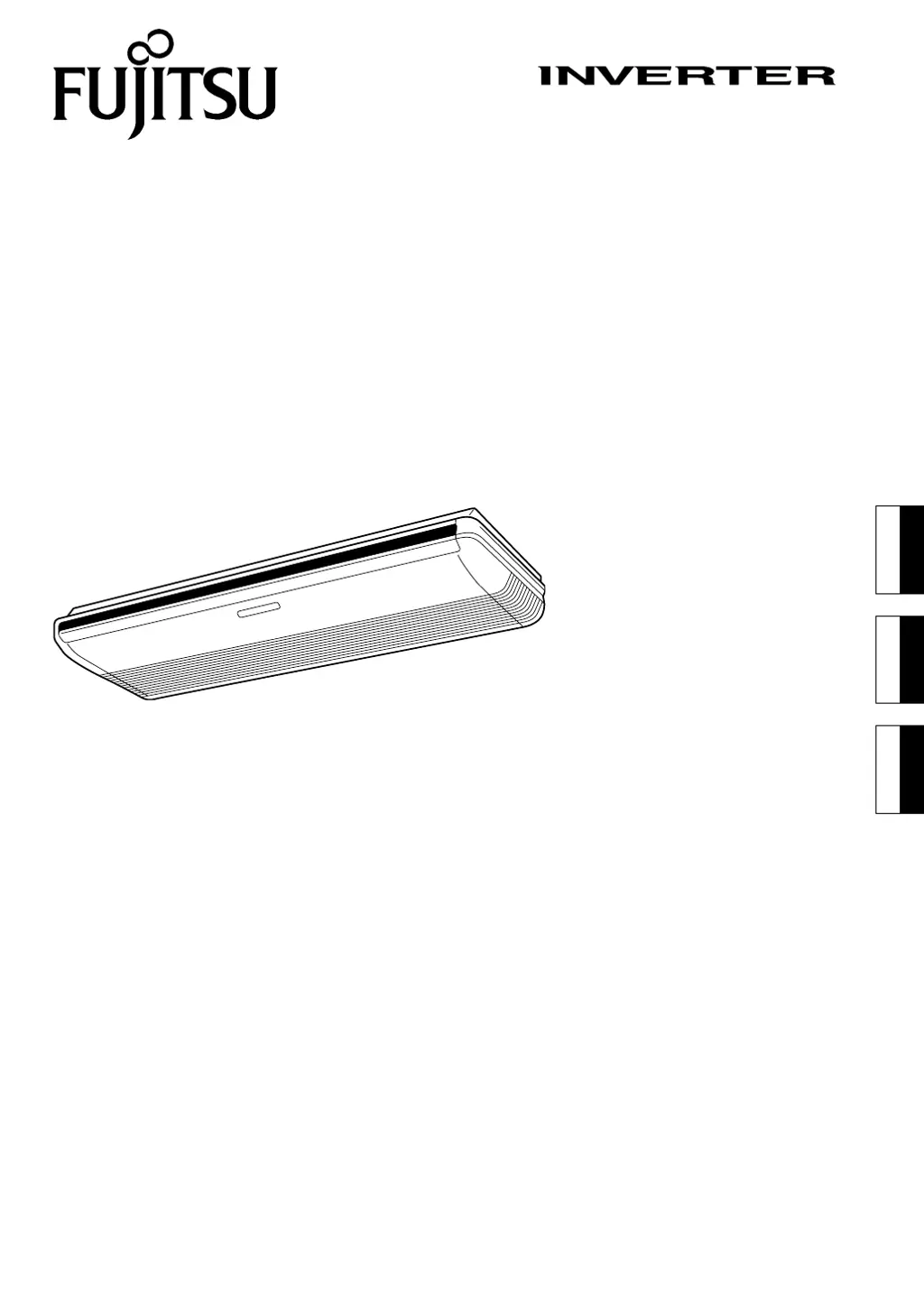
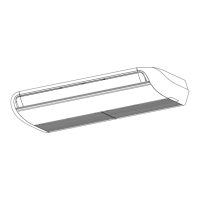
CEILING SUSPENSION TYPE
MANUAL DE INSTRUÇÕES
MANUAL DE FUNCIONAMIENTO
OPERATING MANUAL
Español
English
PART NO. 9374379330-03
Português
9374379330-03_OM_cover1.p65 26/2/2013, 6:47 PM1

Other manuals for Fujitsu AIR CONDITIONER

Questions and Answers

Summary

Features and Functions

Automatic Operation Modes

Unit begins automatic operation in Cooling, Dry, Heating, or Monitor modes as appropriate.

Sleep Timer Functionality

Gradually adjusts thermostat setting and automatically turns unit off at set time.

Wireless Remote Control Unit

Allows convenient control of air conditioner operation from a distance.

Omni-directional Air Flow

Enables three-dimensional control of air direction using UP/DOWN and RIGHT/LEFT swings.

Mildew-Resistant Filter

Air filter treated to resist mildew growth for cleaner use and easier care.

Indoor Unit Parts Identification

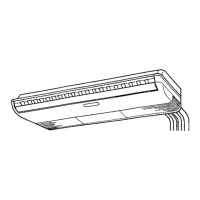
Indoor Unit Components

Identifies the main components of the indoor unit, including the control panel and air direction flaps.

Remote Controller Parts and Operation

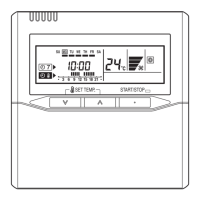
Remote Control Buttons and Display

Details the buttons and display indicators on the wireless remote control unit.

Preparation and Setup

Loading Remote Batteries

Instructions for inserting and handling AAA batteries in the remote control unit.

Setting Current Time

Procedure to set the current time on the remote control unit using the CLOCK ADJUST and TIMER SET buttons.

Remote Control Unit Usage

Guidelines for pointing the remote at the signal receiver and confirming reception.

Operating the Air Conditioner

Selecting Operation Mode

Steps to start the unit and select desired operation modes like AUTO, COOL, DRY, HEAT, FAN.

Setting Room Temperature

How to adjust the thermostat setting using the SET TEMP. button.

Setting Fan Speed

Instructions for adjusting fan speed through AUTO, HIGH, MED, LOW, and QUIET settings.

Quiet Operation Mode

Details on using QUIET mode for reduced airflow and quieter operation.

Advanced Operation and Stopping

Stopping Air Conditioner Operation

How to stop the unit by pressing the START/STOP button.

Auto Changeover Operation

Explains how the unit automatically selects modes based on detected room conditions.

Mode Operation Details

Specifics on Heating, Cooling, Dry, and Fan modes, including temperature settings.

Timer Functions

Using ON;OFF Timers

Steps to set the unit to turn on or off automatically at a specified time.

Using Program Timer

Setting a sequence of ON and OFF timer operations within a 24-hour period.

Canceling Timer Settings

How to cancel active timer settings and return to normal operation.

Sleep Timer and Filter Reset

Sleep Timer Operation

Sets the unit to automatically adjust temperature and stop operation after a set time.

Filter Lamp Reset

Procedure to turn off the filter indicator lamp after cleaning the air filters.

Manual Auto Operation

Using the main unit controls when the remote is lost or unavailable.

Adjusting Airflow Direction

Vertical Air Direction Adjustment

How to adjust the UP/DOWN airflow direction flaps.

Horizontal Air Direction Adjustment

How to adjust the LEFT/RIGHT airflow direction louvers.

Airflow Direction Precautions

Safety warnings and usage tips for adjusting airflow direction.

Swing and Economy Operation

Swing Operation Control

How to select and stop UP/DOWN, LEFT/RIGHT, or combined swing operations.

Economy Operation Mode

Enables energy-saving operation by adjusting thermostat settings automatically.

Cleaning and Maintenance

General Cleaning Precautions

Safety advice and general care instructions for the air conditioner unit.

Cleaning the Air Filter

Step-by-step guide to removing, cleaning, and reinstalling air filters.

Troubleshooting and Signal Codes

Selecting Remote Control Signal Code

Steps to change the remote control signal code for multi-unit installations.

Troubleshooting Common Issues

Identifies symptoms like no operation or noise and suggests initial checks.

Detailed Troubleshooting

Smells and Mist Emission

Explains potential causes for smells or mist/steam emitted from the unit.

Airflow and Water Issues

Addresses problems like weak airflow, stopping operation, or water production.

Performance and Signal Problems

Covers poor cooling/heating, unit operating differently, and signal reception issues.

Operating Tips and Auto Restart

Heating Performance Considerations

Explains heat pump principle and performance reduction at low outdoor temperatures.

Microcomputer-controlled Defrosting

Details the automatic defrosting function during heating in cold, humid conditions.

Low Ambient Cooling and Hot Start

Describes fan speed changes at low ambient temperatures and prevention of cold drafts.

Auto Restart After Power Interruption

How the unit restarts automatically after a power failure or timer interruption.

Summary

Features and Functions

Automatic Operation Modes

Unit begins automatic operation in Cooling, Dry, Heating, or Monitor modes as appropriate.

Sleep Timer Functionality

Gradually adjusts thermostat setting and automatically turns unit off at set time.

Wireless Remote Control Unit

Allows convenient control of air conditioner operation from a distance.

Omni-directional Air Flow

Enables three-dimensional control of air direction using UP/DOWN and RIGHT/LEFT swings.

Mildew-Resistant Filter

Air filter treated to resist mildew growth for cleaner use and easier care.

Indoor Unit Parts Identification

Indoor Unit Components

Identifies the main components of the indoor unit, including the control panel and air direction flaps.

Remote Controller Parts and Operation

Remote Control Buttons and Display

Details the buttons and display indicators on the wireless remote control unit.

Preparation and Setup

Loading Remote Batteries

Instructions for inserting and handling AAA batteries in the remote control unit.

Setting Current Time

Procedure to set the current time on the remote control unit using the CLOCK ADJUST and TIMER SET buttons.

Remote Control Unit Usage

Guidelines for pointing the remote at the signal receiver and confirming reception.

Operating the Air Conditioner

Selecting Operation Mode

Steps to start the unit and select desired operation modes like AUTO, COOL, DRY, HEAT, FAN.

Setting Room Temperature

How to adjust the thermostat setting using the SET TEMP. button.

Setting Fan Speed

Instructions for adjusting fan speed through AUTO, HIGH, MED, LOW, and QUIET settings.

Quiet Operation Mode

Details on using QUIET mode for reduced airflow and quieter operation.

Advanced Operation and Stopping

Stopping Air Conditioner Operation

How to stop the unit by pressing the START/STOP button.

Auto Changeover Operation

Explains how the unit automatically selects modes based on detected room conditions.

Mode Operation Details

Specifics on Heating, Cooling, Dry, and Fan modes, including temperature settings.

Timer Functions

Using ON;OFF Timers

Steps to set the unit to turn on or off automatically at a specified time.

Using Program Timer

Setting a sequence of ON and OFF timer operations within a 24-hour period.

Canceling Timer Settings

How to cancel active timer settings and return to normal operation.

Sleep Timer and Filter Reset

Sleep Timer Operation

Sets the unit to automatically adjust temperature and stop operation after a set time.

Filter Lamp Reset

Procedure to turn off the filter indicator lamp after cleaning the air filters.

Manual Auto Operation

Using the main unit controls when the remote is lost or unavailable.

Adjusting Airflow Direction

Vertical Air Direction Adjustment

How to adjust the UP/DOWN airflow direction flaps.

Horizontal Air Direction Adjustment

How to adjust the LEFT/RIGHT airflow direction louvers.

Airflow Direction Precautions

Safety warnings and usage tips for adjusting airflow direction.

Swing and Economy Operation

Swing Operation Control

How to select and stop UP/DOWN, LEFT/RIGHT, or combined swing operations.

Economy Operation Mode

Enables energy-saving operation by adjusting thermostat settings automatically.

Cleaning and Maintenance

General Cleaning Precautions

Safety advice and general care instructions for the air conditioner unit.

Cleaning the Air Filter

Step-by-step guide to removing, cleaning, and reinstalling air filters.

Troubleshooting and Signal Codes

Selecting Remote Control Signal Code

Steps to change the remote control signal code for multi-unit installations.

Troubleshooting Common Issues

Identifies symptoms like no operation or noise and suggests initial checks.

Detailed Troubleshooting

Smells and Mist Emission

Explains potential causes for smells or mist/steam emitted from the unit.

Airflow and Water Issues

Addresses problems like weak airflow, stopping operation, or water production.

Performance and Signal Problems

Covers poor cooling/heating, unit operating differently, and signal reception issues.

Operating Tips and Auto Restart

Heating Performance Considerations

Explains heat pump principle and performance reduction at low outdoor temperatures.

Microcomputer-controlled Defrosting

Details the automatic defrosting function during heating in cold, humid conditions.

Low Ambient Cooling and Hot Start

Describes fan speed changes at low ambient temperatures and prevention of cold drafts.

Auto Restart After Power Interruption

How the unit restarts automatically after a power failure or timer interruption.

Overview

This document is an operating manual for a Fujitsu Inverter Air Conditioner, specifically a ceiling suspension type. It provides comprehensive instructions for installation, operation, and maintenance, ensuring safe and efficient use of the appliance.

Function Description

The Fujitsu Inverter Air Conditioner is designed to provide climate control for indoor spaces, offering both cooling and heating functionalities depending on the model (Cooling Model or Heat & Cool Model/Reverse Cycle). The inverter technology allows for precise temperature control and energy efficiency.

Usage Features

The air conditioner offers a variety of operating modes and features for user comfort and convenience:

  • Automatic Operation:
    • Cooling Model: Automatically selects Cooling or Dry mode based on thermostat setting and room temperature.
    • Heat & Cool Model (Reverse Cycle): Automatically selects Heating, Cooling, or Monitor modes based on thermostat setting and room temperature.
    • AUTO CHANGEOVER Operation: When first selected, the fan operates at a very low speed for about one minute to detect room conditions and then selects the appropriate operating mode.
      • If the difference between thermostat setting and actual room temperature is more than +2 °C, it defaults to Cooling or Dry operation (Monitor operation if outdoor temperature is low).
      • If the difference is within ±2 °C, it enters Monitor operation.
      • If the difference is more than -2 °C, it defaults to Heating operation (Monitor operation if outdoor temperature is high).
      • Once the room temperature is near the thermostat setting, it enters Monitor operation with low fan speed. If the temperature changes, it will re-select the appropriate mode.
  • Mode Operation:
    • Heating: Warms the room. Operates at very low fan speed for 3-5 minutes to warm up the indoor unit before full operation. May enter defrost cycle if frost forms on the outdoor unit, interrupting heat operation.
    • Cooling: Cools the room.
    • Dry: Gently cools while dehumidifying. Cannot heat in this mode. Operates at low fan speed, which may stop or run very slowly to adjust humidity. Fan speed cannot be changed manually.
    • Fan: Circulates air throughout the room without heating or cooling.
  • Temperature Setting: Adjustable using the SET TEMP. buttons.
    • AUTO: 18-30 °C
    • Heating: 16-30 °C
    • Cooling/Dry: 18-30 °C
    • Temperature display is not available in FAN mode.
  • Fan Speed Control: Adjustable using the FAN button, cycling through AUTO, HIGH, MED, LOW, and QUIET.
    • AUTO: Optimally circulates air. In Heating, fan speed is very low if indoor unit temperature is low. In Cooling, fan speed slows as room temperature approaches thermostat setting. In Fan mode, it runs at low speed.
    • QUIET Operation: Reduces airflow for quieter operation. Not available in Dry mode. May reduce heating/cooling performance.
  • Timer Operation:
    • ON Timer/OFF Timer: Sets a specific time for the unit to turn ON or OFF.
    • Program Timer: Integrates OFF and ON timer operations in a single 24-hour sequence (e.g., OFF → ON or ON → OFF). The first timer to operate is the one set nearest to the current time.
    • SLEEP Timer: Automatically modifies the thermostat setting during sleep to prevent excessive warming or cooling.
      • Heating: Thermostat setting is lowered by 1 °C every 30 minutes, up to a total of 4 °C, then maintained until the set time elapses and the unit turns off.
      • Cooling/Dry: Thermostat setting is raised by 1 °C every hour, up to a total of 2 °C, then maintained until the set time elapses and the unit turns off.
  • Air Direction Adjustment (SWING Operation):
    • Omni-directional Air Flow: Three-dimensional control using both UP/DOWN and RIGHT/LEFT air direction swings.
    • Vertical Air Direction: Adjustable using the SET button (Vertical) through five positions. Automatic vertical airflow based on operating mode (Horizontal flow for Cooling/Dry, Downward flow for Heating).
    • Horizontal Air Direction: Adjustable using the SET button (Horizontal) through five positions.
    • The SWING operation may temporarily stop if the fan is not operating or is running at very low speeds.
  • ECONOMY Operation: Reduces maximum output to approximately 70% of normal operation for cooling and heating, promoting energy savings. Improves dehumidification in cooling mode. Thermostat setting automatically adjusts for economical operation.
  • MANUAL AUTO Operation: Allows basic operation from the main unit control panel if the remote control is unavailable. Operates in AUTO mode with fan speed "AUTO" and thermostat set to 24 °C.
  • AUTO Restart: In case of power interruption, the air conditioner restarts automatically in the previously selected mode once power is restored. If a power failure occurs during TIMER operation, the timer is reset, and the unit operates under the new timer setting.

Important Technical Specifications

  • Remote Control Unit: Wireless, operating range of about 7 meters. Requires 2 AAA R03/LR03 batteries.
  • Signal Code: The remote control unit can be set to one of four signal codes (A, B, C, D) to prevent interference with other air conditioners in the same room. The default code is A.
  • Microcomputer-controlled Automatic Defrosting: In heating mode, under low outdoor temperature and high humidity, the unit temporarily stops operation (4-15 minutes) to remove frost from the outdoor unit, indicated by a flashing OPERATION indicator lamp.
  • Hot Start (for heating): The indoor unit prevents cold drafts by delaying fan operation or running at very low speed until the heat exchanger reaches the set temperature.
  • Low Ambient Cooling: Outdoor unit fans may switch to Low Speed when outdoor temperature drops.

Maintenance Features

  • Mildew-Resistant Filter: The air filter is treated to resist mildew growth for cleaner use and easier care.
  • Filter Lamp Reset: The FILTER lamp on the indoor unit indicates when it's time to clean the air filters. After cleaning, press the FILTER RESET button on the remote control to turn off the lamp.
  • Air Filter Cleaning:
    1. Remove air filters by pulling them upward from their handles.
    2. Clean dust with a vacuum cleaner or by washing with mild detergent and warm water.
    3. Allow filters to dry thoroughly in a shady place before re-attaching them to the intake grille.
    • Accumulated dirt on the filter reduces airflow, operating efficiency, and increases noise.
  • General Cleaning:
    • Turn off the unit and electrical breaker before cleaning.
    • Do not use water hotter than 40 °C, harsh abrasive cleansers, benzene, or thinner.
    • Do not expose the unit body to liquid insecticides or hairsprays.
    • If the unit will not be used for a month or more, operate it in fan mode for half a day to thoroughly dry inner parts.
  • Preventive Maintenance: Regular preventive maintenance by accredited technical assistance is recommended to avoid excessive wear and malfunctioning. The unit should be inspected regularly, especially for extended periods of use, to prevent dirt accumulation that can reduce performance.
  • Battery Replacement: Batteries should last about one year. If the remote control's operating range is reduced, replace batteries and press the RESET button. When replacing batteries, the signal code resets to A, so it must be re-set if a different code is used.

Safety Precautions

The manual emphasizes several safety precautions:

  • DANGER! Indicates procedures that are most likely to result in death or serious injury.
    • Do not attempt self-installation.
    • Consult authorized service personnel for repairs, disconnection, and installation when moving.
    • Avoid prolonged exposure to direct airflow.
    • Do not insert fingers or objects into outlets or grilles.
    • Do not start/stop operation by turning off the electrical breaker.
    • Stop operation immediately, turn off the breaker, and consult service personnel in case of malfunction (e.g., burning smell).
  • WARNING! Indicates procedures that might lead to death or serious injury.
    • Never place fingers or foreign objects inside outlet ports due to high-speed internal fan.
    • Do not manually move UP/DOWN air direction flaps or RIGHT/LEFT air direction louvers; stop operation and restart if this occurs.
    • During Cooling/Dry modes, do not set UP/DOWN air direction flaps in the Heating range for long periods to prevent water condensation and dripping. If left in the heating range for over 30 minutes, they will automatically return to position 3.
    • Consider infants, children, elderly, or sick persons when making air direction and room temperature settings.
    • In case of malfunction, disconnect power supply plug or turn off circuit breaker.
  • CAUTION! Indicates procedures that might result in personal harm or property damage.
    • Provide occasional ventilation during use.
    • Do not direct airflow at fireplaces or heating apparatus.
    • Do not climb on or place objects on the air conditioner.
    • Do not hang objects from the indoor unit.
    • Do not set flower vases or water containers on top of the unit.
    • Do not expose the unit directly to water or operate with wet hands.
    • Turn off power when not using for extended periods.
    • Turn off the electrical breaker when cleaning or changing the air filter.
    • Handle hot connection valves carefully during Heating.
    • Check installation stand for damage.
    • Do not place animals or plants in the direct path of airflow.
    • When restarting after long disuse in winter, turn on power switch at least 12 hours before starting.
    • Do not drink drained water.
    • Do not use for storing foods, plants, animals, precision equipment, or art works.
    • Do not apply heavy pressure to radiator fins.
    • Operate only with air filters installed.
    • Do not block or cover intake grille and outlet port.
    • Ensure electronic equipment is at least one meter away from indoor/outdoor units.
    • Avoid installing near fireplaces or heating apparatus.
    • Take precautions to prevent infant access to indoor/outdoor units during installation.
    • Do not use inflammable gases near the air conditioner.
    • Prevent infants from swallowing batteries.
    • Remove batteries from remote control if not used for extended periods to prevent leakage.
    • If battery fluid contacts skin, eyes, or mouth, wash immediately with water and consult a physician.
    • Dispose of dead batteries properly.
    • Do not recharge dry batteries.
    • Do not mix new and used batteries or different types.

Fujitsu AIR CONDITIONER Specifications

General IconGeneral
BrandFujitsu
ModelAIR CONDITIONER
CategoryAir Conditioner
LanguageEnglish

Videos

How To Fix Fujitsu Air Conditioner Not Turning on

How To Fix Fujitsu Air Conditioner Heat Mode Not Working

How To Fix Fujitsu Air Conditioner Remote Not Working Or Responding – Reset, Battery & IR Fix

How to turn off child lock on a Fujitsu air conditioner?

How To Turn On Fujitsu Air Conditioner Without Remote

Related product manuals