32 D1271 / D1291 CUV-LSV / CUV-LV User’s Manual
3. HARDWARE SETUP
Connectors
3. H/W SETUP
3.8.2 Internal Connectors
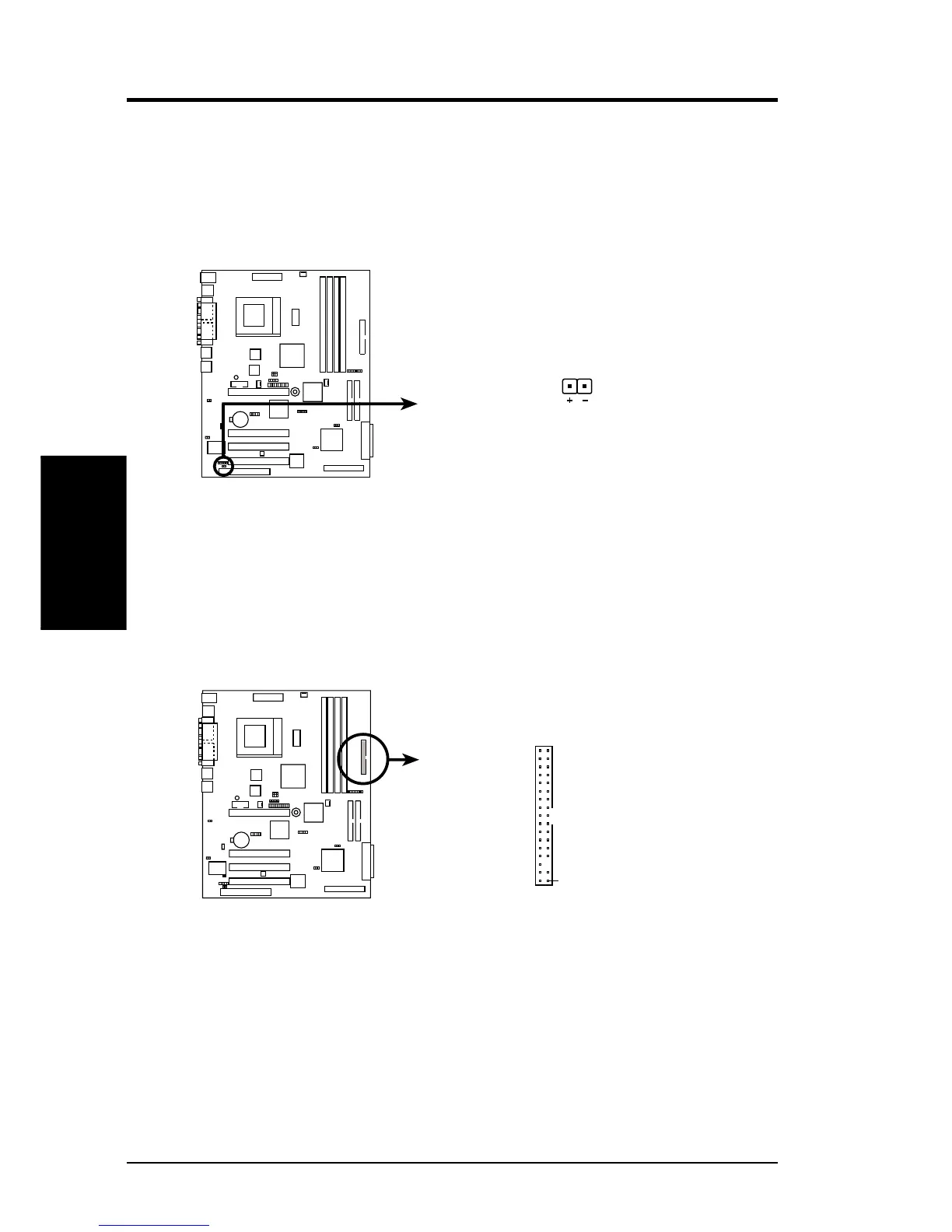
1) IDE and SCSI Activity LED (2-pin HDLED)
This connector supplies power to the IDE and SCSI activity LED on the chassis
front panel. Read and write activities by devices connected either to the IDE or
to the SCSI connectors cause the HDLED to light up.
2) Floppy Disk Drive Connector (34-1 pin FLOPPY)
This connector supports the provided floppy drive ribbon cable. After connecting
the single end to the board, connect the two plugs on the other end to the floppy
drives. (Pin 5 is removed to prevent inserting in the wrong orientation when
using ribbon cables with pin 5 plugged).
CUV-LSV
NOTE: Orient the red markings on
the floppy ribbon cable to
PIN 1
CUV-LSV Floppy Disk Drive Connector
PIN 1
CUV-LSV IDE & SCSI Activity LED
TIP: If the case-mounted LED does not
light, try reversing the 2-pin plug.
HDLED
CUV-LSV



 To Next Page