Security Menu - Security features
Installing Sys temLock
InstallingS yst emLock
The first SmartCard to be installed will become the Admin SmartCard. When used with the
PUK, this has full access rights a nd should therefore be kept in a safe place. It should only
be used by an authorised user (administrator), e.g. to initialise user cards.
You need an Admin SmartCard if you want to set up a user group. The Admin
SmartCard is used to add furth e r system s to the user group.
Settingupthefirst system in a user group or a standalone
system for use with SystemLock
Usergroups
► Start the PC and open BIOS Setup.
► From the Sec urity menu, choose the option SmartCard SystemLock.
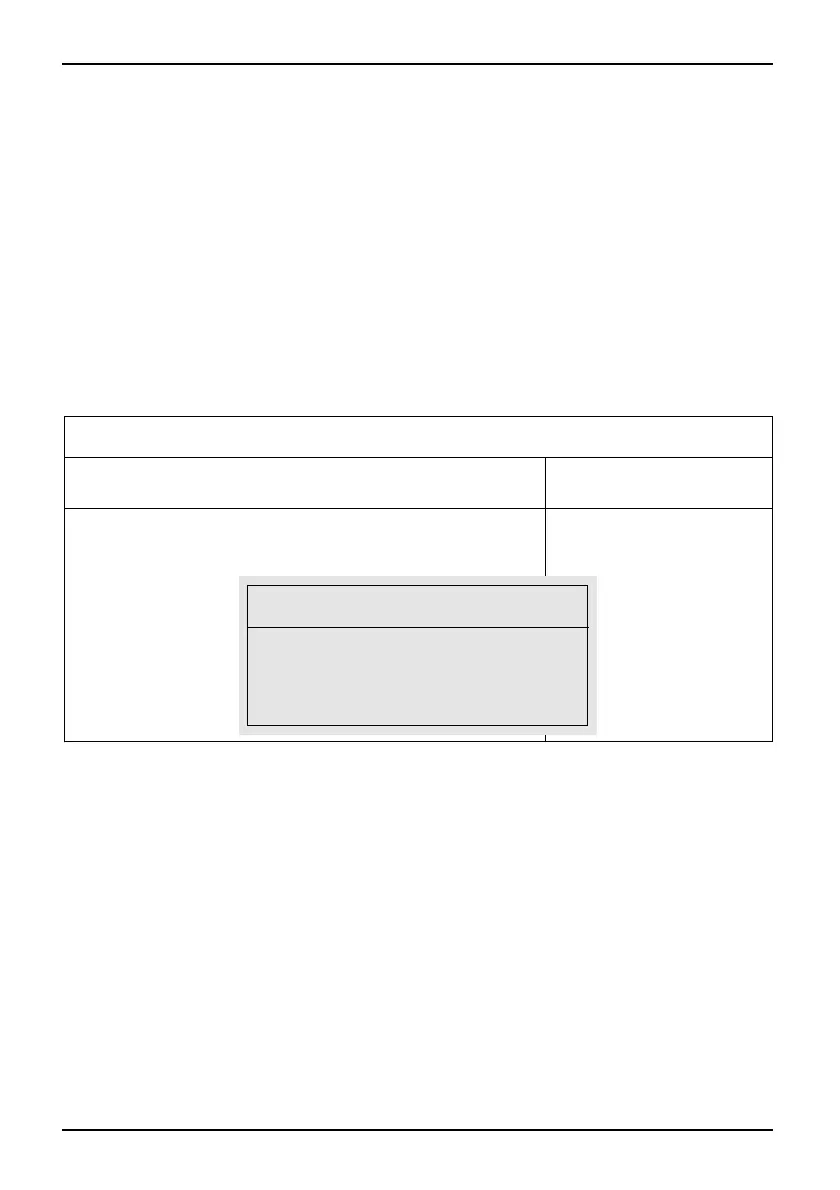
The following S martCa rd SystemLock m enu will be displayed:
Security
SmartCard SystemLock Item Specific Help
SmartCard SystemLock Not Installed
Install Single PC [Enter]
Install Group PC [Enter]
Install the security
fr this PC, and
creates a new
SystemLock Admin
SmartCard dedicated to
this PC.
SmartCard data will be
overwritten.
A correct SmartCard is
required for a
permanent installation.
Install Single PC
Enter the PUK: [ ]
Enter new PIN: [ ]
Confirm new PIN: [ ]
► Insert a new SmartCard in the reader and press En ter.
46 Fujitsu Technology Solutions



 To Next Page