Modular RAID Controllers
41
Modular RAID 6Gb/s (SAS2.0)
4.2.4 Installation
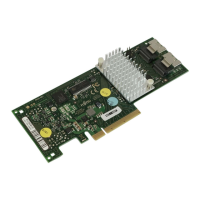
This section describes how to install the SAS RAID controller in a server.
V CAUTION!
To safeguard against data loss, remember to back up your data before
you change your system configuration.
To install the new controller, proceed as follows:
Step 1 Unpack the controller
Unpack the new controller in a static-free environment. Remove
it from the anti-static bag and inspect it for damage.
If the controller appears to be damaged, contact the Fujitsu
support service.
Step 2 Prepare the server
Turn off the server and remove the cover from the chassis.





 To Next Page