7-2. Function settings by using remote controller
Some function settings can be changed on the remote controller. After confirming the setting pro-
cedure and the content of each function setting, select appropriate functions for your installation
environment.
NOTE: Incorrect settings can cause a product malfunction.
¢
Function settings of indoor unit
For the function setting, refer to the Design & technical manual for each product.
1. Turn on the power.
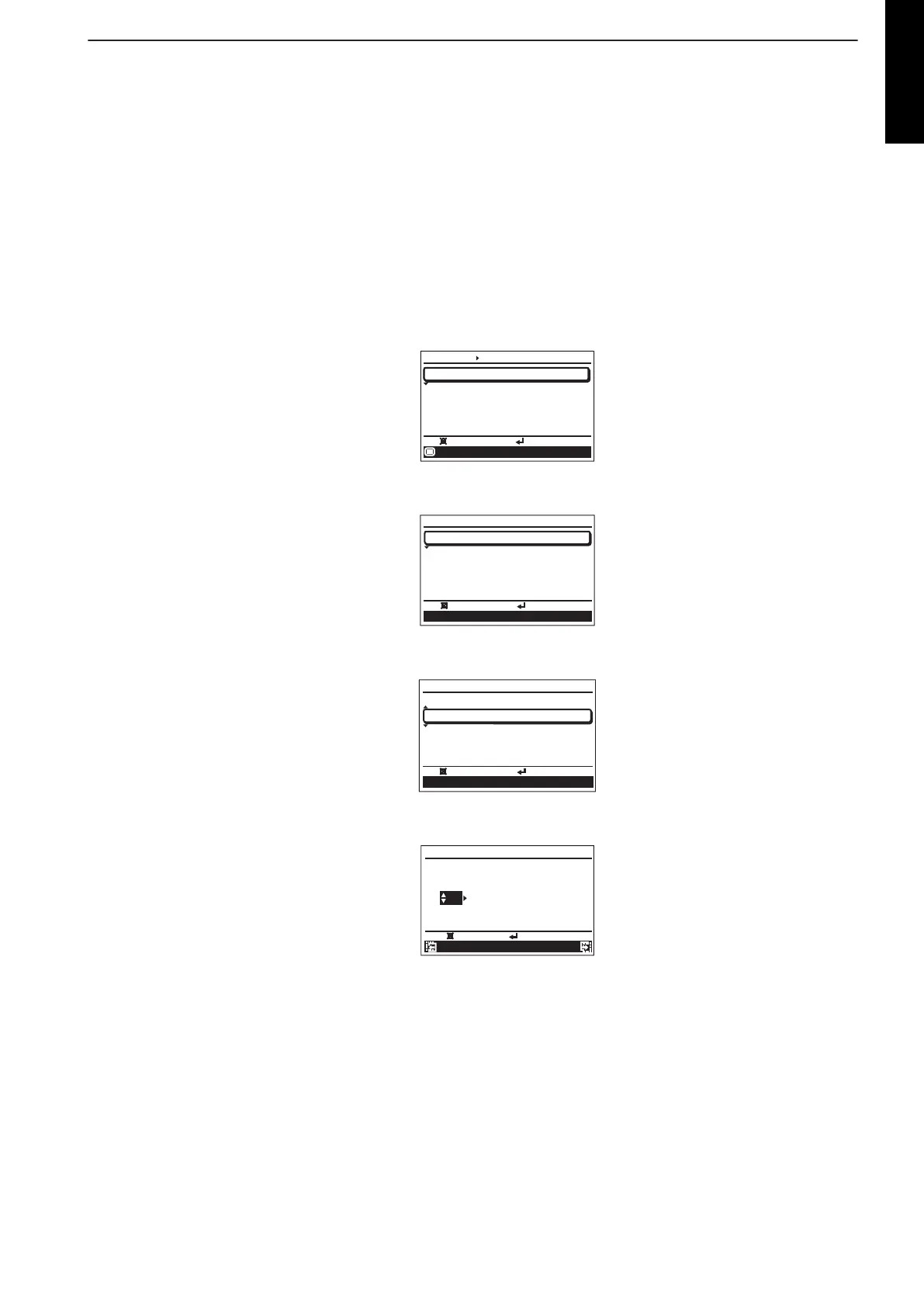
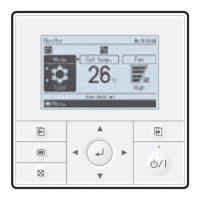
2. When [Menu button] is pressed twice while “Monitor” screen is displayed, it switches to the
“Submenu” screen. If [Menu button] is pressed while the “Submenu” screen is displayed, the
display returns to the “Monitor” screen.
Back:
Setting:
Date and time
Submenu
[
1/2
]
Monitor
Screen
Filter sign
R.C. sensor control
Room temp. display
Off
Off
Mo
10:00
3. Press the [Screen switch button (Left)] and [Screen switch button (Right)] simultaneously for
5 seconds to switch to “Service” screen.
Back
Setting:
Service
Mo
10:00
Function setting
Error history
I.U.address verification
Version
Test run
4. Select [Function setting] with pressing the [Cursor button (Up/Down)], and press the [Enter
button].
Back
:
Setting:
Service
Mo
10:00
Function setting
Error history
I.U.address verification
Version
Test run
5. Select [R.C. address] of the target indoor unit with pressing the [Cursor button (Up/Down)].
(R.C. Address : Remote Controller Address)
C
ancel
:
OK:
Function setting
Mo
10:00
R.C. Function Setting
address No. No.
00
00
00
Version Error history
- 23 -
ZONE CONTROL
SYSTEM



 To Next Page