FI‐7600/FI‐7700
C
ONSUMABLE
R
EPLACEMENTAND
C
LEANING
I
NSTRUCTIONS
CG00002‐296501
ReplacingtheBrakeRoller
ReplacetheBrakeRollerinthefollowing
procedure.
1.
Turnoffthescannerandwaitforatleast
15minutes.
2.
Unplugthepowercable
3.
RemovealldocumentsfromtheADFpaper
chute(feeder)
4.
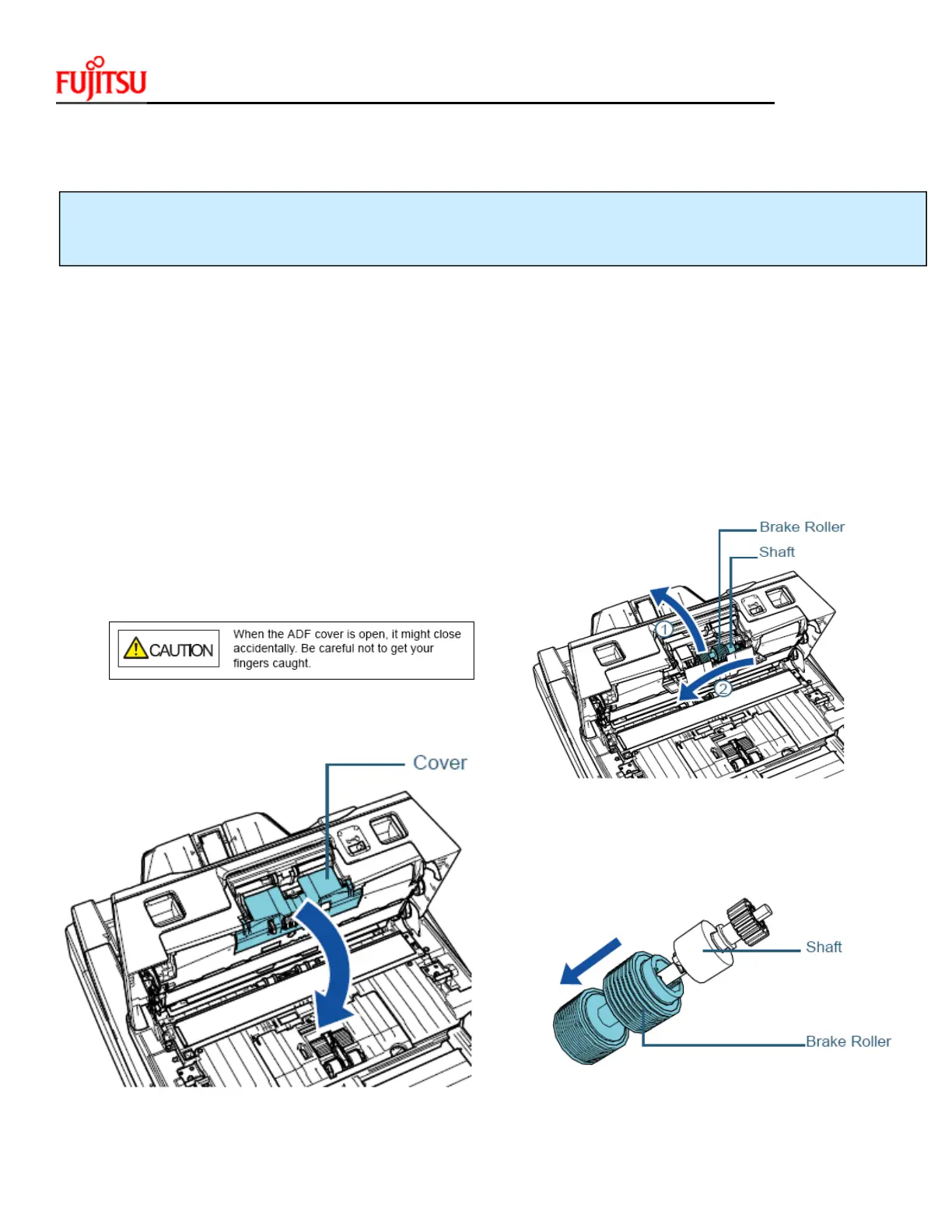
OpentheADFcover
6
.Removethebrakeroller
Lifttheleftsideoftherollerinthe
directionofthearrow1first,thenpull
outtheshaftfromtheslotontheright
inthedirectionofthearrow2
7
. Removethebrakerollerfromits shaft
.


 To Next Page
 Loading...