8
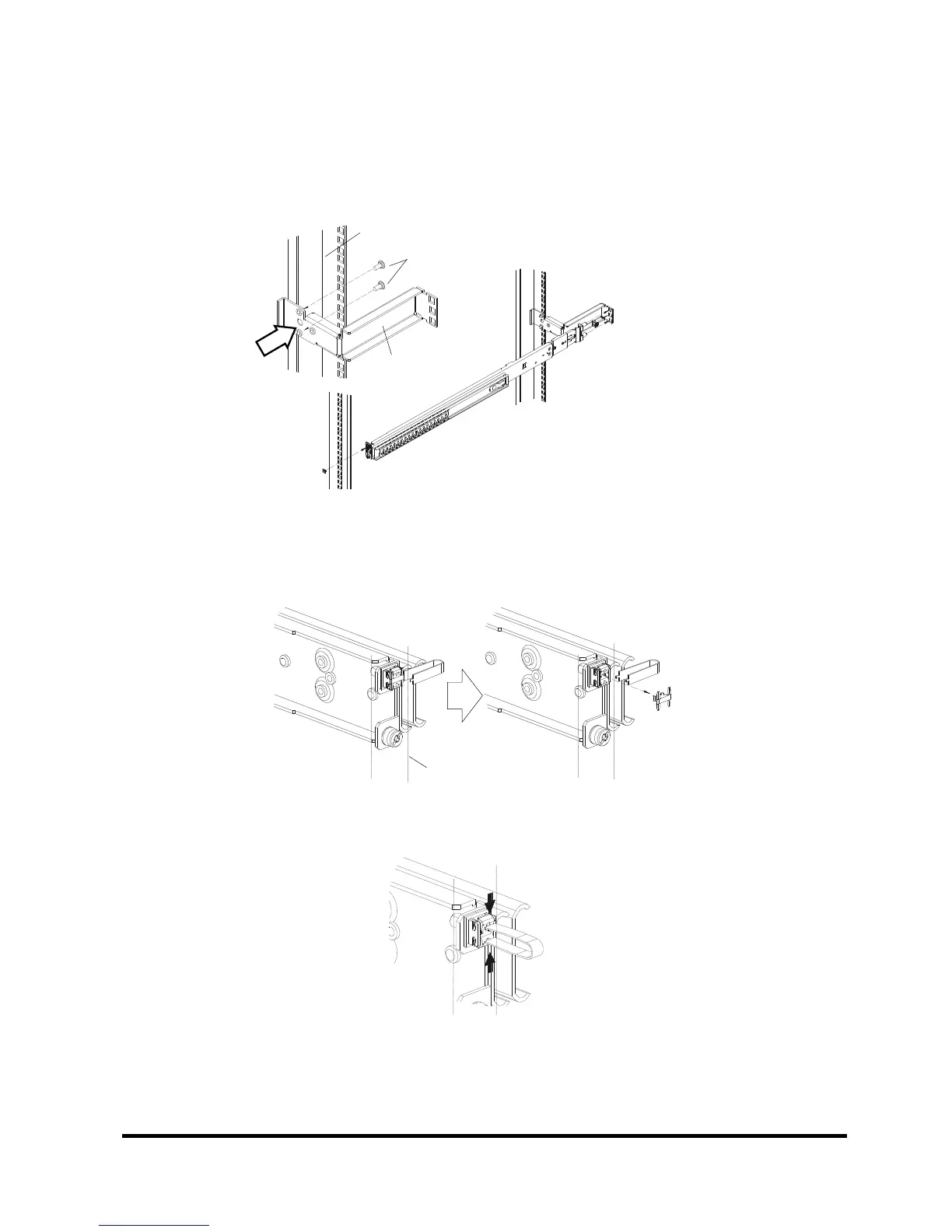
To install in an asymmetrical PRIMERGY rack:
(1) Use two centering screws (M5 Torx T20) to install the support bracket on the left rear-side
rack brace.
(2) Install the RC25 Rack Mount Kit.
See above for the installation procedure.
To remove the RC25 Rack Mount Kit:
(1) Insert the unlocking tool between the Easy mounting-clip and the Security lock as shown
in the figure, and then remove the Security lock.
(2) Insert the unlocking tool into the opening in the Easy mounting-clip, disengage the lock,
and then remove the RC25 Rack Mount Kit from the front-side rack brace.


 To Next Page