Installing in Mac OS
55
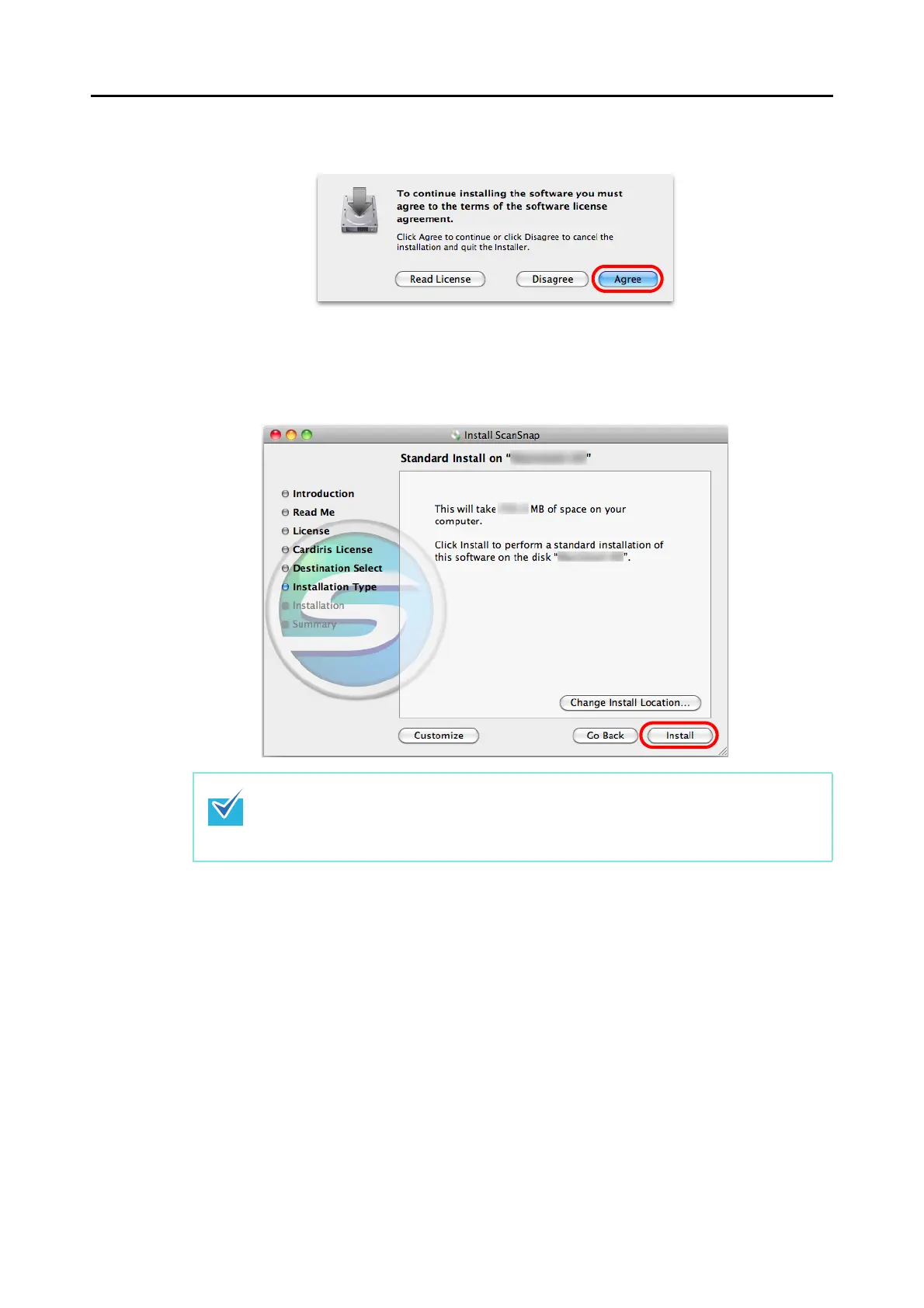
10.To accept the license agreement, click the [Agree] button.
The [Standard Install on "disk name"] screen appears.
11.Click the [Install] button.
An authentication window appears.
12.Enter the user name and password for a user with Administrator
privileges, and click the [OK] button.
Installation starts.
On S1500/S1500M/S1300, the [The installation was completed successfully.] screen
appears when the installation is complete. Go to step 15.
On S1100, the [ScanSnap S1100 How to load a document 1] screen appears. Go to
step 13.
z To install only ScanSnap Manager, clear the [ABBYY FineReader for ScanSnap] and
[Cardiris] checkboxes in the [Custom Install on "disk name"] screen which is displayed
by clicking the [Customize] button.
z ABBYY FineReader for ScanSnap or Cardiris cannot be installed on its own.



 To Next Page
 Loading...













