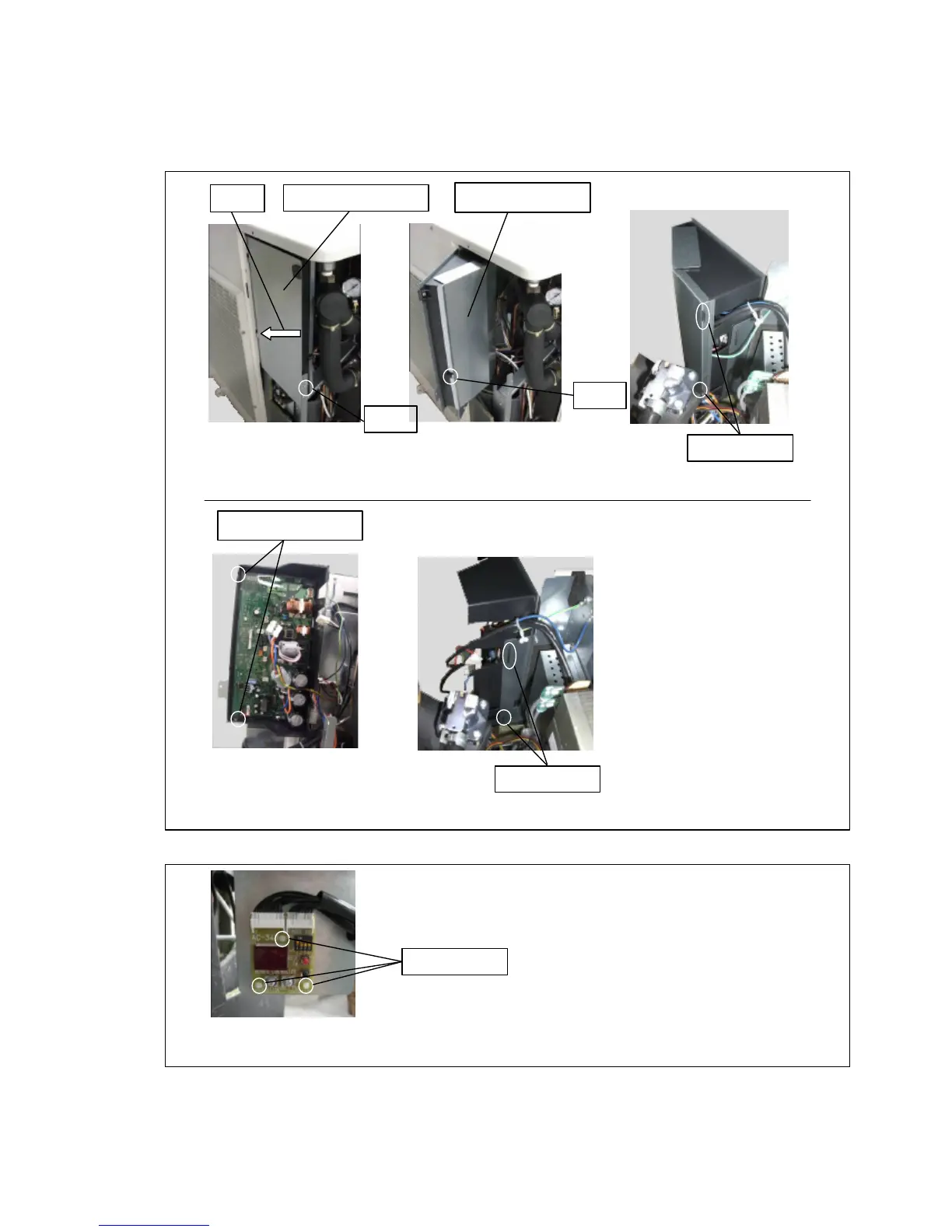
3.MAIN PCB removal
Remove the screw for fixing Remove the screw for fixing the cover.
the panel. (1 place) (1 place)
Open the panel for hanging PCB. Remove the fire prevention cover.
Remove connectors.
Remove the screws for PCB box (2 places)
to detach PCB box whole.
4. PCB (DISPLAY) removal
Remove the locking spacers. (3 places)
Remove the PCB (DISPLAY).
Panel for hanging PCB Open
Fire prevention cover
Screw
Screw for fixing the cover



 To Next Page