EasyManua.ls Logo

Fukuda FRE-205 DUO - User Manual

Fukuda FRE-205 DUO
28 pages
Print Icon
To Next Page IconTo Next Page
Loading...
Laser Levels Online
Fukuda FRE-205 DUO
REVISION 1.1
User Guide
© 2021 Laser Levels Online
3
rd
Generation

Questions and Answers

  • W
    weisstammyAug 6, 2025
    Why my Fukuda Laser Level will not power on?
    • K
      Kayla PhelpsAug 6, 2025
      If your Fukuda Laser Level won't power on, start by checking the batteries. Dead standard batteries or flat rechargeable batteries are common culprits, as are polarity errors from incorrect battery installation. Always double-check the polarity. Try a fresh set of batteries, avoiding mixing different types or old and new batteries. Also, using a non-original charger can seriously damage the batteries, internal charge circuit, or the laser itself. It's recommended to contact the manufacturer to purchase the correct OEM charger. In addition, ensure that laser beam reflections cannot bounce back to the detector.
  • M
    Mark GonzalesAug 12, 2025
    What to do if my Fukuda Laser Level detector is not detecting the laser beam?
    • R
      Rachel CooperAug 12, 2025
      If your Fukuda Laser Level detector isn't detecting the laser beam, several factors could be at play. First, check the detector's battery; a low battery may need replacing. Ensure that the FRE-205 is spinning and producing a visible red beam. Verify a clear line of sight without obstructions and confirm that both the laser level and detector are within their specified operating range. Lastly, make sure the protective lighthouse glass is clean and free of dust and dirt.
  • A
    Amanda MunozAug 20, 2025
    Why is my Fukuda FRE-205 DUO not holding its charge?
    • T
      Travis HamiltonAug 20, 2025
      If your Fukuda Laser Level is not holding its charge, the issue likely lies with the rechargeable batteries. Check the batteries; they might need charging or replacement due to age or numerous charging cycles.
  • C
    Christopher DiazAug 28, 2025
    How to fix Fukuda FRE-205 DUO that will not self-level?
    • R
      Ronnie BellAug 28, 2025
      If your Fukuda FRE-205 Laser Level won't self-level, first, reposition it to ensure it's within ±5 degrees of level. If that doesn't work, try the Factory Reset procedure on page 23. If problems persist, please contact the Service Department: 08000 869 769 who will be able to how to send it for repair.

Summary

Key Information

Introduction and Safety

Overview of the Fukuda FRE-205

Provides a general description of the FRE-205 laser level and its dual-grade capabilities.

Safety Instructions

Crucial safety guidelines and warnings for operating the laser level safely.

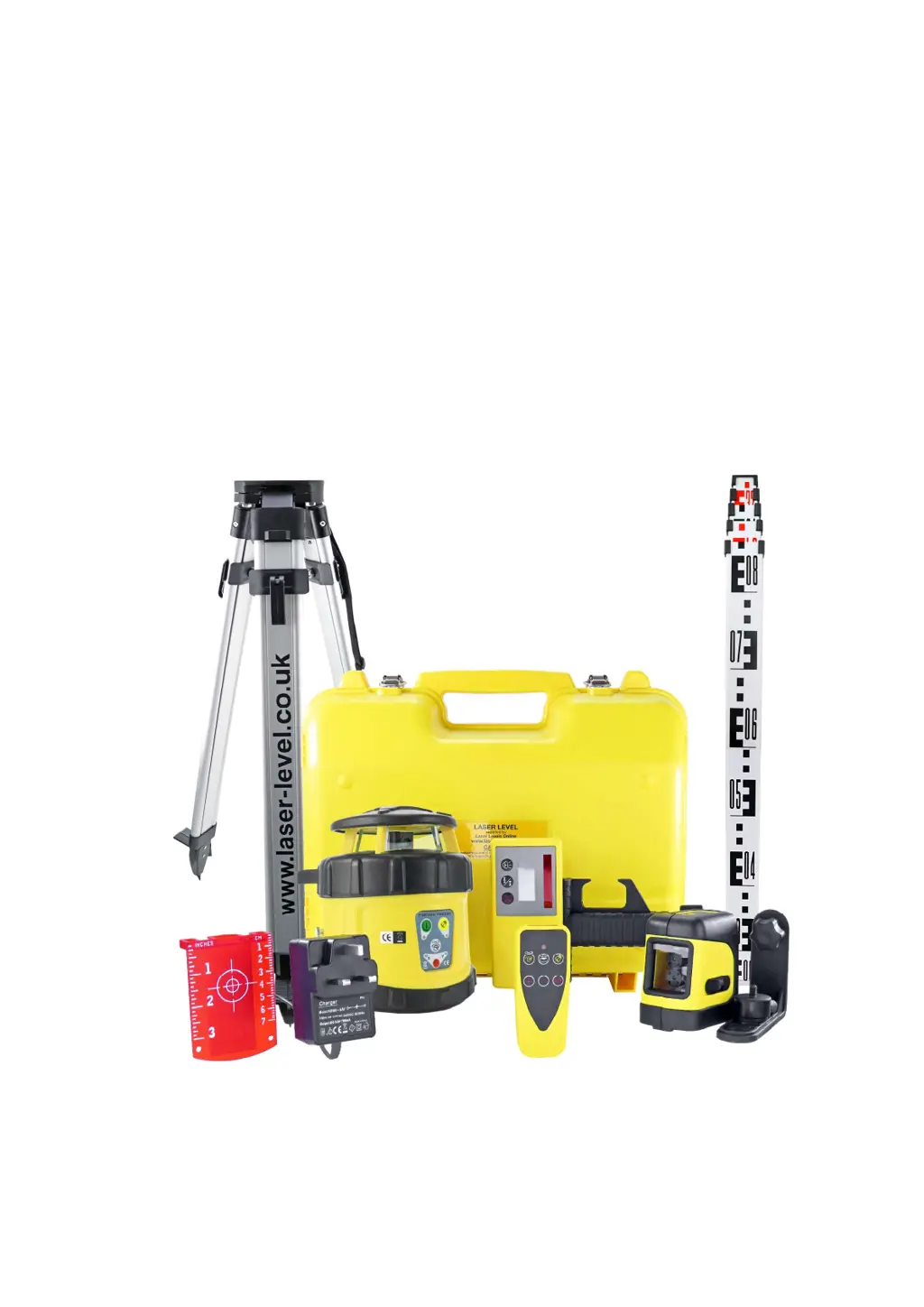
Kit Contents

Laser Overview

Key Pad Overview

Remote Control Overview

Laser Detector Overview

Using the Detector

Instructions on how to attach and use the laser detector with a measuring staff.

Charging and Batteries

Mains Charger Usage

Details on using the mains charger, charging indicators, and charging times.

Rechargeable Batteries

Information about the included AA rechargeable batteries and their care.

Alkaline Batteries

Guidance on using optional AA alkaline batteries and precautions.

Instructions

Horizontal Levelling Procedure

Step-by-step guide for performing horizontal levelling with the laser.

Using the Laser

Powering On and Off

Instructions for turning the laser level on and off, and its self-levelling process.

Rotational Speed Control

How to adjust the laser's rotational speed for different applications.

Manual Override Function

Disabling the self-levelling system using the remote control.

Advanced Laser Usage

Remote Control Slope Adjustment

Using remote buttons to adjust slope angles for X and Y axes.

Automatic Drift System (ADS)

Explanation of the ADS feature for detecting and alerting to laser disturbance.

Grading and Slope Setting

Information on setting dual grades (slopes) for the laser level.

Setting Single Axis Slope

Detailed steps for setting a slope on a single axis (X or Y).

Dual Axis Slope Setting

Setting Y Axis Slope

Procedure for setting a slope specifically on the Y axis.

Setting Dual Slopes (X & Y)

Guide to setting slopes simultaneously on both X and Y axes.

Site Set-Out Procedure

Equipment for Site Setup

Lists the necessary equipment for setting out a site using the laser.

Outdoor Site Setup

Step-by-step instructions for setting up the laser outdoors.

Site Set-Out (Continued)

Indoor Site Setup

Step-by-step instructions for setting up the laser indoors.

User Tips for Site Setup

Helpful tips for ensuring accurate site setup and laser performance.

Setting Slopes and Grades

Equipment for Slope Setting

Lists the required equipment for setting slopes and grades.

Site Conditions for Slopes

Considerations for site conditions when setting drainage falls.

General Slope Setting Procedure

Outlines the general procedure for setting slopes with the laser.

Setting a 1:40 Gradient Example

A practical example of setting a specific gradient (1:40).

Advanced Slope Setting

Dual Grading for Slopes

Using the laser for dual grading in driveways and car-parks.

Cut & Fill Machine Control

Using the laser for machine control in cut and fill operations.

Setting Slopes Without Known Grade

Example 2: Setting Grade Without Prior Knowledge

Procedure for setting a slope when the exact grade is not initially known.

Slope Setting Example 2 Details

Equipment for Example 2

Lists equipment needed for the second slope setting example.

Site Conditions for Example 2

Site context relevant to the second slope setting example.

Procedure for Example 2

Step-by-step process for setting slopes in the second example.

Determining and Setting Fall F

Key steps to measure and set the required fall in the second example.

Calculating Grade Ratio

Grade Ratio Calculation Method

Explains how to calculate the grade ratio based on distance and fall.

Calibration Check

Controlled Calibration Test

A specific test procedure to verify the laser level's calibration accuracy.

Factory Reset Procedure

Refraction Issues

Trouble Shooting

Power On Issues

Troubleshooting steps for when the laser will not power on.

Charging Problems

Solutions for issues related to the laser level not charging.

Inaccurate Level Readings

Causes and solutions for random or incorrect level readings.

Advanced Troubleshooting

Laser Self-Levelling Failures

Troubleshooting steps when the laser fails to self-level.

Battery Charge Retention Issues

Diagnosing problems with the laser or detector not holding charge.

Detector Not Reading Beam

Solutions for when the detector cannot detect the laser beam.

Care and Maintenance

Protecting the Laser Kit

Guidelines for protecting and maintaining the Fukuda FRE-205 kit.

Fukuda FRE-205 DUO Specifications

General IconGeneral
Working Range30m
Laser ClassClass 2
Laser Wavelength635 nm
Self-Leveling Range± 3°
Power Supply4 x AA batteries
Leveling Time≤3 seconds
Laser Diode635 nm, <1mW
Protection RatingIP54
Operating Timeup to 20 hours
Storage Temperature-20°C to +60°C
Leveling Accuracy± 1 mm / 10 m
Operating Temperature-10°C to +45°C
Accuracy± 1 mm / 10 m

Related product manuals