FULBAT - www.fulbat.com 4
- Check electrolyte levels if possible.
(As they may need topping up with distilled water after charging).
THE CHARGING PROCESS
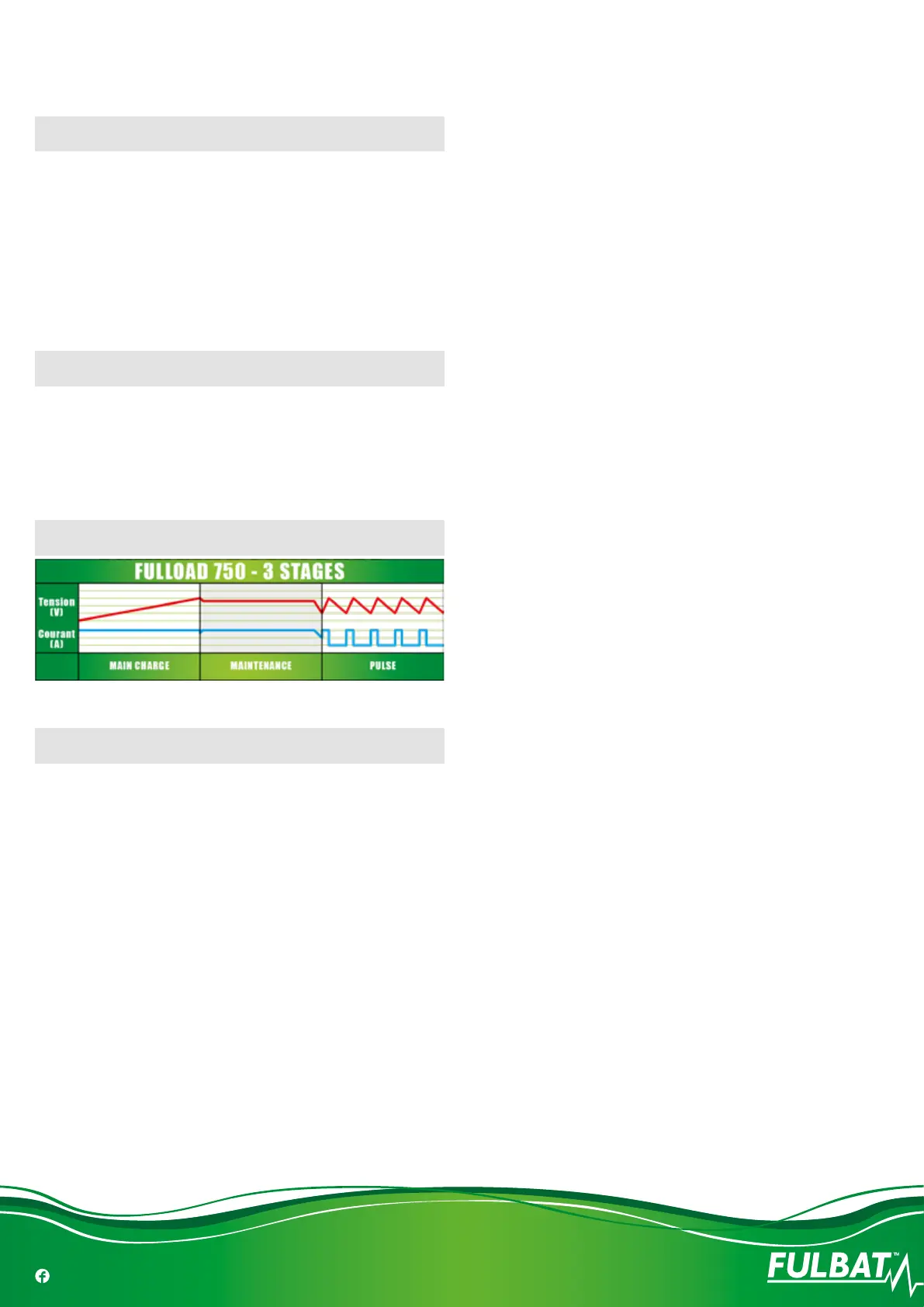
The charging stages are as follows:
• Bulk Charge:
-
Charges using a constant maximum current (0,75A) until the bat-
tery reaches 7.2V (6V batteries) or 14.4V (12V batteries) - (LED
color - Green).
• Fully / Float:
-
Battery is fully charged and is being maintained - (LED color - Green).
LED STATUS INIDICATOR TABLE
• Red light xed: charging
• Red light ashing: error, or reverse polarity
• Green light xed: full charge
• Green light ashing: charge > 80%
CHARGING CURVE (VOLTAGE)
MAINTENANCE
The charger is maintenance free. If the power cord is damaged, the
charger must be left to the reseller for maintenance. The case should
be cleaned occasionally. The charger should be disconnected from the
power while cleaning.


 To Next Page