6. SET IT UP
HELP?
7. START A SESSION
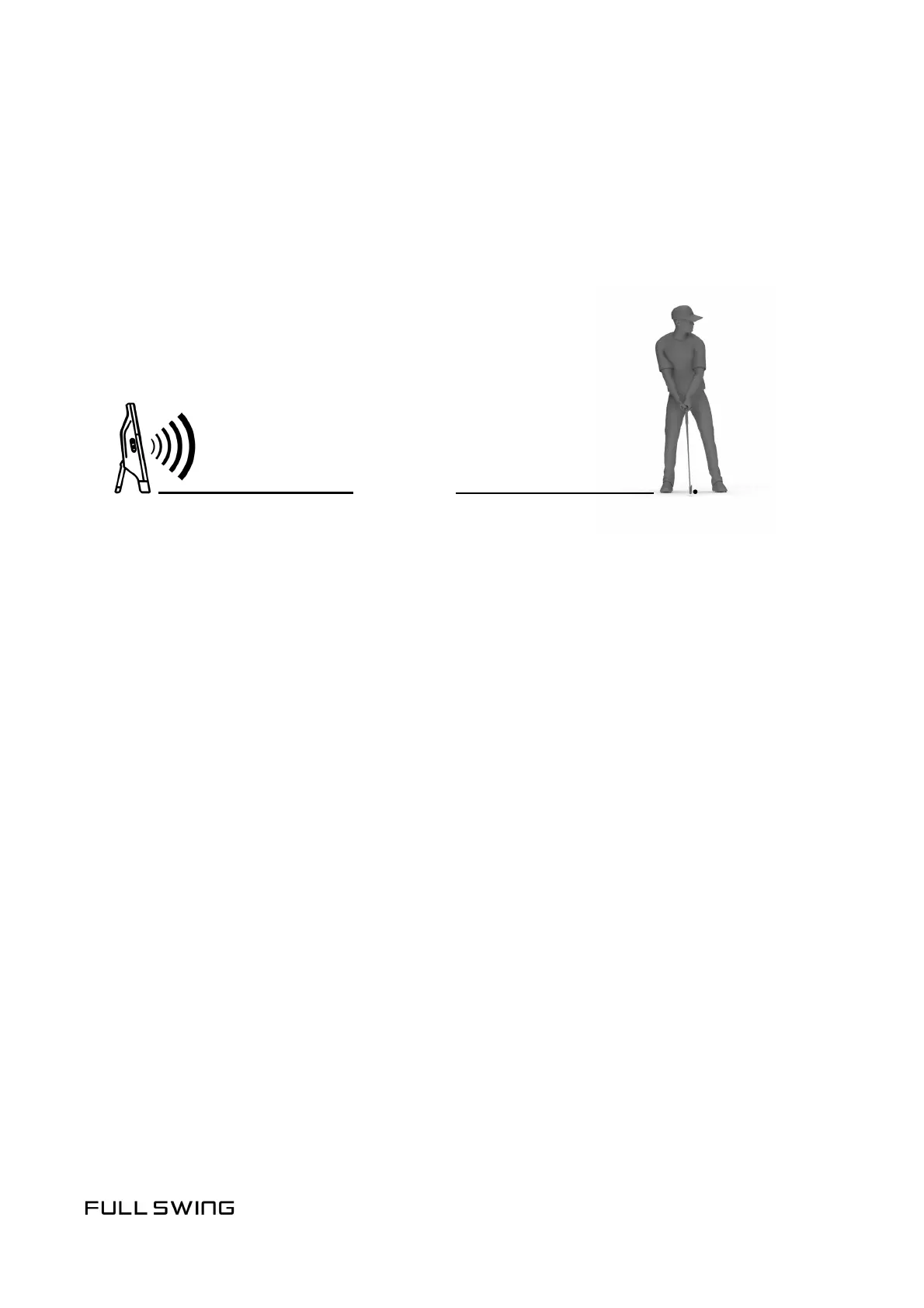
• Fully extend the rear leg of your KIT
• Place the unit 10 feet directly behind the ball
• Make sure the unit is level with the tee area and there are no obstrucons
Help Center and FAQ: kitsupport.fullswinggolf.com
Phone: +1-855-688-1100
Email: kit.support@fullswinggolf.com
• Open the Full Swing app and tap Start Pracce Session
• Tap the Connect buon, then tap Join when prompted
• Select your Environment and Locaon (oponal), then tap Start Session
• Select a Club, then tap Use Club & Set Target
• Posion your KIT so that the white line is pointed at your target, and your
ball is within the tee area, then tap Set Target Line
10 FEET
FULLSWINGGOLF.COM


 To Previous Page