2
Custom top guidelines
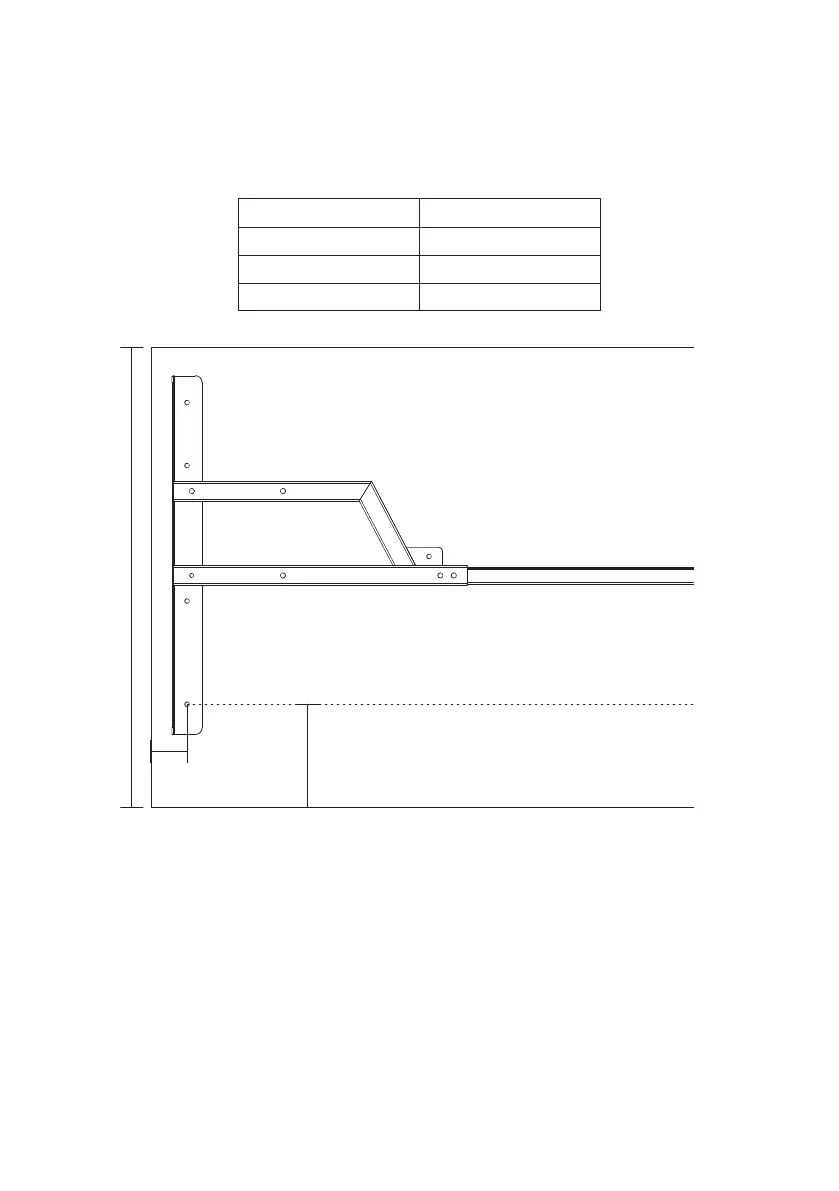
There’s no one right way to position your frame on your desktop but there are a few things
you’ll want to keep in mind.
Generally speaking, the desktop should be centered over the frame side-to-side, and
positioned slightly forward of center (towards the user) front-to-back.
Minimum and maximum dimensions are determined to optimize the stability and reduce
hazards such as a bowing top or tripping.
27" – 30"
6"
2"
Width Minimum 38"
70"
27"
30"
Width Maximum
Depth Minimum
Depth Maximum
Shown on 27" top



 To Next Page