Need help?
Do you have a question about the fully Jarvis and is the answer not in the manual?
Watch a video guide for resetting your Jarvis desk.
Ensure the desk is clear of obstructions and cables are correctly connected.
Verify the control box is firmly attached and leg cables are correctly installed.
Unplug desk power, disconnect all cables, then reconnect them firmly.
Hold the handset icon until the desk moves down; repeat if necessary.
Continue holding the icon as the desk lowers, dips, and pops up.
Verify the desk moves and displays height after dipping and popping up.
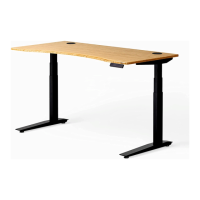
 General
| Type | Standing Desk |
|---|---|
| Weight Capacity | 350 lbs |
| Frame Material | Steel |
| Motor Type | Dual motor |
| Desktop Material Options | Laminate, Solid Wood |
| Frame Color Options | Black, White |
| Warranty | 7 years |
| Desktop Depth | 24", 30" |
| Desktop Width | 42", 48", 60", 72" |
| Height Range | 25.5" to 51" |

 To Next Page