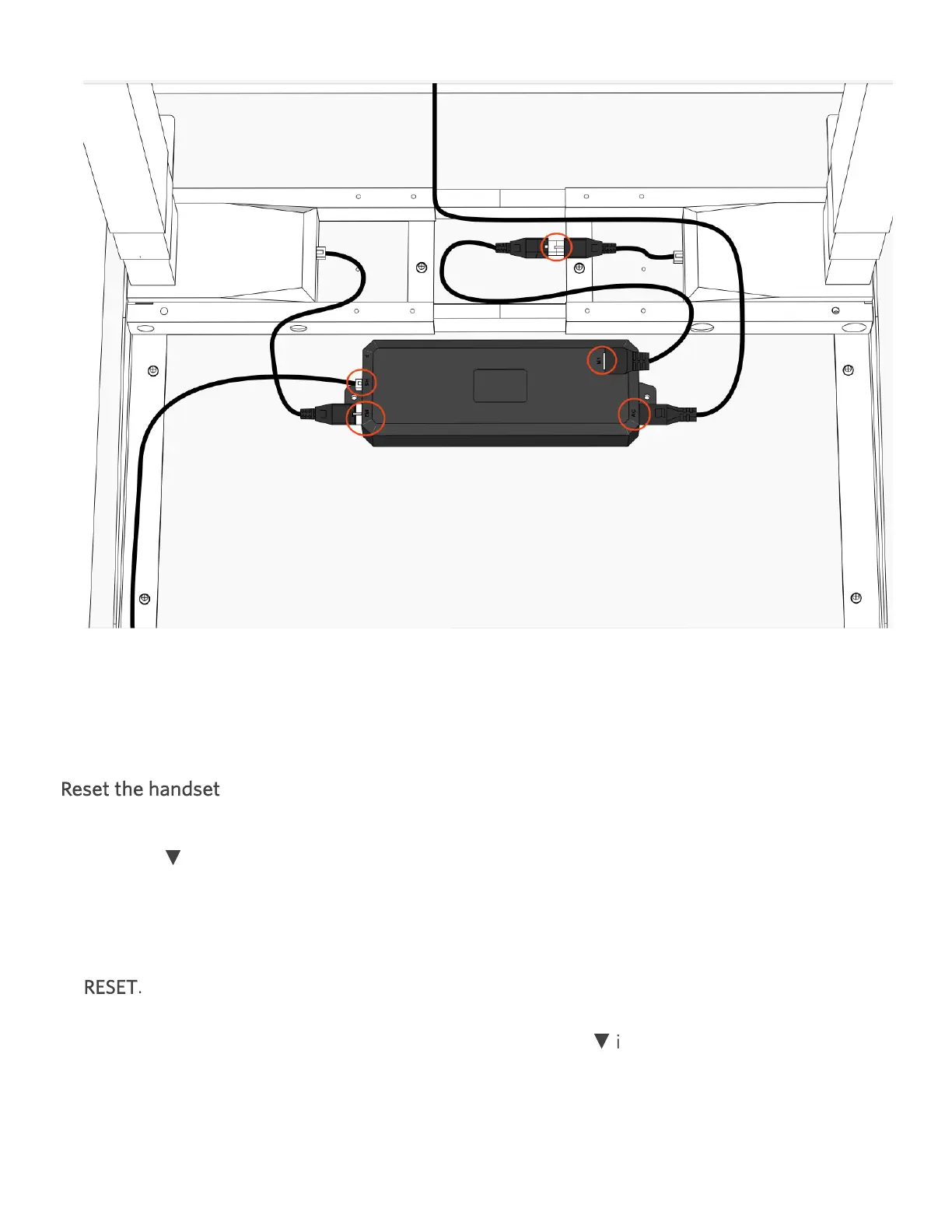
Unplug all cable connections under the desk, including any leg cable(s) at both ends.
Reconnect all cables except the power cable. Ensure connections are firmly seated.
Plug the desk back into power.
Reset the handset
Hold the
▼
icon until the desk begins to move down. If the desk doesn't immediately start
to move down, you may need to hold for up to 15 seconds, release and hold again.
Repeat this step up to three times until the desk begins to go down. The screen should read
RESET.
Once the desk begins moving down, continue to hold the
▼
icon until the desk reaches its
lowest height, dips down slightly and then pops back up. If it doesn't pop up after 15
seconds, press and hold it again.


 To Next Page