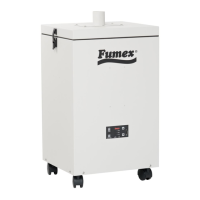
RELAY ACTIVATION PROCEDURE FOR FA5 UNITS
CAUTION
DO NOT WORK ON PANEL WITH POWER APPLIED!
1. Disconnect all power sources from FA5 unit.
2. Locate 4 screws securing the top cover and remove cover.
3. Locate relay activation switch on the relay board as shown in Figure 2.
4. Flip the Relay Activation Switch to the “ON” position as indicated in Figure 3.
5. Reinstall top cover using the 4 screws removed in step 2.
6. Apply incoming power to the unit by connecting the power cord to an approved receptacle. Make sure the
blower is not running and the green power light is off. This is called the “Soft On” state.
7. Now that the physical switch is activated and the unit is in the “Soft On” state, the software will need to be
reprogramed via a flash drive with a configuration file and the USB port on the control board. (Contact Fumex to
acquire the correct configuration file for your unit).
8. Reprogram the software by changing the “remoteSwitchOnly” setting in the configuration file to “1”. This will
lock out the Control Board power button. The ON/OFF function will only be able to be controlled remotely.
9. After changing and saving the configuration file, plug the flash drive into the USB port on the front of the
control board. (Make sure the unit is in the “Soft On” state before plugging in the flash drive.)
10. After the reprogramming is complete the light above the USB port will turn green and remain lit until the flash
drive is removed from the USB port.
11. Remove the flash drive and apply 0-24 VDC to the start relay according to the wiring diagram in Figure 1 to
start the unit.
Once the relay activation switch is turned on and the configuration file
has been reprogrammed the unit will only start by applying the proper
voltage to the start/stop relay.


 To Next Page
 Loading...