–
12
–
EN
DVD FUNCTIONS
A
B
C
Title 01 / 06 Chapter 001 / 039
00 : 08 : 10
On-Screen Display
F
D
G
E
2 / 8 Eng D5.1CH
2 / 9
5 / 8 Ita
1
2
A
B
C
CDDA TRK 02 / 12
00 : 01 : 21
X
1
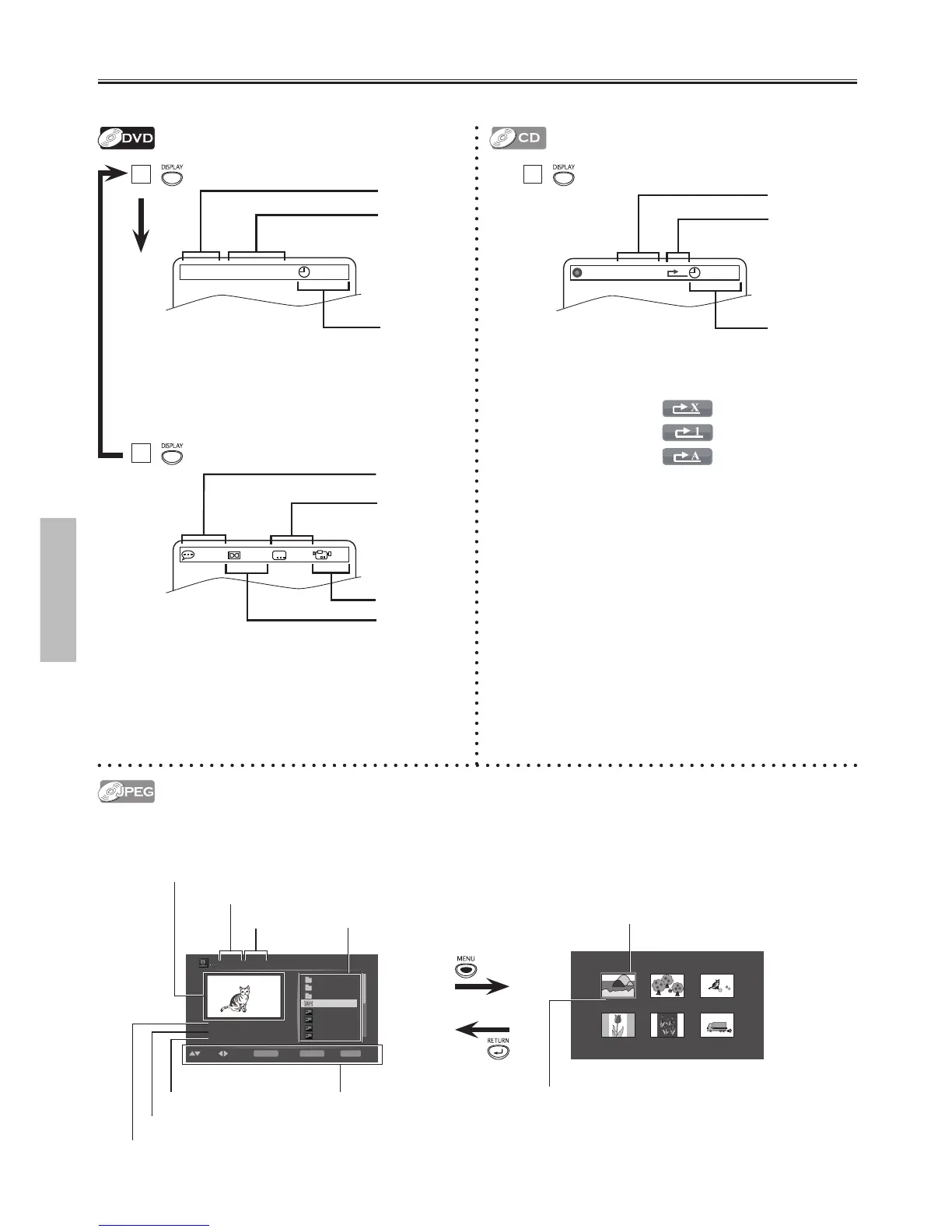
You can check the information about the current disc by pressing [DISPLAY].
Insert a JPEG format disc, then the file list will automatically
appear on the TV screen.
A:
current title number / total titles
B:
current chapter number / total chapters
C:
elapsed time of the current time
D:
currently selected language / total languages
E:
current audio
F:
currently selected subtitle / total subtitles
G:
currently selected angle / total angles
A:
current track number / total tracks
B:
current repeat mode
Off ;
Track repeat ;
Repeat All ;
C:
elapsed time of the current time
Press [MENU] to display the thumbnail screen while an available
file is highlighted.
Press [ SKIP H ] or [ SKIP G ] to switch between pages.
Press [RETURN] to go back to the file list.
File Name:abcdeFile Name:abc File Name:abcd
File Name:abcdef File Name:abcdefg File Name:abcdefgh
[ jpg9999 ] Jpeg01.jpg
2000x1500
334KB
NoneDATE:
SIZE:
RESO:
SELECT
MODE
PLAY
RETURNPGUP/DN
RETURN
ENTER
MENU
Jpeg05.jpg
Jpeg04.jpg
Jpeg03.jpg
Jpeg02.jpg
Jpeg01.jpg
. . .
01.name
01.name
resolution of the file
file size
date of the file
folder name
file name
thumbnail
(only while JPEG file list is displayed)
file / folder list
operation guide
thumbnail
file name



 To Next Page