EasyManua.ls Logo

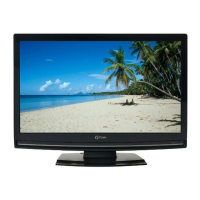
FUNAI LH840-M32 - User Manual

FUNAI LH840-M32
30 pages
Print Icon
To Next Page IconTo Next Page
Loading...
LH840-M32
LH850-M32
LH850-M26
Manuel du propriétaire
Télévision LCD
Français
Manuale del proprietario
Manual do proprietário
Gebruikershandleiding
Televisione LCD
Italiano
Televisão LCD
Português
Lcd-televisie
Nederlands
Εγχειρίδιο οδηγιών
LCD Τηλεόραση
Ελληνικά
Användarhandbok
LCD-TV
Svenska
Owner’s manual
LCD Television
English
Instrukcja obsługi
Telewizor LCD
Polski
Bedienungsanleitung
LCD-TV-Gerät
Deutsch
Manual del propietario
Televisión de LCD
Español

Questions and Answers

  • J
    James WilliamsAug 20, 2025
    How to fix FUNAI LCD TV remote control not working?
    • J
      jmclaughlinAug 20, 2025
      If the remote control for your FUNAI LCD TV isn't working, first ensure the unit is plugged in and that there is power at the outlet. Then, check the batteries in the remote control to make sure they are properly installed and not depleted.
  • W
    William OrtizAug 22, 2025
    What to do if my FUNAI LCD TV has no picture or sound?
    • M
      Michael HernandezAug 22, 2025
      If your FUNAI LCD TV has no picture or sound, try the following: 1. Try a new channel to rule out poor channel reception. 2. Verify the unit is plugged in and receiving power from the outlet. 3. Ensure the unit’s power is switched on. 4. Check that the antenna is securely connected to the terminal on the back. 5. If using an outside antenna, inspect it for broken wires. 6. Turn the TV off using the Q button, and then turn it back on after a minute.
  • S
    stevencurtisAug 25, 2025
    Why is my FUNAI LCD TV having poor reception on some channels?
    • M
      Mrs. Hannah VasquezAug 25, 2025
      If you're experiencing poor reception on some channels with your FUNAI LCD TV, try switching to a new channel to rule out issues with channel reception. Also, make sure the antenna is properly connected to the terminal on the back of the unit and check for any local interference. If using an outside antenna, check it for broken wires.
  • C
    Cassandra DanielAug 27, 2025
    What to do if FUNAI LCD TV sound is OK, but picture is poor?
    • A
      Angela HowardAug 27, 2025
      If the sound is okay but the picture is poor on your FUNAI LCD TV, try switching to a new channel to rule out poor channel reception. Ensure the antenna is properly connected and check for local interference. If you're using an outside antenna, inspect it for broken wires. Finally, adjust the contrast and brightness controls.
  • M
    Michael AndersonAug 28, 2025
    Why is the picture weak on my FUNAI LCD TV?
    • B
      Barbara GibbsAug 28, 2025
      If your FUNAI LCD TV displays a weak picture, try switching to a new channel to rule out poor channel reception. Ensure the antenna is properly connected to the terminal and if using an outside antenna, check for broken wires. Also, adjust the contrast and brightness controls. The surrounding temperature may also be too low.
  • L
    Lisa VasquezAug 30, 2025
    Why does my FUNAI LCD TV have no color?
    • B
      Benjamin RoseAug 30, 2025
      If your FUNAI LCD TV has no color, first try switching to a new channel to rule out poor channel reception. Check that the antenna is connected to the terminal on the back of the unit, and if you are using an outside antenna, inspect it for broken wires. Finally, adjust the color control.
  • E
    Edwin BoothAug 31, 2025
    Why is the picture distorted on my FUNAI LCD TV?
    • T
      Thomas RosalesAug 31, 2025
      If the picture on your FUNAI LCD TV is distorted, try switching to a new channel; if the picture is okay on other channels, the issue may be due to poor channel reception. If you are using an outside antenna, check for broken wires. The surrounding temperature may also be too low.
  • W
    William BellSep 2, 2025
    What to do if FUNAI LCD TV picture is OK, but sound is poor?
    • M
      Michael HollowaySep 3, 2025
      If the picture is okay but the sound is poor on your FUNAI LCD TV, try switching to a new channel to rule out poor channel reception. You should also check for any local interference.
  • M
    Michael LeeSep 4, 2025
    Why does my FUNAI LCD TV have lines or streaks in the picture?
    • R
      Ryan AdkinsSep 4, 2025
      If you see lines or streaks in the picture on your FUNAI LCD TV, try changing to a new channel to rule out poor channel reception. If you're using an outside antenna, check it for broken wires. Also, check for any local interference.
  • J
    Jennifer MendezSep 6, 2025
    Why am I seeing ghosts in the picture on my FUNAI LCD TV?
    • A
      Amy HopkinsSep 6, 2025
      If you are seeing ghosts in the picture on your FUNAI LCD TV, try switching to a new channel to rule out poor channel reception. Check that the antenna is connected to the terminal on the back of the unit. If using an outside antenna, check for broken wires and also check for local interference.

Summary

General Safety Precautions

Electrical Hazard Warnings

Warnings regarding electric shock, opening the unit, and servicing.

General Operational Safety

Safe operation guidelines, power supply, and handling precautions.

Fire Prevention

Advice to keep open flames away from the product to prevent fire.

Attaching the Base

Securing TV to Furniture

Control Panel and Remote Functions

On-Unit Control Panel

Description of buttons and indicators on the TV's physical control panel.

Remote Control Guide

Explanation of all buttons and their functions on the remote control.

Rear Panel Connections and Ports

Input and Output Ports

Details of all input and output jacks including HDMI, AV, Scart, and audio.

Preparation for Use and Connections

Antenna Connection

Instructions for connecting the aerial to the TV for signal reception.

HDMI Connection

Detailed steps and notes for connecting devices via HDMI.

Scart Connection

Instructions for connecting devices using Scart cables for video and audio.

Component Video Connection

PC Connection and Display

Connection Steps

Instructions for connecting the PC to the TV and audio line out.

Initial Setup Guide

Select Language

Steps to select the preferred menu language for the initial setup.

Select Country

Instructions for selecting the country to configure channel reception.

Select Location

Choosing between 'at Home' or 'Retailstore' modes affects settings persistence.

Start Scanning

Initiating the channel scanning process after initial setup.

Watching TV Programmes

Switching Input Modes

Sound Select

EPG (Electronic Programme Guide)

Navigating the Programme Guide

Finding channels and viewing scheduled programme information.

Other Settings - Picture Adjustment

Picture Mode Selection

Choosing preset picture modes like Standard, Dynamic, Movie, News, or Personal.

Brightness, Contrast, Colour, Hue, Sharpness

Adjusting core picture parameters for personalized viewing.

Advanced Picture Settings

Sound Adjustment Options

Channel Settings and Management

Channel Scanning Methods

Auto Scan Procedure

Automatically scanning for receivable channels in the area.

Lock Settings and PIN Code

Audio Settings for TV Programmes

Subtitle Settings for TV Programmes

Teletext Settings

C.I. (Common Interface) for Services

PC Settings and Adjustments

FUN-LINK Features

Software Update Options

Factory Reset Procedure

Maintenance and Cleaning

Servicing Information

Advice on when and how to seek professional servicing for the unit.

Troubleshooting Common Issues

Remote Control and Picture Problems

Solutions for remote control malfunctions and various picture distortions.

Reception and Colour Issues

Troubleshooting poor reception, lack of colour, and distorted images.

Sound and Display Problems

Resolving issues with sound, picture, or complete lack of display.

FUNAI LH840-M32 Specifications

General IconGeneral
Screen Size32 inches
Display TechnologyLCD
Resolution1366 x 768
Aspect Ratio16:9
HDMI Ports2
USB Ports1
Built-in DVD PlayerYes
Power Consumption65W

Related product manuals