10
EN
SETUP FOR USE
Initial Setting
You need to set the followings to use the unit appropriately for the
first time you turn on the unit.
1) Press [Q (standby-on)] to turn on the unit.
• “Initial Setup” language menu will appear.
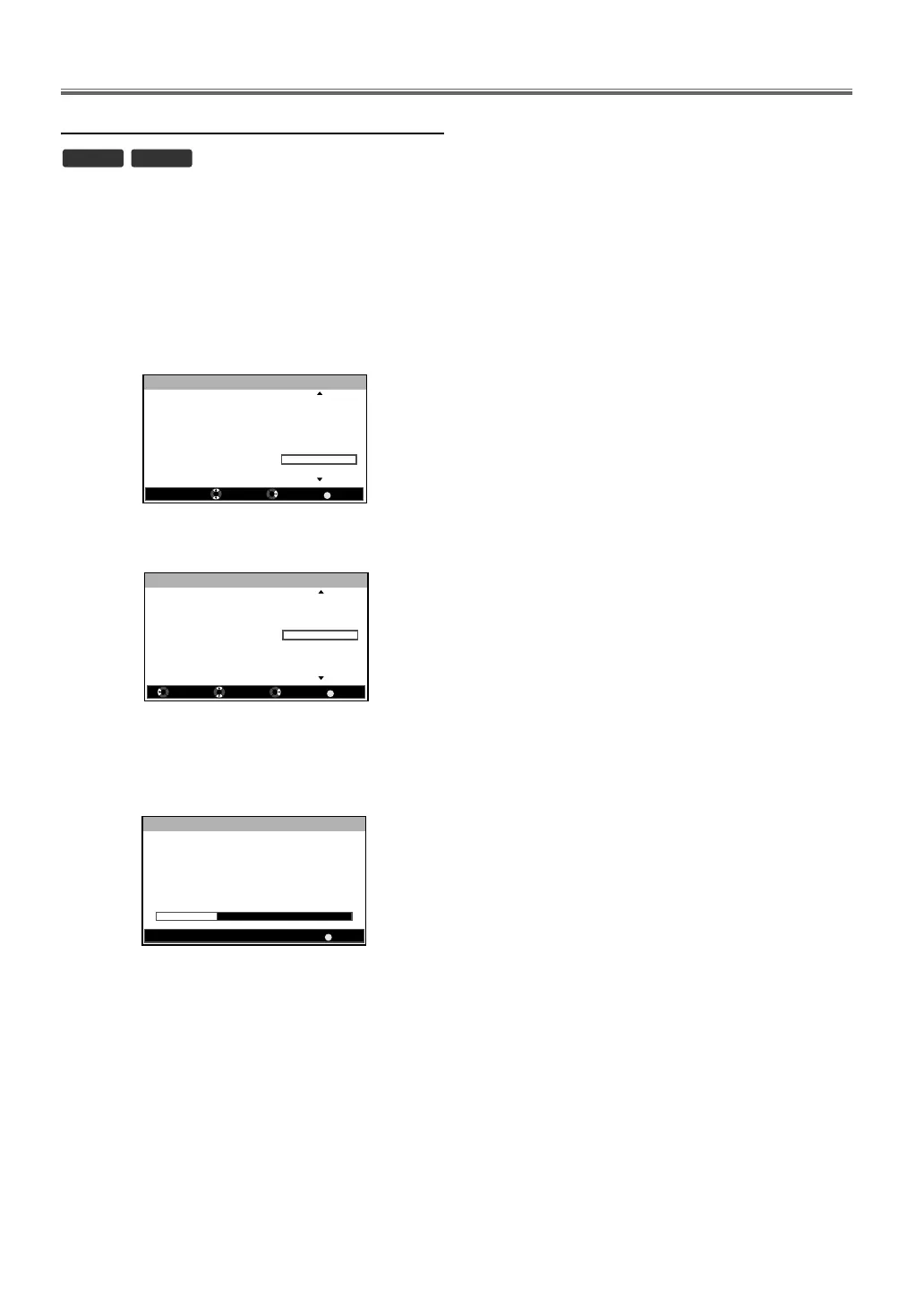
2) Press [K / L] repeatedly to select the menu language you
want, then press [OK].
3) Press [K / L] to select the country you want, then press
[OK].
• Scan confirmation menu will appear.
4) Press [K / L] to select “Scan”, then press [OK].
• Channel scanning will start automatically.
• When the scanning is completed “Congratulations !!”
message will appear.
Note:
The settings may be limited by the location you
purchased.
Note:
• If you select “Skip” in scan confirmation menu, the
operation will be cancelled.
• If you press [BACK] during auto scanning, the
operation will be cancelled.
DTV ATV
BACK
English
Deutsch
Dansk
ýHVN\
Ȼɴɥɝɚɪɫɤɢ
ǼȜȜȘȞȚțȐ
Español
Initial Setup Language
Please select language:
Select Next Exit
BACK
Initial Setup Country
Please select country:
Austria
Belgium
Czech Republic
France
Germany
Hungary
Back Select Next Exit
Italy
30%
BACK
Initial Setup Scan
Now the system is scanning for
channels, please wait.
Auto Scan will take up to 10
minutes to complete.
Scanning
Analogue:
Digital:
Cancel
0
3


 To Next Page