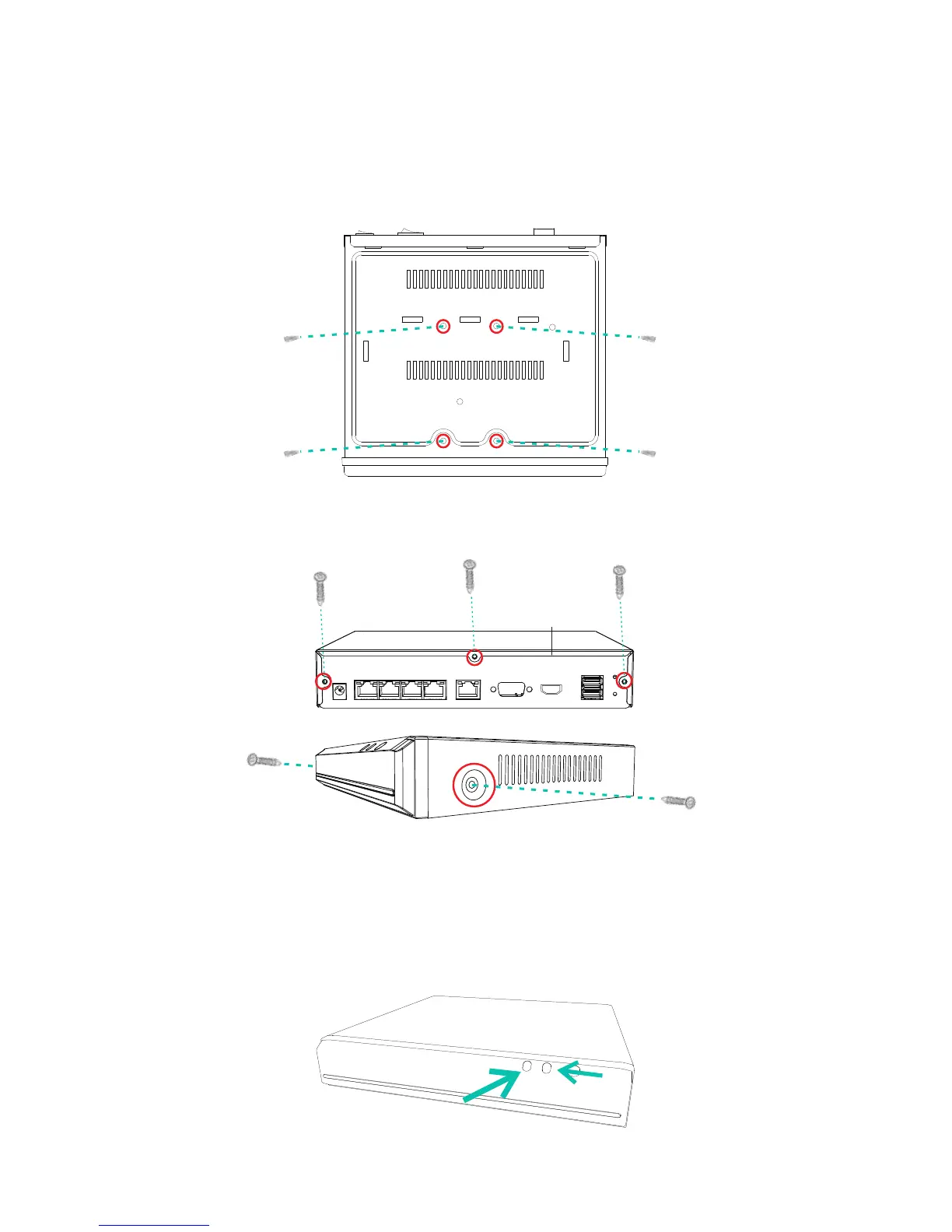
While keeping the HDD in place, turn the NVR over and
line up the holes on the HDD with the holes on the
bottom of the NVR. Using the four provided HDD screws,
fasten the HDD to the NVR until secure.
Replace the cover, and fasten the cover to the NVR using
the five provided case screws.
2
The two LED indicators will let you know the status of your
NVR. Please refer to the chart for specific details.
NVR Status Indicator
HDD indicator
Power indicator
(Image may vary for your specific NVR model.)


 To Next Page