3
Connecting your system
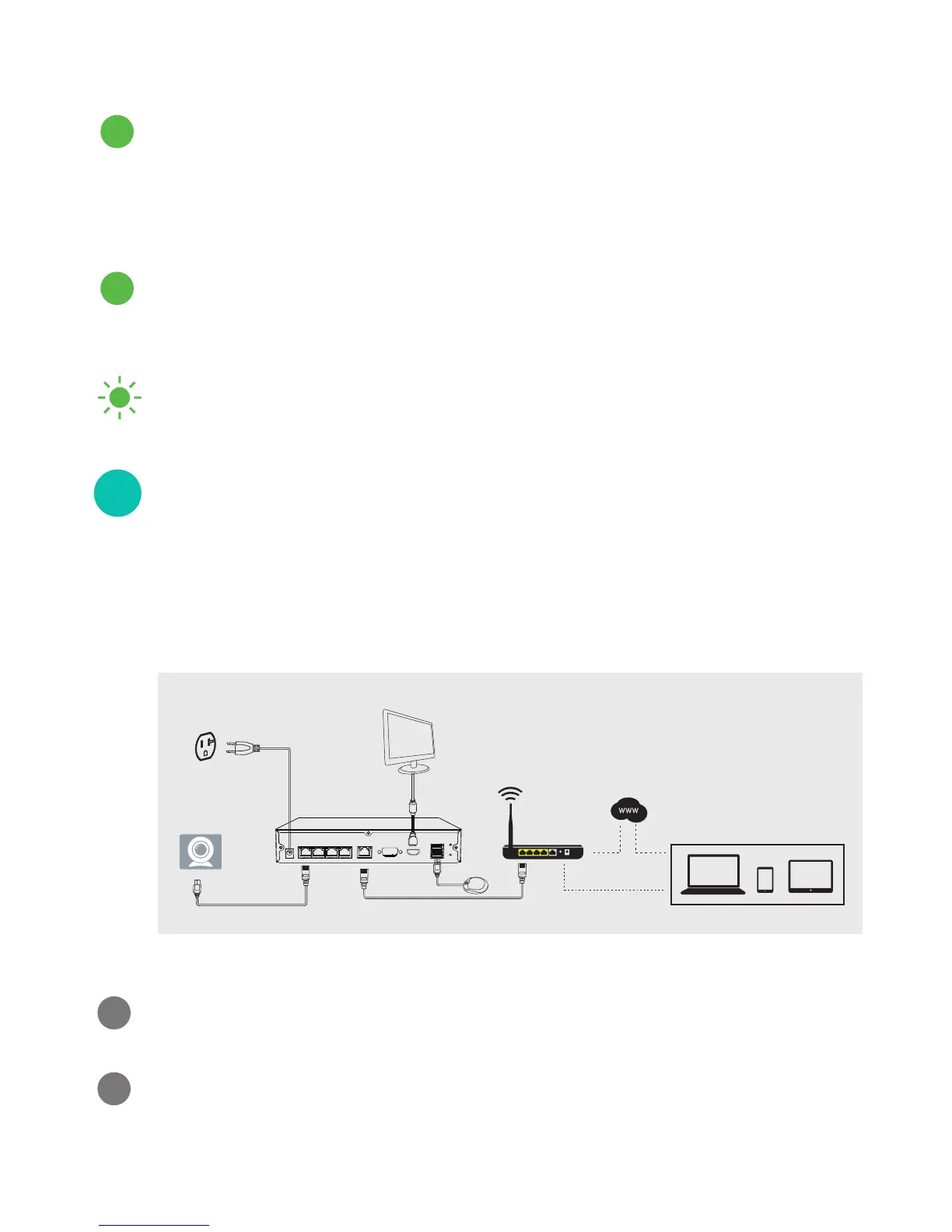
This quick guide will help you configure your NVR kit for
initial use. Follow the steps below and refer to the diagram
to connect your NVR system.
Power on the NVR by plugging it into a nearby power
outlet using the power adapter provided.
Connect the NVR to an empty network port on your WiFi
router using an ethernet cable (included).
Camera
Power Supply
Display
NVR
Wireless Router
Connection Diagram
The hard drive is recording properly.
There is no HDD, your HDD is not recording, or there
is a problem with your HDD.
The NVR is powered on. No light means that the NVR
is off.
Solid green
Blinking green
Power indicator:
HDD indicator:
Solid green
2
1
2


 To Next Page