5
SECTION 2: KNOW YOUR UTILITY VEHICLE
NOTE: Reference to right or left hand side of the utility vehicle is observed from the operating position.
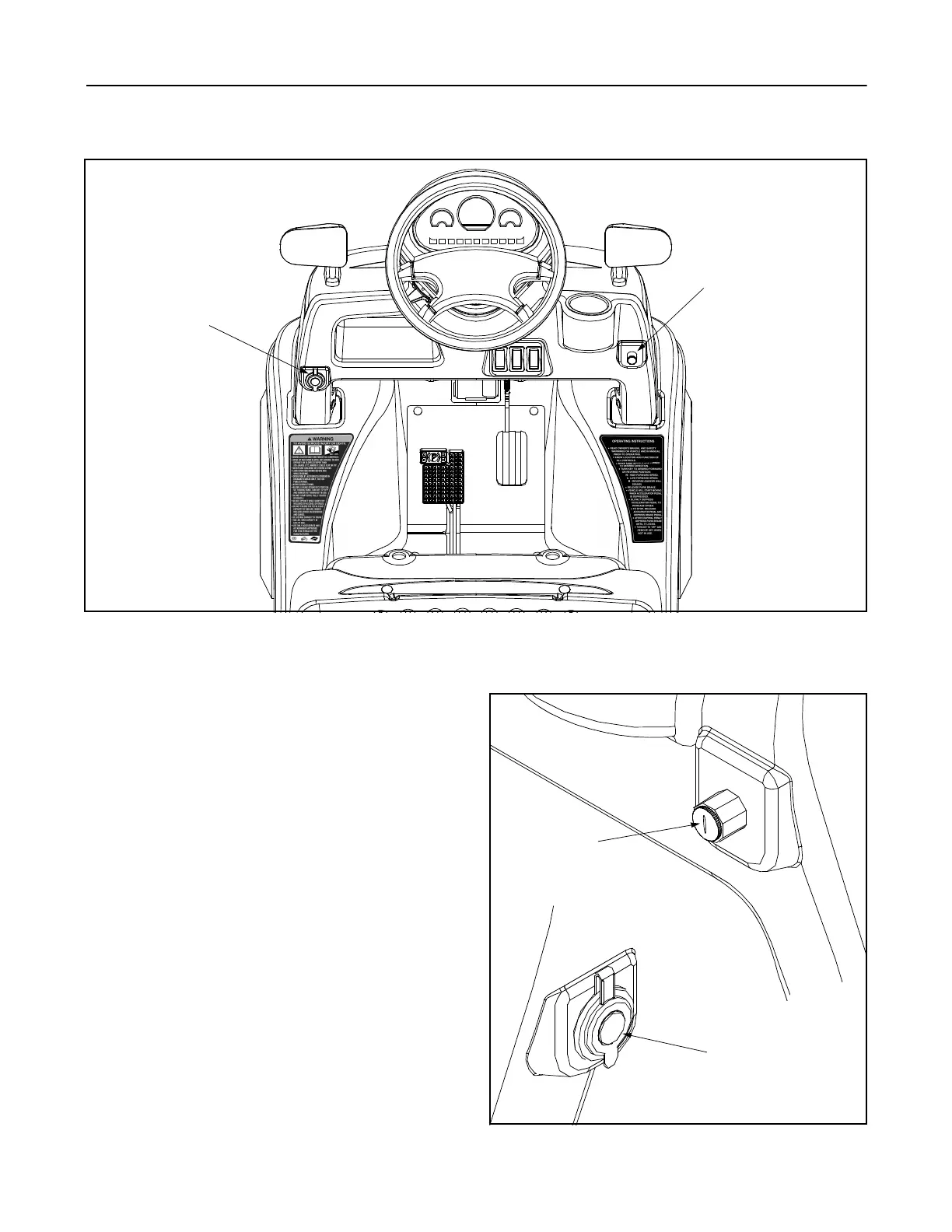
Figure 1
Read this operator’s manual, safety labels, and
operating instructions on the vehicle before operating.
Compare the illustrations in this manual with your unit
to familiarize yourself with the location of various
controls and adjustments. Reference to the right or left
hand side of unit is observed from the operating
position. Save this manual for future reference.
See Figure 1.
NOTE: Before operating your vehicle, follow the
starting instructions in the Operating Section and
check tire pressure per the recommendations in the
Maintenance Section.
Ignition Switch
The ignition switch is located on the lower right dash
panel and it is used to power up the vehicle. To operate
the vehicle in forward, insert key in the ignition switch
and turned from the OFF position clockwise to: H (High
Speed) or L (Low Speed). To operate the vehicle in
reverse, the key needs to be turned counter-clockwise
to R (Reverse). See Figure 2.
12V Power Outlet
The 12V power outlet is located on the lower left dash
panel. It is used for the convenience of plugging in
accessories that require a power source with a
maximum load of 5 amps at 12 volts. See Figure 2.
Figure 2
Ignition Switch
12V Power
Outlet
12V Power
Outlet
Ignition
Switch
R
OFF
H
L



 To Next Page