
 Need help?
Do you have a question about the Furness controls FCO770 and is the answer not in the manual?
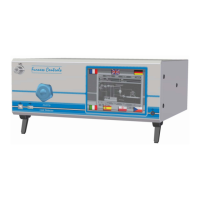
Overview of the FCO770's capabilities, features, and typical operation.
Description of the front panel interface, controls, and display elements.
Details of the rear panel connectors for electrical and pneumatic interfaces.
Explanation of leak detection using pressure changes over time.
Details on Dump, Blockage, Coarse Leak tests, and Auto Prefill function.
Guidelines for connecting air supply and pneumatic fittings.
Requirements for connecting the 24V DC supply and wiring considerations.
How to navigate the FCO770's touch screen menu system.
Explanation of the primary displays shown during instrument operation.
Settings for language, operation mode, product selection, and display resolution.
Configuration for product selection via front panel or BCD input.
Settings for start/reset, sensors, and assigning functions to input banks.
Assigning functions to output banks for basic and extended results.
Configuring timers and combinational logic for jigging functions.
Setting up product identification, barcode scanning, and test steps.
Defining the type of test to perform (Leak, Blockage, etc.).
Settings for leak units, auto prefill, and regulators for leak tests.
Parameters specific to performing blockage tests.
Parameters specific to performing permfill tests.
Parameters specific to performing ramp tests.
Parameters specific to performing dump tests.
Parameters specific to performing coarse leak tests.
Settings for batch quantity, ID, and auto start.
Procedures for loading images, updating firmware, and viewing error logs.
Menu for setting zero pressure, calibrating, and calculating volume.
Configuration for Fbus port, baud rate, and parity.
Settings for barcode port, baud rate, parity, and data type.
Settings for serial number type, prefix, and length.
Configuration for printer port, baud rate, and print format.
Configuration and explanation of maintenance warning system parameters.
Settings for locking data entry and setting a security code.
Description of the terminal block for control/status outputs.
Description of the terminal block for control inputs.
Details on connecting printers and computers via RS232.
Details on connecting devices using the RS485 interface.
Connecting valves, PLC, and configuring multi-jig systems.
Steps for calculating flow readings and calibrating the instrument.
Method to reduce test time by tracking and compensating for drift.
Troubleshooting common instrument display, test, and pressure issues.
Explanations for valve stuck errors and data/fault messages.
Technical specifications for pressure and leak measurement ranges.
Physical dimensions for bench and rack mounted cases.
 General
| Brand | Furness controls |
|---|---|
| Model | FCO770 |
| Category | Security Sensors |
| Language | English |

 To Next Page