Page 24 FCO770 Users Guide Issue 1
TEST MONITOR DISPLAY
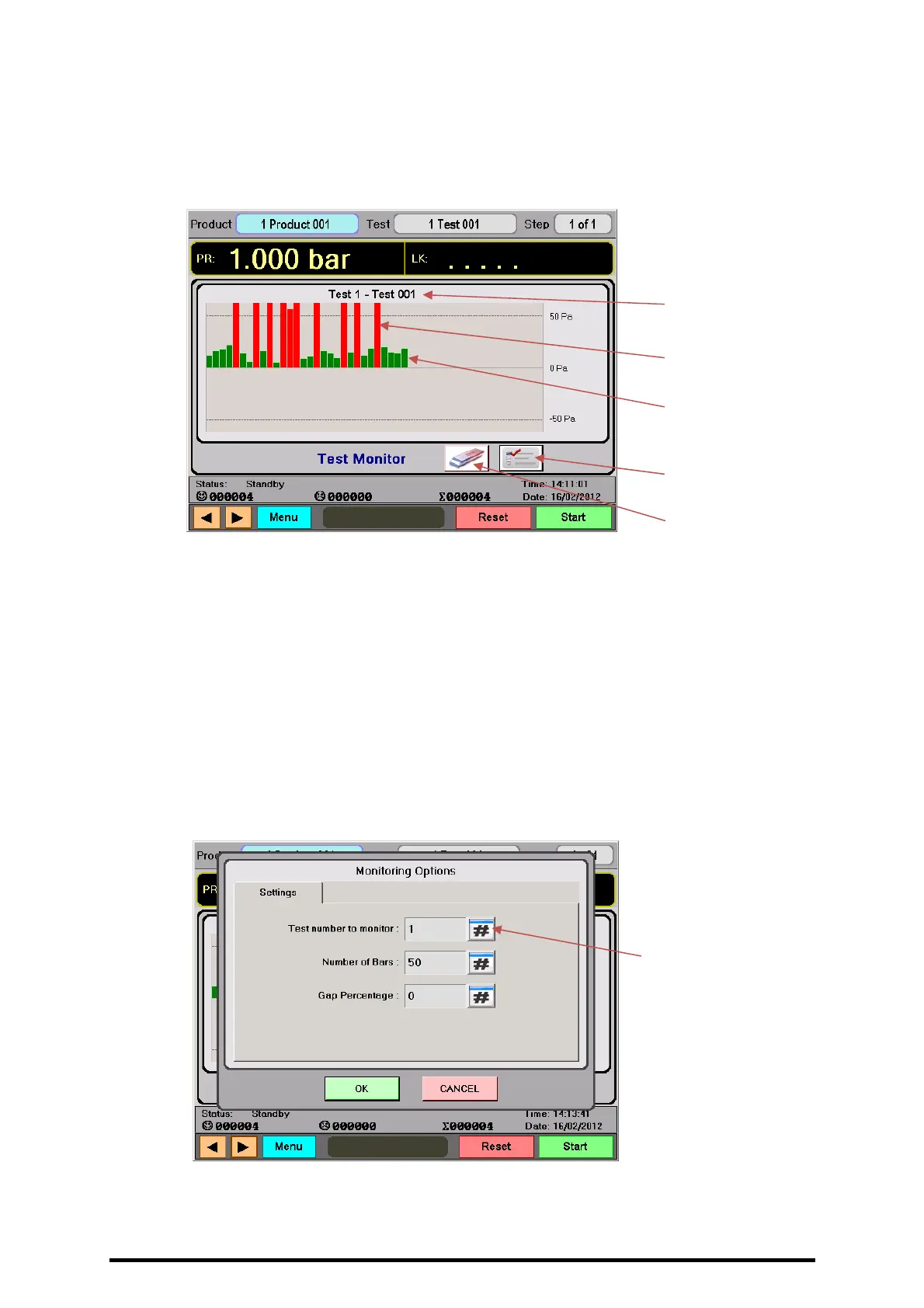
• Shows a real time plot of the result of a chosen test. A test number is selected for
monitoring and any time that test is performed, its result will be drawn on the
monitoring chart and scaled in size according to the measured leak. The scaling of the
vertical axis shows the +Fail and -Fail values for the test selected.
• The eraser button shown below the monitoring window can be pressed at any time
To immediately clear the current plot.
TEST MONITORING OPTIONS
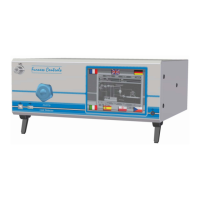
• The test selected for monitoring and the size and number of bars displayed along the
horizontal axis can be defined in the options dialogue box by pressing the ‘Options’
button, as shown below:
Green bars
show Passed
tests.
Red bars show
Failed tests.
Here, test 1 is
being monitored.
Monitoring
Options button.
Press the # buttons to
change corresponding
settings.
Erase Graph
button.


 To Next Page