EasyManua.ls Logo

Furrion FOS07TASF - User Manual

Furrion FOS07TASF
36 pages
Print Icon
To Next Page IconTo Next Page
Loading...
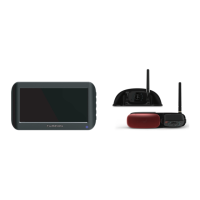
* The packing contents may be different based on the kit you purchased. Please take the actual
product as standard.
Vision S Camera System
User Manual
Models:
FOS07TASR / FOS07TASF / FOS07TAED / FOS07TAPT / FOS05TASR / FOS05TASF
FOS05TAED / FOS05TAPT / FOS43TASR / FOS43TASF / FCN48TASK / FCN48TASF
FCE48TASL / FOS43TDDC / FOS05TAEN / FSO07TAEN / FOS05TAEM / FOS07TAEM
FOS05TASM / FOS07TASM / FOS43TASM / FOS07TAPM

Other manuals for Furrion FOS07TASF

Questions and Answers

  • T
    Todd LloydSep 23, 2025
    What to do if images are too dark / bright on Furrion FOS07TASF monitor?
    • M
      Melissa WellsSep 23, 2025
      If the images on your Furrion Digital Camera monitor are too dark or bright, adjust the brightness and contrast settings. Note that images may appear too bright when the camera lens is facing a direct light source, which is not a malfunction.
  • S
    Steven KimAug 23, 2025
    How to fix Furrion FOS07TASF monitor that won’t turn on?
    • E
      Evan Browning DDSAug 23, 2025
      If the monitor of your Furrion Digital Camera won’t turn on and the blue LED is not lit, check the following: * Ensure the power cable is securely connected. * Verify that the cigarette lighter provides a 12-24V DC Output. * Inspect the fuse in the cigarette socket adapter.
  • S
    savannahwhiteAug 25, 2025
    What to do if Furrion FOS07TASF Digital Camera and monitor won't pair?
    • M
      Mary GarrettAug 25, 2025
      If the camera and monitor of your Furrion Digital Camera aren't pairing, try these steps: * First, check that the camera is getting power. * Second, ensure you hold the camera pairing button for 2 seconds.
  • J
    Jessica SchroederAug 26, 2025
    How to fix Furrion FOS07TASF monitor when it won’t turn on?
    • Z
      zunigamatthewAug 26, 2025
      If the Furrion Digital Camera monitor won’t turn on and the blue LED is off, check the power cable connection and ensure the power supply provides a 12-24V DC output. Also, inspect all fuses and breakers, including those in the cigarette power adapter and fuse box. As a last resort, power the device off and on again to reset it.
  • J
    Joe WallaceAug 27, 2025
    What to do if Furrion FOS07TASF has intermittent or weak signal?
    • M
      Mackenzie RodriguezAug 27, 2025
      If you see an intermittent or weak signal icon on your Furrion Digital Camera, first check that the camera antenna is correctly fitted and secured vertically. Large, dense objects may be obscuring the signal, so try moving them if possible. Electrical appliances might also cause interference, so turn them off while using the system. Unpairing and then pairing the devices again can also help.
  • S
    Sarah AndradeSep 16, 2025
    How to fix blurry images on Furrion FOS07TASF monitor?
    • K
      Kerry DavisSep 17, 2025
      If the images on your Furrion Digital Camera monitor are blurry: * Remove the protective film from the camera lens. * Clean the camera lens with a soft, clean cloth if it's dirty. * If adverse weather conditions like fog, rain, dust, or mud are present, clean the lens immediately after driving to a safe place.
  • P
    pballSep 14, 2025
    What to do if Furrion Digital Camera has blurry images?
    • E
      edward50Sep 14, 2025
      If the images on the Furrion Digital Camera monitor appear blurry, remove the protective film from the camera lens after installation. If the lens is dirty, gently wipe it with a soft, clean cloth. Adverse weather conditions can also block the camera view, so clean the lens after driving to a safe location.
  • T
    Troy GarciaSep 15, 2025
    Why is Furrion Digital Camera monitor's blue LED off with no picture?
    • G
      Gabriel JonesSep 15, 2025
      If your Furrion Digital Camera monitor's blue LED is off and there's no picture, make sure the camera has power. Ensure the tow vehicle is running and that the 7-way connector is properly connected.
  • K
    Kyle JohnstonSep 6, 2025
    Why is the night vision poor on my Furrion Digital Camera?
    • P
      Patrick FernandezSep 6, 2025
      If the night vision on your Furrion Digital Camera is poor or not working, it might be because: * The light sensor on the camera could be dirty or blocked. * The camera unit may be too close to the rear lights. Ensure it is installed at least 2 inches away.
  • H
    Heidi HillSep 3, 2025
    What causes a Furrion FOS07TASF monitor's Blue LED to be off with no picture?
    • M
      Matthew ConnerSep 3, 2025
      If the Furrion Digital Camera monitor's blue LED is off and there is no picture, ensure the tow vehicle is running. Also, ensure the 7-way connector is connected.

Summary

Welcome and Introduction

Important Safety Instructions

General Safety and Electrical Precautions

Provides essential precautions for safe installation, operation, and electrical safety measures.

Installation, Usage, and Care Guidelines

Outlines safe installation practices, monitor placement, and proper care procedures for the system.

Compliance Statements and RF Exposure

Details FCC and IC compliance statements, including RF exposure guidelines for safe operation.

Maintenance

Care and Cleaning Procedures

Provides guidelines for maintaining the monitor's condition and performance, including cleaning instructions.

Product Overview

System Specifications and Models

Details technical specifications for monitors, cameras, and brackets, listing available models.

Install and Use Monitor

4.3 Monitor Installation and Operation

Guides the installation and use of the 4.3" Vision S monitor, including its overview and controls.

Monitor Mounting and Initial Setup

Covers mounting procedures, pairing with cameras, and activating the monitor for both 4.3" and 5"/7" models.

Monitor Settings and Configuration

Details various monitor settings including display, picture, audio, motion detection, and refresh rate.

Software Version Information

Shows how to view the software version of the monitor and paired cameras.

Install Cameras

Doorway Security;Rear Camera Installation

Guides the installation of doorway and rear cameras, covering preparation and mounting.

Side and Rear Camera with Marker Light Installation

Guides the installation of side and rear cameras with integrated marker lights, covering preparation and mounting.

Troubleshooting

Monitor and Wireless Issues

Addresses problems like the monitor not turning on, blurry images, and weak wireless signals.

Camera Image and Night Vision Issues

Covers issues with image quality, brightness, and night vision function, including no picture scenarios.

Furrion FOS07TASF Specifications

General IconGeneral
BrandFurrion
ModelFOS07TASF
CategoryDigital Camera
LanguageEnglish

Related product manuals