EasyManua.ls Logo

Furuno FAR-2107(-BB) - User Manual

Furuno FAR-2107(-BB)
312 pages
Print Icon
To Next Page IconTo Next Page
Loading...
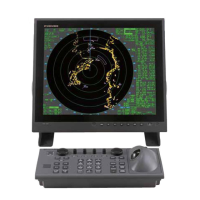
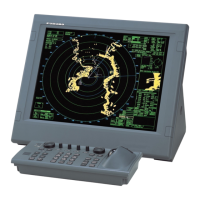
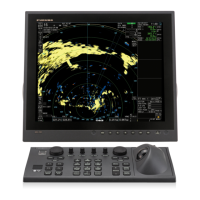
MARINE RADAR
FAR-2807 Series
FAR-2107(-BB) Series
OPERATOR'S MANUAL
www.furuno.co.jp
MODEL
Complies with
IMO MSC.192(79)

Table of Contents

Questions and Answers

  • M
    Meghan RandallSep 7, 2025
    How to fix incorrect orientation of picture on Furuno Marine Radar?
    • Z
      Zachary GonzalezSep 7, 2025
      If the Furuno Marine Radar has incorrect orientation of picture, the HDG SIG MISSING message appears when the heading pulse is not received during transmitting. Also, replace the gyro interface.
  • J
    james75Aug 22, 2025
    How to display range rings on Furuno Marine Radar?
    • R
      richard75Aug 22, 2025
      If the Furuno Marine Radar range rings are not displayed, try turning on the range rings with 0 RINGS in the MARK menu. If they still do not appear, their brilliance may be too low. Adjust their brilliance at page 1 of the BRILL menu.
  • V
    Valerie RamirezSep 4, 2025
    Why Furuno Marine Radar antenna is not rotating?
    • C
      christinamillerSep 4, 2025
      If the Furuno Marine Radar antenna is not rotating, the antenna drive mechanism may need replacement. Alternatively, press the relay reset button, because there may be a defective antenna drive motor relay (thermal relay K2, 200/220/380, 440/100 VAC).
  • J
    joshua68Sep 3, 2025
    What to do if Furuno Marine Radar does not operate at all?
    • M
      Michael WilliamsSep 3, 2025
      If the Furuno Marine Radar is not operating at all after being turned on, the fuse may be blown, the mains voltage/polarity may be incorrect or there may be a problem with the power supply board. Replace the blown fuse. Correct the wiring and input voltage. Replace the power supply board.
  • I
    imorrowSep 2, 2025
    What causes no noise or echo on Furuno Marine Radar?
    • L
      Lee WatersSep 2, 2025
      If you adjust the GAIN with A/C SEA set at minimum on your Furuno Marine Radar and marks and indications appear but there is no noise or echo, the IF amplifier may need replacing. Check the continuity and isolation of the coaxial cable, disconnecting the plug and lugs at both ends before checking with an ohmmeter. Also check the video coax line for a secure connection; if the connection is good, replace the SPU board.
  • E
    Eric HowardAug 31, 2025
    Why is Furuno Marine Radar picture not updating?
    • A
      Andrew GardnerAug 31, 2025
      If your Furuno Marine Radar's picture is not updating or is frozen, it could be due to the bearing signal generator board (in the antenna unit). Check the connection of signal cables. Another potential cause is the SPU board, which may need to be replaced. Also, try turning the radar off and on again.
  • J
    janereyesAug 30, 2025
    Why is my Furuno Marine Radar tuned but has poor sensitivity?
    • C
      Craig MartinAug 30, 2025
      If the Furuno Marine Radar is properly tuned but has poor sensitivity, the magnetron may be deteriorated. Check the magnetron current with the radar transmitting on 48 nm range; if the current is below normal, replace the magnetron. The MIC may also be detuned and must be tuned. Additionally, ensure the radiator surface is clean and that there is no water in the feeder line. Finally, disable the second-trace echo rejector.
  • M
    Melissa Kennedy MDAug 29, 2025
    Why marks appear but no echo on Furuno Marine Radar?
    • C
      Cheryl TrevinoAug 29, 2025
      If marks, indications, and noise appear on your Furuno Marine Radar but there is no echo and the transmission leak representing own ship position is absent, the TX high voltage protection circuit may have activated. Reset the power to restore normal operation. Alternatively, check the magnetron current and replace the magnetron if necessary. You may also need to replace the modulator board or the SPU board.
  • J
    John CombsAug 27, 2025
    What to do if marks appear but no echo on Furuno Marine Radar?
    • E
      Eric BurtonAug 27, 2025
      If marks, indications, and noise appear on your Furuno Marine Radar but there is no echo, the Tx high voltage protection circuit may have activated. Reset the power to restore normal operation.
  • B
    Barbara TaylorAug 27, 2025
    What to do if Furuno Marine Radar picture freezes?
    • J
      Jesus RobertsonAug 27, 2025
      If the Furuno Marine Radar picture is not updated or freezes, turn the power off and on again to restore normal operation. Thirty seconds after the picture freezes, the buzzer sounds, the [ALARM ACK] key blinks and alarm signal is output.

Summary

Safety Instructions

WARNING Radio Frequency Radiation Hazard

Details RF energy hazards from the radar antenna and safe distances for personnel to avoid exposure.

ELECTRICAL SHOCK HAZARD

Highlights dangers of electrical shock from opening equipment or operating with wet hands, emphasizing qualified personnel.

Radar Operation

1.1 Turning on the Power

Explains the step-by-step process for powering on the radar system, including warm-up procedures and status indications.

1.10 Tuning the Receiver

Details selecting tuning methods (Auto/Manual) and procedures for initializing or re-initializing automatic tuning for optimal receiver performance.

1.17 Reducing Sea Clutter

Details methods for reducing sea clutter using automatic or manual adjustment of the A/C SEA control to improve target visibility.

1.21 Collision Assessment by Offset EBL

Details using the offset EBL function to assess collision risk by measuring range and bearing between targets and their relative motion.

1.23 Target Alarm

Explains setting up target alarms to alert navigators of targets entering specific zones, with audiovisual alarms.

Target Tracking (TT)

3.13 TT Collision Alarm (CPA, TCPA)

Guides on setting CPA and TCPA ranges to configure collision alarms, ensuring timely alerts for potential threats.

3.14 Acquisition Zone

Explains activating, sleeping, and acknowledging acquisition zones, which alert and automatically acquire targets within defined areas.

3.16 Trial Maneuver

Describes the Trial Maneuver feature for simulating ship maneuvers and assessing interactions with tracked targets, aiding collision avoidance planning.

AIS Operation

4.12 AIS Collision Alarm (CPA, TCPA)

Guides on setting CPA and TCPA ranges for AIS collision alarms, ensuring timely alerts for potential collisions between vessels.

Video Plotter Operation

5.12 Recording Data

Explains initializing memory cards and recording/replaying data such as tracks, marks, and settings for data management and analysis.

Maintenance, Troubleshooting

6.1 Periodic Maintenance Schedule

Outlines a regular maintenance schedule covering LCD cleaning, processor unit cleanliness, antenna unit checks, and terminal connections.

6.3 Replacing the Fuse

Details the procedure for replacing fuses in the processor and display units, emphasizing the use of correct fuse ratings to prevent damage.

6.6 Easy Troubleshooting

Offers a guide to troubleshoot common radar issues, providing simple solutions for restoring normal operation without internal checks.

6.8 Diagnostics

Explains how to run diagnostic tests on major circuit boards of the radar system to identify potential hardware defects and ensure proper operation.

Specifications of Marine Radar;ARPA(TT) FAR-21 x7(-BB);28 x7 Series

2. RF Transceiver

Lists specifications for the RF transceiver, including frequency range, output power, available range scales, PRF, pulselength, and duplexer type.

Furuno FAR-2107(-BB) Specifications

General IconGeneral
TypeMarine Radar
Display TypeLCD
Transmitter Output Power4 kW
Frequency9410 MHz
Antenna Length1.2 m
Rotation Speed24 RPM
Input Voltage12 or 24 V DC
Display Size10.4 inches
Range Scales0.125 to 96 nautical miles
Antenna TypeSlotted waveguide array
Beamwidth1.9°

Related product manuals