REPLACING EDGE'S INTERNAL MEMORY
Occasionally you may encounter a situation that requiring the replacement of the internal memory
(in the form of an SD card) within EDGE's electronics bay. To replacethe internal memory:
SETUP
1. Power EDGE off
2. Unplug the power cord
3. Remove the electronics bay service door
4. Take care not to generate static charge while working in EDGE's electronics bay. For example, don't
sit in a cloth chair.
REMOVE OLD MEMORY (SD CARD)
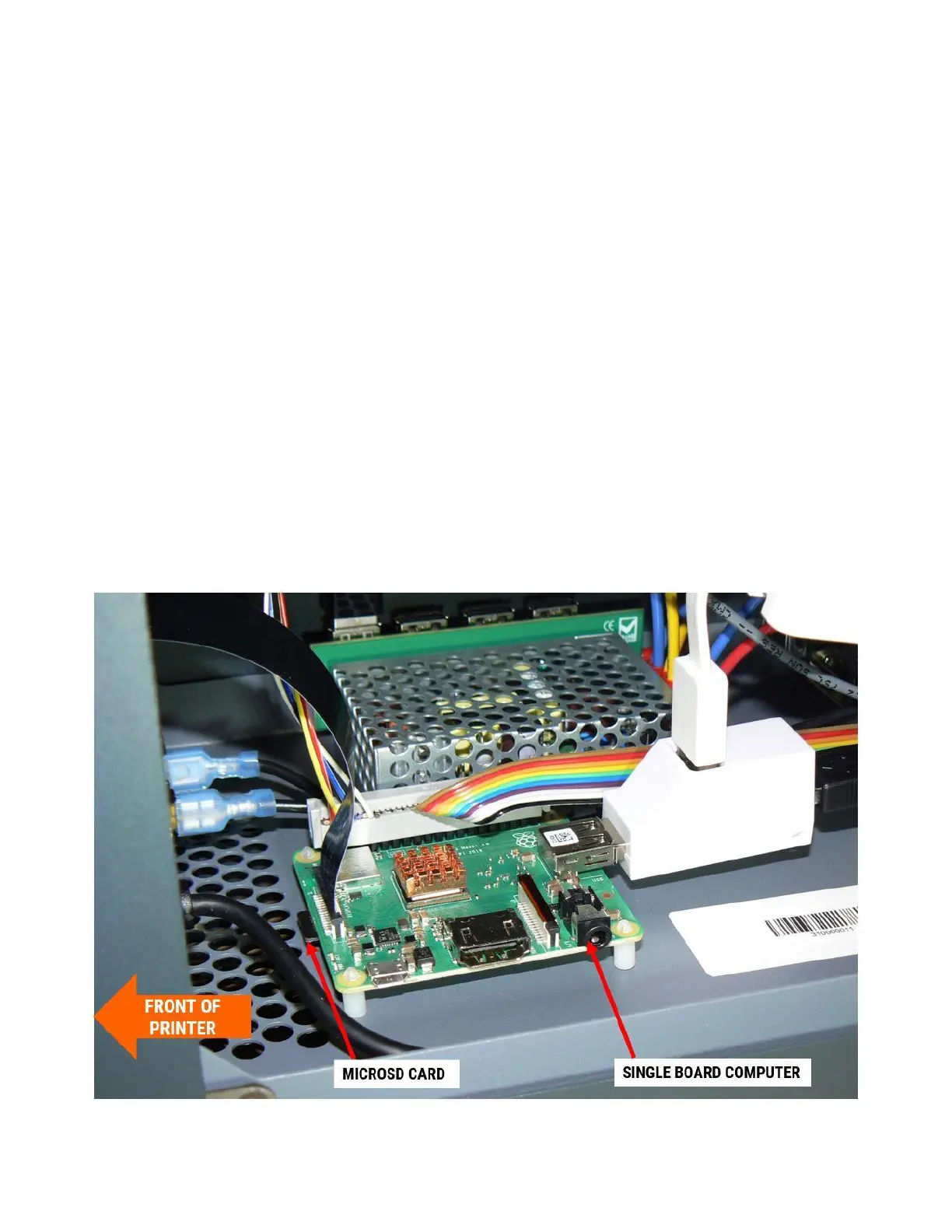
1. Locate the single board computer towards the front of the electronics bay.
2. On the front edge of the PCB you will see a microSD card sticking out from the bottom face of the
board.



 To Next Page