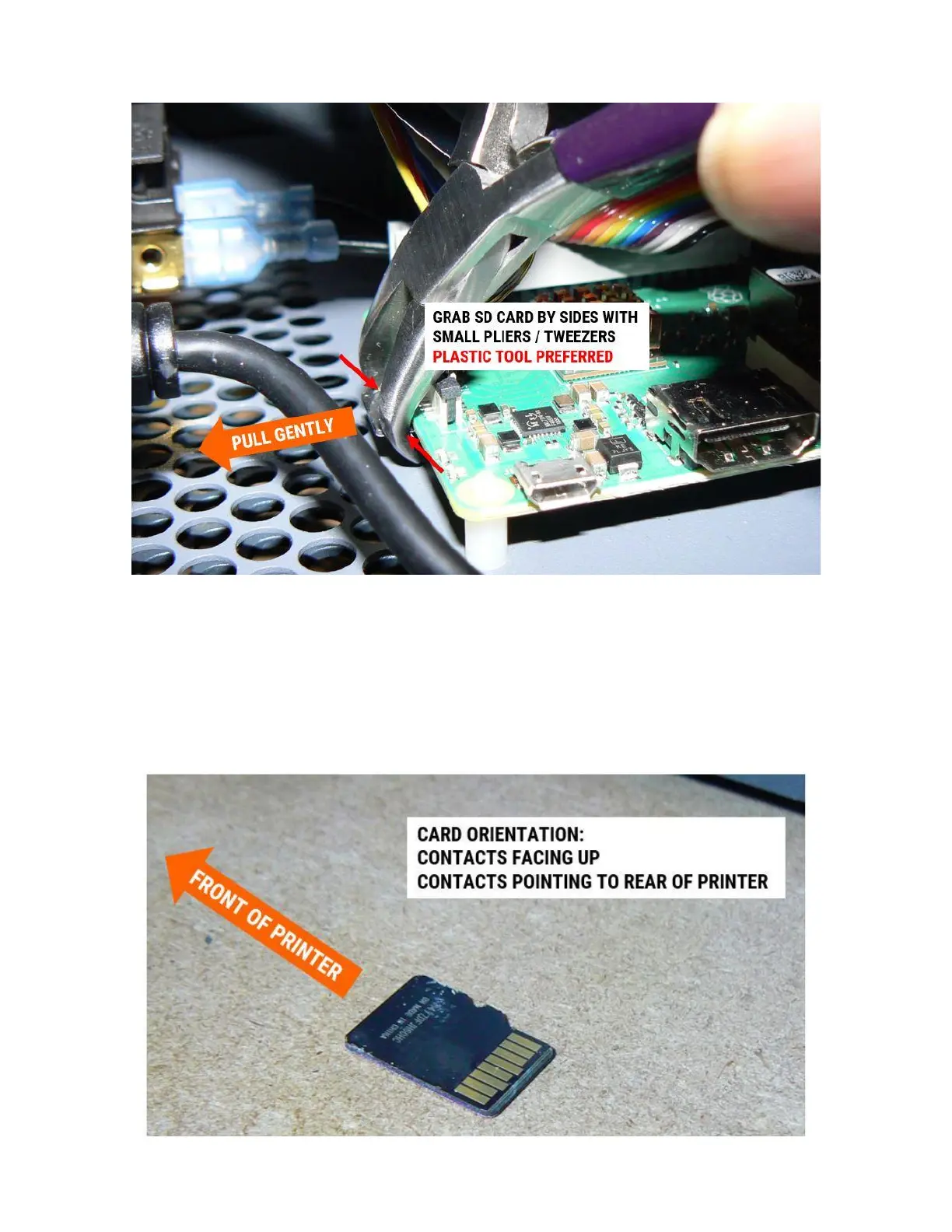
3. Using your fingers or a gentle tool such as plastic tweezers, pull the microSD card out of its slot.
This is not a push-to-release card reader, so just pull it straight out.
4. Place the card aside in a location where you won't lose it, and won't confuse it with the new card.
INSTALL NEW MEMORY (SD CARD)
1. Orient the card as shown.



 To Next Page