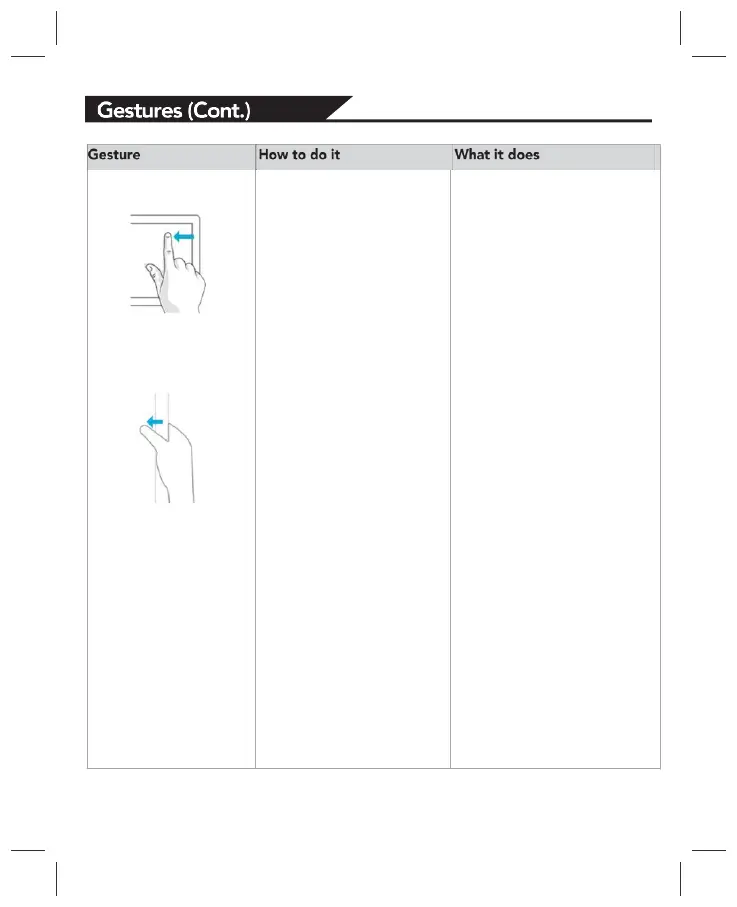
Swipe from edge Starting on the edge,
either swipe your finger
quickly or slide across
the screen without lifting
your finger.
* Open the charms (Search,
Share, Start, Devices,
Settings). Swipe in from the
right edge.Open a recently
used app. Swipe in from the
left edge. Keep swiping to
switch between all of your
recently used apps.
* Open another app at the
same time. Slide in from the
left edge without lifting your
finger and drag the app until
a divider appears. Then
move the app where you
want it, and slide the divider
to adjust the app size.
* See a list of recently used
apps. Slide in from the left
edge without lifting your
finger, and then push the
app back toward the left
edge.
* Show commands for the
current apps, like New and
Refresh. Swipe in from the
top or bottom edge.
* Close an app. Slide down
from the top edge without
lifting your finger, and then
drag the app to the bottom
of the screen.


 To Next Page