INSTALLATION
Connecting the Phone Cord
Insert one end of the phone cord into the line jack at the rear of
the unit, then insert the other end into the wall jack. NOTE: if
you have a VoIP (Voice over Internet Protocol) phone system,
then you may need to plug directly into the phone modem.
AC Adapter
To operate the unit you must use the AC Adapter, connect the
included AC Adapter to the DC jack on the rear of base and to
a wall outlet having 120 V. 60Hz AC only.
For use outside of the U.S., the ac adaptor is 110v – 220v so all
that is required is a power plug adapter for worldwide power
requirements.
(Note: Avoid the electric shock, use in the dry place)
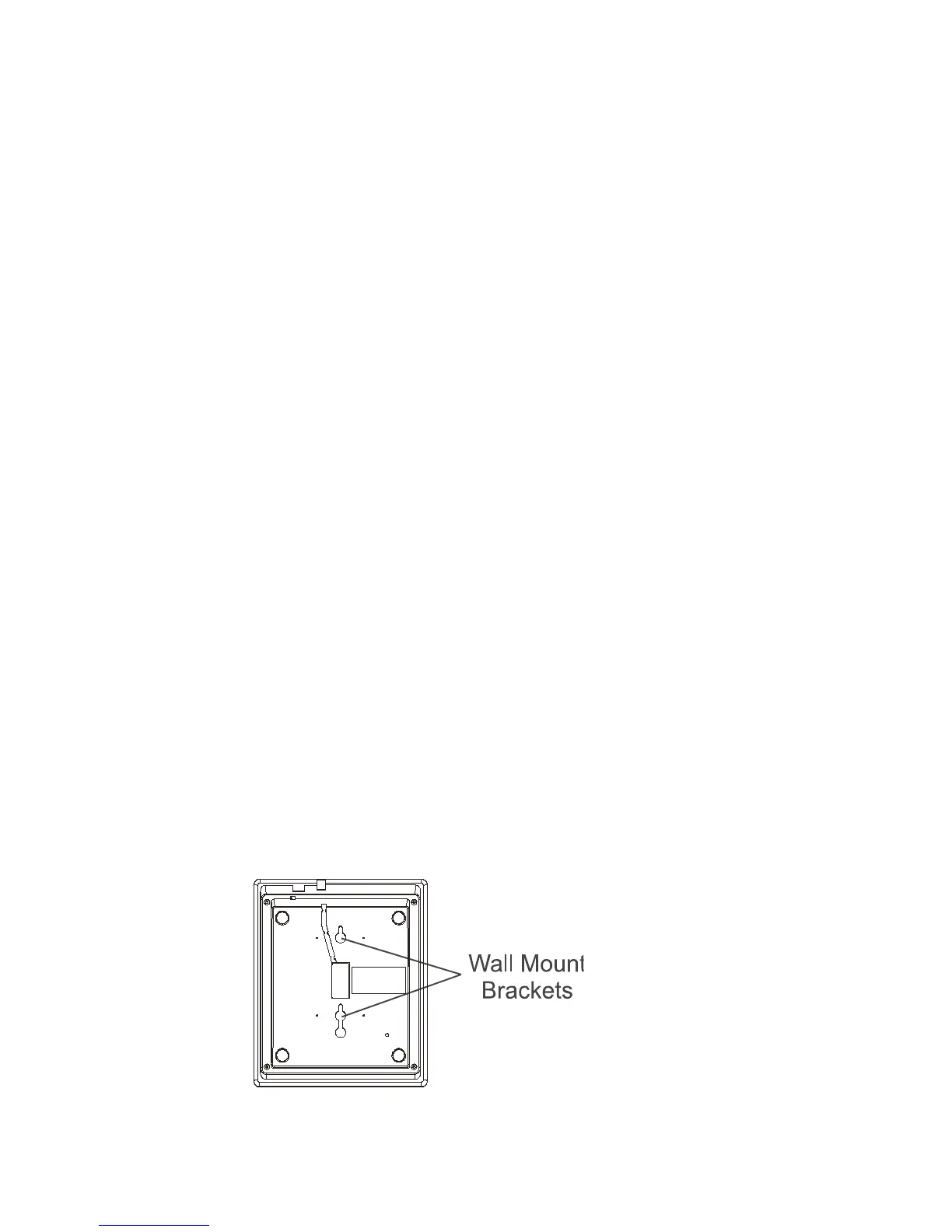
Wall Mount
Your phone comes standard with wall mount screw holes in
plate on the back of the phone:
To use the wall mount.
Place 2 screws into the wall, then hook slots on the bottom of
the base over the two screws heads and pull down to lock into
place.
2


 To Next Page