00073815.DOC, Version 1.1 35/47
DMX-controlled operation
You can control the projectors individually via your DMX-controller. Every DMX-channel has a different
occupation with different features. The individual channels and their features are listed under DMX-protocol.
Wireless DMX
For wireless data transmission you need a DMX-controller, a wireless transmitter and a wireless receiver or
devices with wireless receiver, respectively.
If a device with wireless receiver is connected with a DMX-controller via cable, the device will be controlled
by the cabled controller and not by the wireless transmitter.
Please note: Never connect a cabled controller if the device with wireless receiver is controlled by the
wireless transmitter!
The wireless receiver has an internal memory function. If the device is switched off and on again, the
receiver automatically logs into the transmitter.
Wireless receiver transmitter status LED
Red permanently lit: not logged into a wireless transmitter (free).
Red/green flashes rapidly: Login-mode, the wireless receiver is logging into the wireless transmitter.
Green permanently lit: The wireless receiver is logged into the wireless transmitter. The DMX signal is
present and received.
The installation procedure of a wireless DMX system depends on the wireless sender. Please refer to the
user manual of the respective device.
Log out one wireless receiver
The procedure of logging out one wireless receiver depends on the respective device. The projector is
logged out via the Control Board, menu Set - Wireless Set – Reset Connect.
Addressing
The Control Board allows you to assign the DMX starting address, which is defined as the first channel from
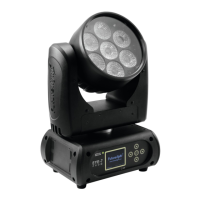
which the EYE-7 Zoom LED Wash WDMX will respond to the controller.
If you set, for example, in the 24 channel mode the address to channel 25, the EYE-7 Zoom LED Wash
WDMX will use the channel 25 to 48 for control.
Please, be sure that you don’t have any overlapping channels in order to control each EYE-7 Zoom LED
Wash WDMX correctly and independently from any other fixture on the DMX-chain.
If several EYE-7 Zoom LED Wash WDMX are addressed similarly, they will work synchronically.
Press the Up/Down-buttons for setting the desired starting address. Now you can start operating the EYE-7
Zoom LED Wash WDMX via your lighting controller.
Note:
After switching on, the device will automatically detect whether DMX 512 data is received or not. If there is
no data received at the DMX-input, the display will flash.
This situation can occur if:
- the XLR plug (cable with DMX signal from controller) is not connected with the input of the device.
- the wireless receiver is not logged in to the wireless transmitter or no wireless DMX signal is received.
- the controller is switched off or defective, if the cable or connector is defective or the signal wires are swap
in the input connector.


 To Next Page