
 Need help?
Do you have a question about the FUTURETE HORIZONT and is the answer not in the manual?
Instructions for programming specific coffee shot volumes for the first four buttons on the panel.
Steps for daily cleaning of coffee machine groups, filters, filter-holders, and drip tray.
Steps for weekly cleaning of cup holder grids and the machine's housing.
Note that descaling must be performed exclusively by the manufacturer's technical team.
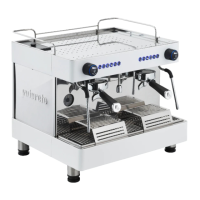
This document is an instruction manual for a Futurete handmade coffee machine, specifically detailing the "Oberon Digital" model.
The Futurete coffee machine is designed to prepare coffee, milk, and tea. It features an electronic panel with six buttons for various functions:
The machine also includes one or two steam wands, which should be opened before use to clean any residue. It supports pre-infusion, which can be activated or deactivated through a specific sequence of button presses and main switch operations. The water supply can be managed via a tap, allowing users to drain water from the reservoir, turn off the water supply, or turn on mains water. A safety feature locks the machine and flashes the keyboards if the water tank is empty.
The manual provides specifications for machines with a boiler larger than 8 liters, specifically for the Oberon Digital model, and common properties for all machines.
Oberon Digital (for machines with a > 8 L Boiler):
Common Properties of All Machines:
The machine is designed to operate within these specified variables, and the manufacturer is not responsible for damages resulting from non-compliance with these numbers.
The machine is equipped with an electronic panel for intuitive operation. Programming the coffee shot buttons (1-4) involves pressing button 5 until its light flashes, then pressing the desired programming button until the coffee level is satisfactory, and pressing it again to stop. This process is repeated for all desired buttons.
Pre-infusion, a feature that wets the coffee grounds before full pressure brewing, can be activated or deactivated. To activate, with the machine off and the main switch in position 0, press button 1 on the first keyboard for 5 seconds. Then, turn the main switch to position 2 while still pressing the button until the LED on the '*' key lights up, then release. Turn the equipment off again to save the setting. Deactivation follows a similar process but uses button 2 on the first keyboard.
The water tank connection allows for flexible water management. Turning the tap to the left drains the reservoir, the center position turns off the water, and turning to the right activates the mains water supply. The machine includes a safety mechanism that locks operation and flashes the keyboards if the water tank runs dry.
Proper maintenance is crucial for the machine's longevity and performance. All maintenance and repairs must be carried out by qualified personnel, with semi-annual checks recommended to prevent severe damage. Only original components should be used for replacements. If the power cord is damaged, it must be replaced by Futurete, its after-sales service, or a similarly qualified person to avoid hazards. Cleaning and maintenance should not be performed by children without supervision.
Cleaning:
The equipment is designed for use in ambient temperatures between 5°C and 50°C; using it outside this range is not permitted by Futurete.
The manual emphasizes the importance of proper installation, including connecting the machine to an earthing system and ensuring the rated residual operating current does not exceed 30 mA. It also warns against plugging in the machine without a water source, as this will damage it, and recommends professional installation if the user is unsure.
 General
| Brand | FUTURETE |
|---|---|
| Model | HORIZONT |
| Category | Coffee Maker |
| Language | English |

 To Next Page