EN
7
PROGRAMMING THE ELECTRONIC MACHINE PANEL
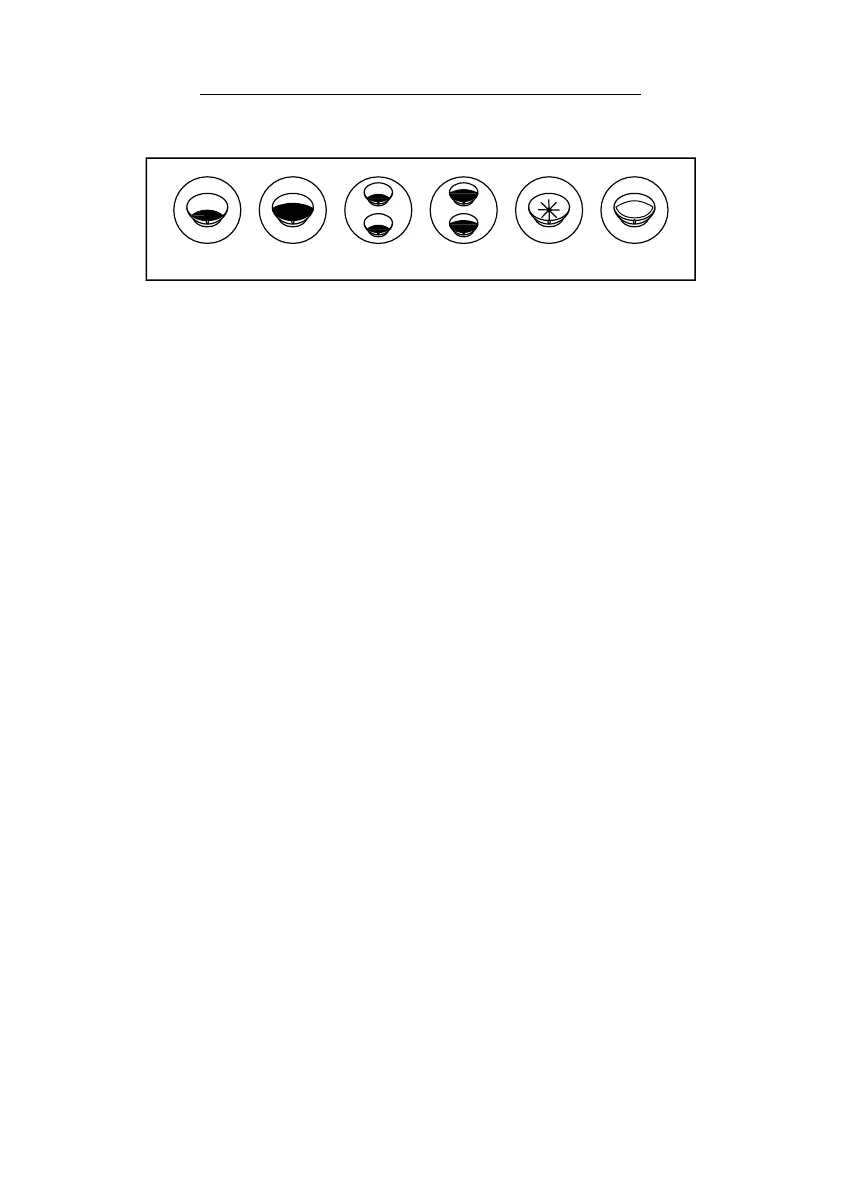
1. One short shot function;
2. One normal shot function;
3. Two short shots function;
4. Two normal shots function;
5. Panel programming function;
6. Tea function.
As shown in the above picture, buttons 1, 2, 3 and 4 are used to make coffee.
The last button, number 5, is used to make coffee continuously (pulse
function) and program the remaining buttons, in key 6 you will find the tea
function.
To program the shots of each one of the first four buttons, press number 5
until the light above it flashes continuously. Press the programming button
until the coffee level is to your liking; to stop, press the same button again.
Repeat the process for all the buttons and you will finish programming
your FUTURETE coffee machine.


 To Next Page