Original Bedienungsanleitung FUXTEC FX-MT152/-MT152E/-MT252_de_en_fr_ita_rev18
93
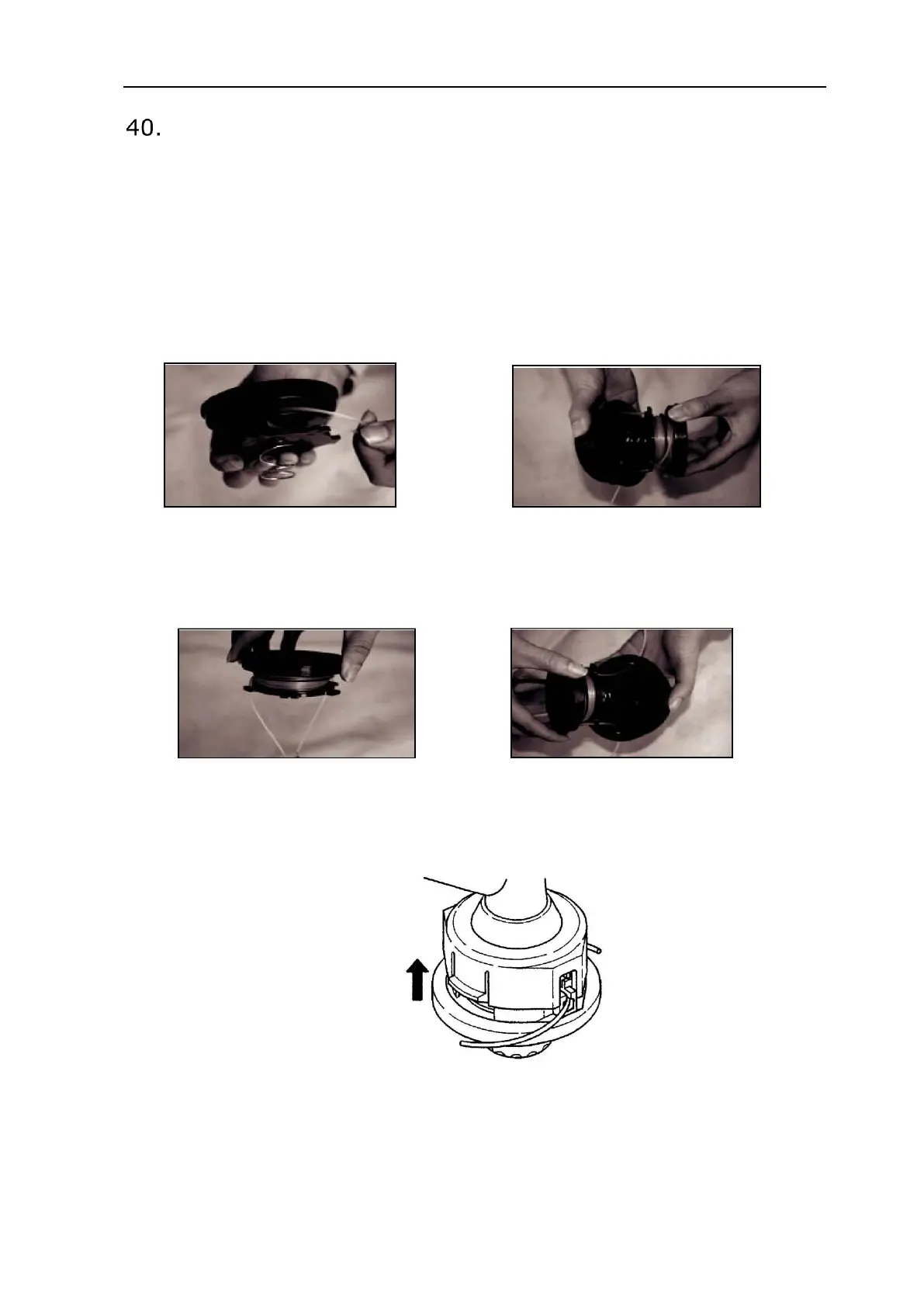
Replacing Nylon Thread
1. Switch off the engine
2. Place the trimmer on the ground so that the drive axle with the spool is exposed and
remove the nylon head
3. Open the nylon head by pressing the release
4. Cut the new thread to 5m and wind it tightly clockwise around the thread take-up
device
5. Remove the superfluous thread
6. After the thread take-up device is wrapped, attach the thread ends as shown in the
illustration
7. guide the thread ends through the holes in the outer part of the bobbin
8. Press the inner and the external coil together and turn them against each other until
they engage


 To Next Page
 Loading...