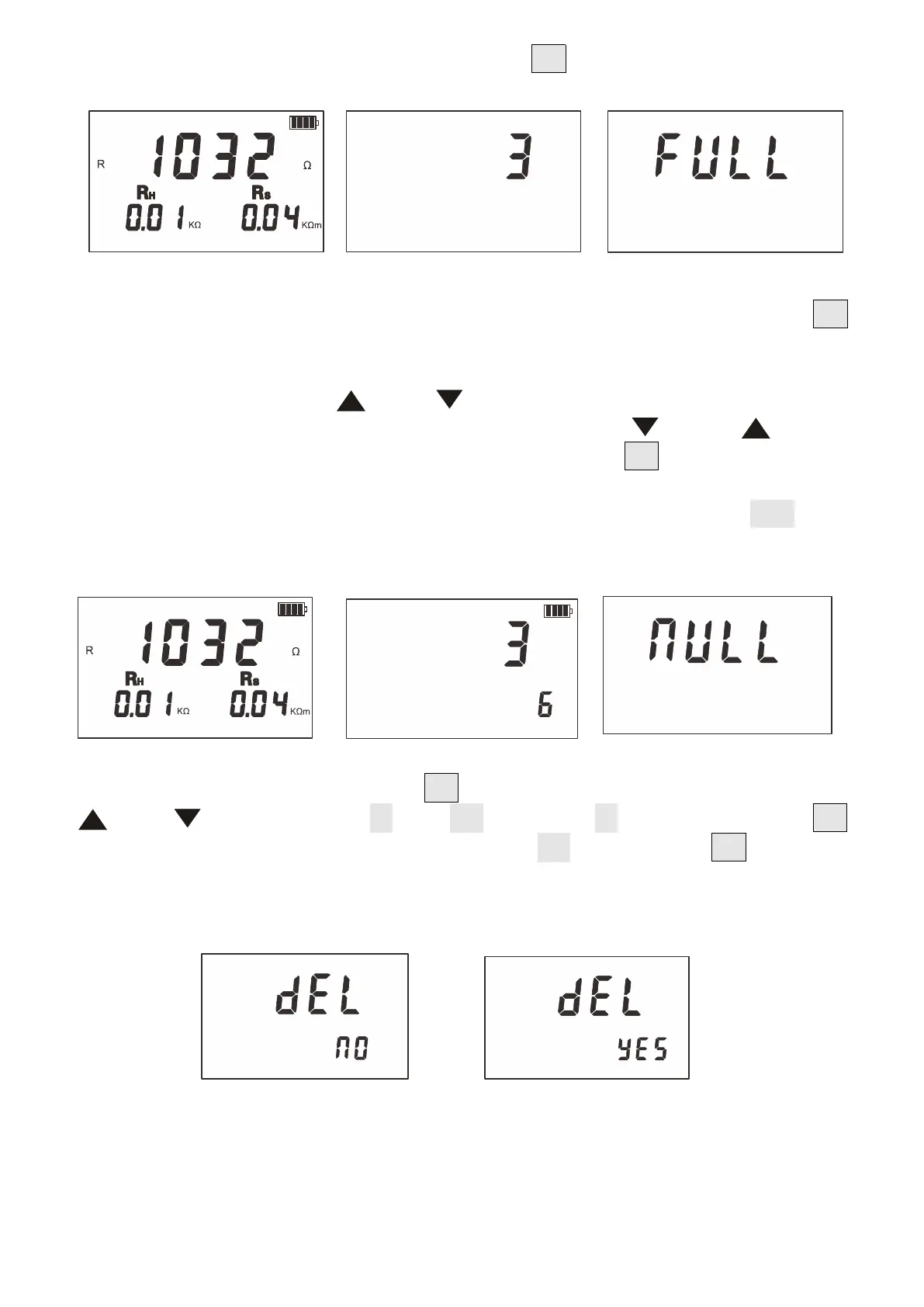
The measurement data is 1032Ω. Short press “MEM” to display the data showed
that it is stored as the third group.
10.Data Review/Delection
After the power on or measurement is completed, press and hold the "MEM"
button (more than 3 seconds) to enter the data review mode.The interface
corresponding to the stored data interface and the stored data group number
flash alternately.Press " " or " " key to select the corresponding data
of the array number with a step by 1, hold down the " " or " " key to
select the array number with a step by 5, then press "MEM" to exit.See below
In the figure below, the number 3 is the current group number, and 6 is
the total group number. If no data is stored, the LCD displays "NULL". See
the figure below.
Under data review status, press "SET" key to enter data deletion, press
" " or " " key to select "NO" or "YES", select "NO" and then press “SET”
key to not return data review status, select "YES". Press the "SET" key again
to delete the stored data. After the deletion, the following figure is
displayed.
11.Data Upload
Connect the USB communication cable of the computer and the instrument,
turn on the instrument and run the monitoring software. If the USB connection


 To Next Page