®
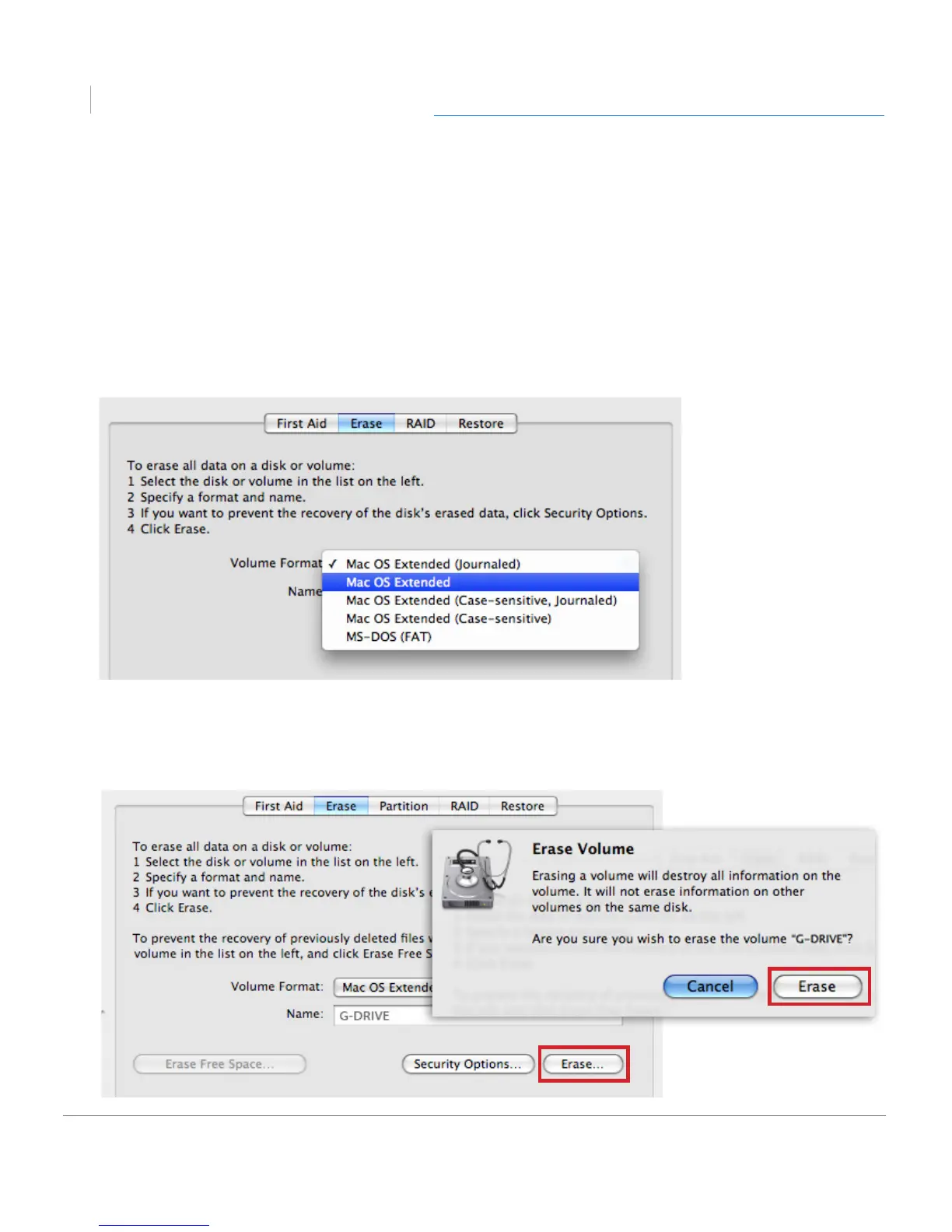
4. Choose the Format option that you prefer.
• Mac OS Extended (Journaled): Use this format if you intend to use the drive for
Time Machine or to create a separate bootable installation of OS X
®
.
• Mac OS Extended: Use this format for best performance and media storage.
To select, click the Format pop-up and its option to Mac OS Extended.
5. Click the Erase button in the lower right corner of the window. A dialog box will
appear asking if you want to erase the G-DRIVE partition.












 To Next Page