®
Cross Platform Use
You can set up G-DRIVE for use on both Windows and Mac system by formatting
the drive as ‘FAT32’. To do this, use the Disk Utility application and format the drive
to MS-DOS (FAT), also known as FAT32.
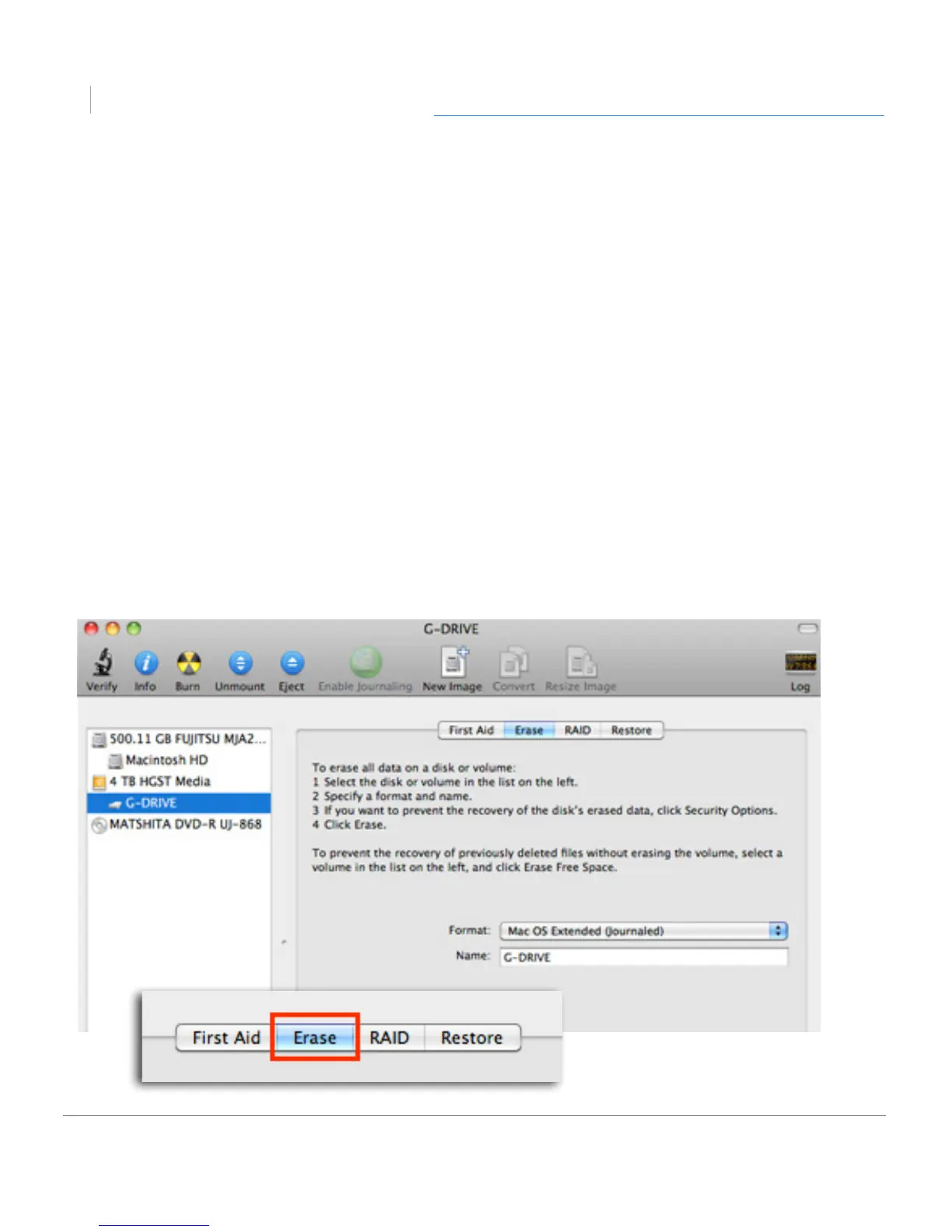
1. First, open the Disk Utility program. This application is located on your hard drive
under Applications/Utilities/Disk Utility. The window below will appear. Your
G-DRIVE will be displayed in the left-hand column.
2. Select the G-DRIVE by clicking on its drive icon in the left-side column.
Information about the drive will be displayed at the bottom of the window.
3. Select the Erase tab to view the formatting options. By default, the Format
pop-up menu is set to the Mac OS Extended (Journaled) option.












 To Next Page