®
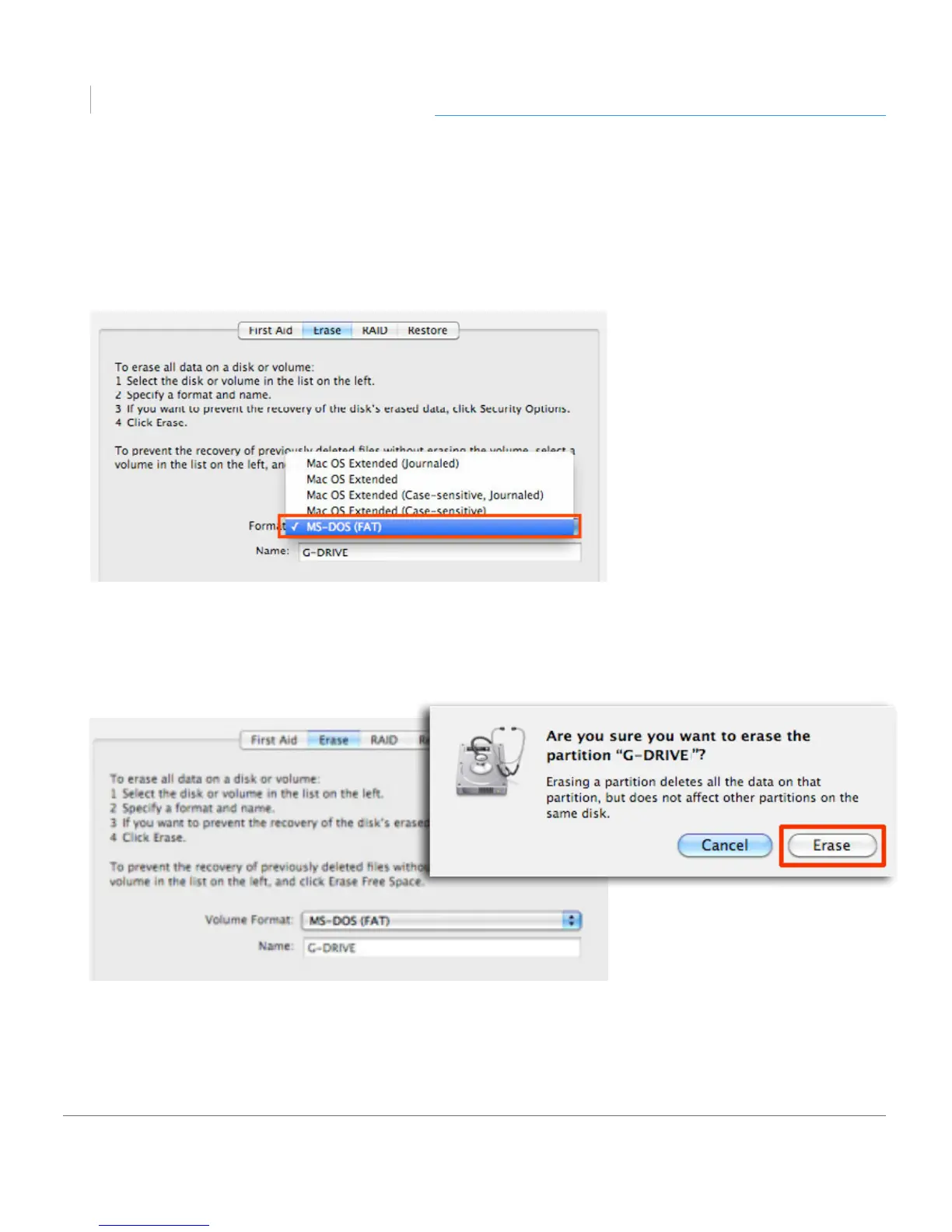
4. Select MS-DOS File System from the Format pop-up menu. This will format to FAT32.
NOTE: You may need to rename the drive because FAT32 does not support more
than 11 letters in the drive name.
5. Click the Erase button in the lower right corner of the window. A dialog box will
appear asking if you want to erase the G-DRIVE partition.
WARNING: THIS NEXT STEP WILL ERASE ALL DATA ON YOUR DRIVE.












 To Next Page