e 16
G-SAFE Product Guide
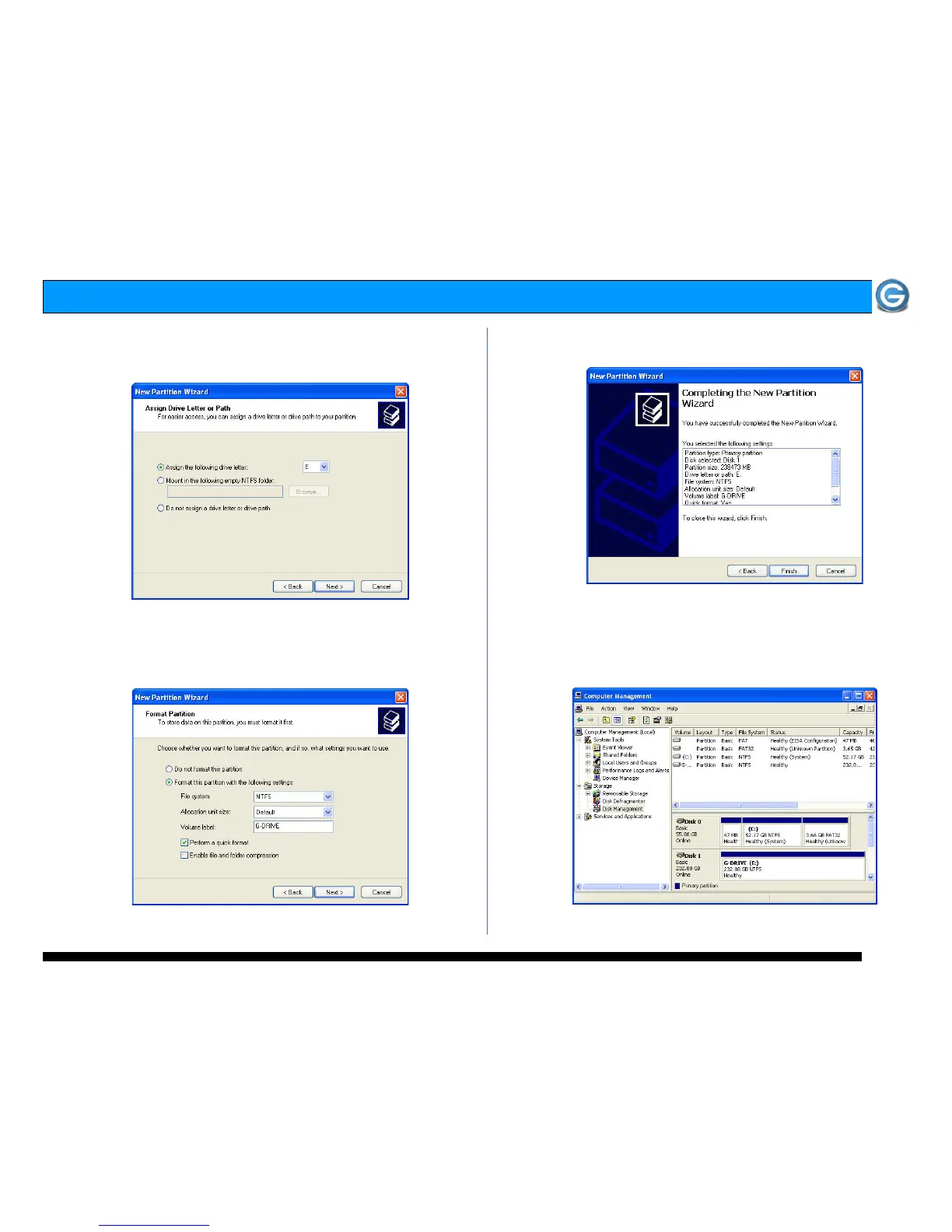
10. Windows will automatically assign a drive letter (in this
example E:). Accept this assignment and click on the
<Next> button to continue.
11. Enter a Volume Label: (in this example, G-SAFE),
check the Perform a quick format box and click on the
<Next> button to continue.
12. The following window will appear. Click on the <Finish>
button to continue.
13. Windows will format the volume and then display the
following window. Disk 1 is now identified as G-SAFE (E:).
Exit the Computer Management console















 To Next Page