e 12
G-SAFE Product Guide
10. INITIALIZING G-SAFE
G-SAFE is set up at the factory for use with Mac
OS X systems. If you are running Mac OS X,
G-SAFE will mount on the OS X desktop right out
of the box. If it becomes necessary to re-format
G-SAFE, follow the instructions below.
• For Mac OS X installations, proceed to Section 10.1
• For Windows 2000/XP installations, proceed to Section 10.2
• For Cross-Platform use see section 10.3
9.1 Mac OS X (10.4.x)
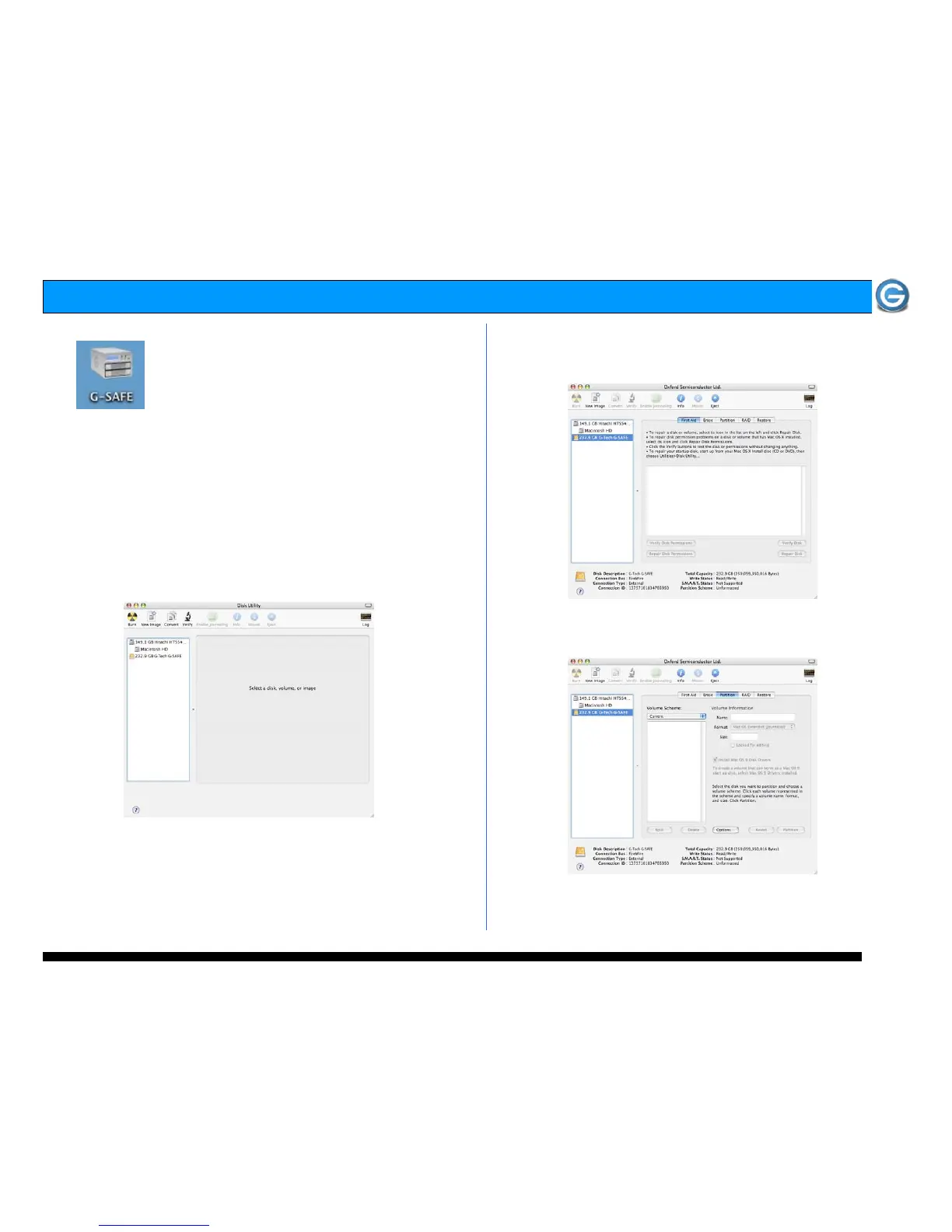
1. Open the Apple Disk Utility. The Apple Disk Utility is in
the Utilities Folder located in the Applications Folder on
the Macintosh HD. A dialog box like the following will
appear. G-SAFE will be displayed in the left-hand column as
shown.
2. Select G-SAFE by clicking on the entry in the left-hand
column as shown below. Information about G-SAFE will be
displayed at the bottom.
3. Select the Partition tab to view the partition options as
shown below.















 To Next Page