e 18
G-SAFE Product Guide
10. UNMOUNTING/DISCONNECTING G-SAFE
A great feature of G-SAFE is its ability to be connected and
disconnected while your computer is running. To prevent
failures and/or data loss it is important to follow the steps
below when unmounting/disconnecting G-SAFE from your
computer.
10.1 Mac OS X Computers
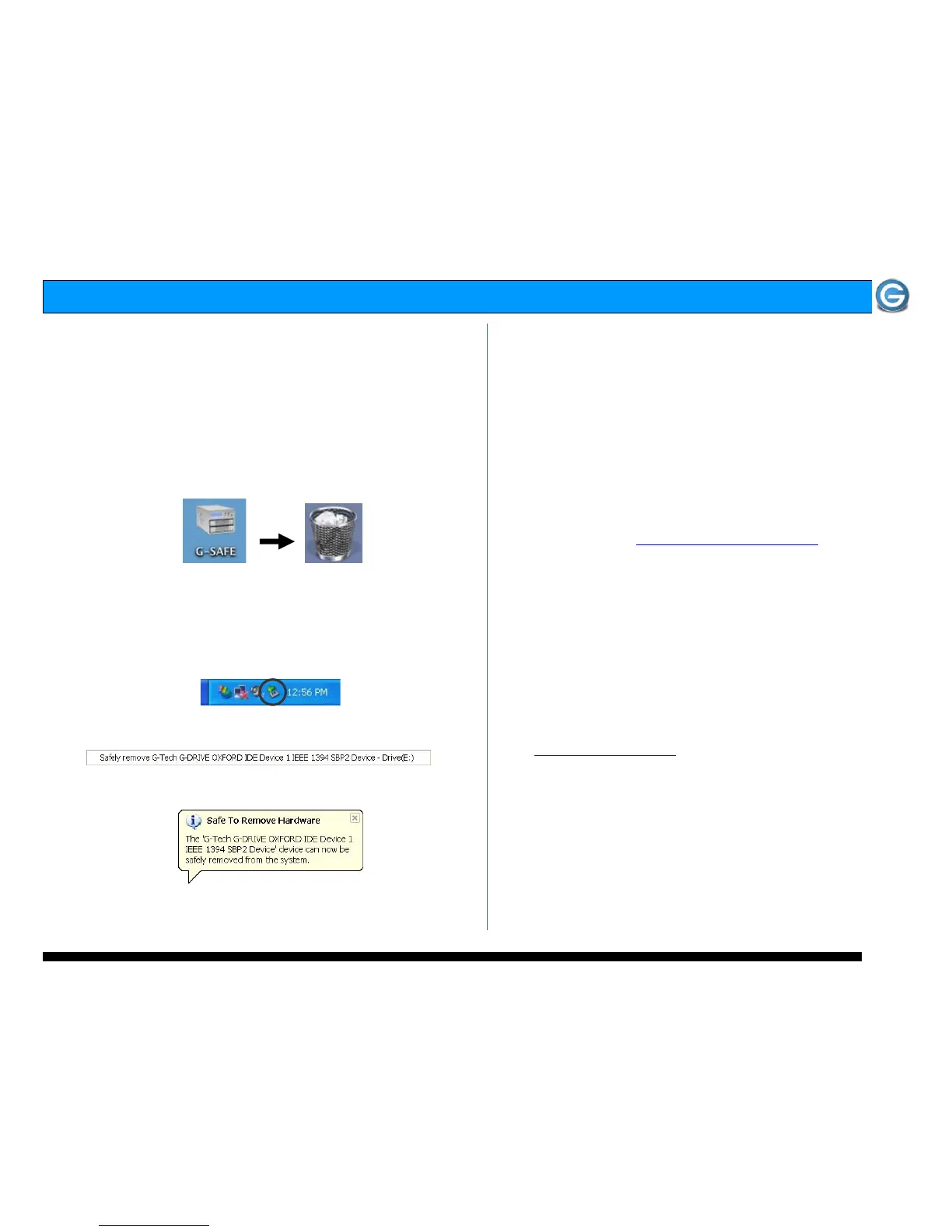
1. Before powering down and disconnecting G-SAFE, you
must unmount the system by simply dragging the G-SAFE
icon to the trash located in the dock.
2. It is now safe to power off and remove G-SAFE from your
system.
10.2 Windows Computers
1) Before powering down and disconnecting G-SAFE,
left-click on the Eject icon shown below.
2) The following box will appear. Click on the entry.
3) A balloon like the following will appear.
4) It is now safe to power off and remove G-SAFE from your
system.
11. OPTIMIZING DATA TRANSFER RATES
G-SAFE FW can be connected to any Mac or PC equipped with
a FireWire 400 (using optional 4 or 6-pin to 9-pin cables),
FireWire 800 or USB 2.0 port. For best performance, G-SAFE
should be connected via FireWire 800.
12. TECHNICAL SUPPORT
If you encounter any difficulties while installing G-SAFE,
please contact G-Tech Technical Support via one of the
following ways:
Telephone: (310) 449-4599
Fax: (310) 449-4670
E-mail: support@g-technology.com
Internet: http://www.g-technology.com
When contacting Technical Support, make sure to be in front
of your computer and have the following information readily
available:
• Your G-SAFE serial number (on bottom of unit)
• Operating system and version
• Computer brand and model
• Amount of memory installed
• Other devices attached to your computer
Thank you for purchasing G-SAFE. If you have any comments
or questions about this manual or the product, please call
(310) 449-4599, or send an email to
info@g-technology.com
.















 To Next Page