Mainmenu User Guide
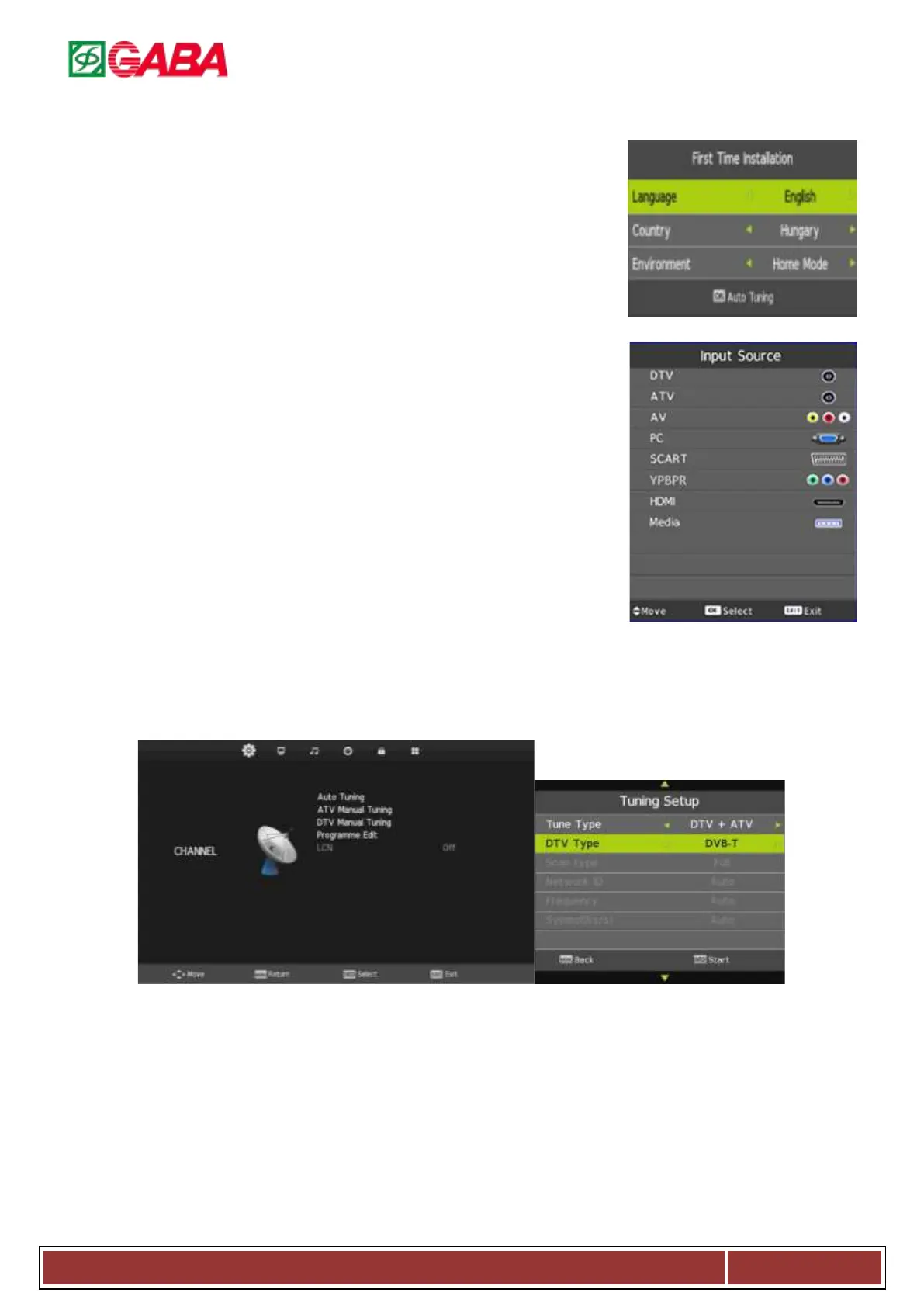
1. First Time Installation (M3663 OSDS)
This menu will show the first time you install this TV
1.1. Language: Press◄/►to change the OSD language.
1.2. Country: Press ◄/► to change the country.
1.3. Environment: Press◄/► to select Shop mode or home mode.
After configure the menu, press ENTER to start auto tuning or press exit to exit the
menu.
2. Input Source
Press SOURCE to show input source list.
2.1. Press▼/▲ to select and ENTER to confirm.
2.2. The menu will be automatically hidden in a few seconds, or press EXIT to
clear on-screen menu.
3. Menu Function Description
3.1. Channel Menu
The channel menu is available only in DTV and ATV mode. Press MENU to display this menu default, if you want to
Display other menu, press◄ / ► to select.
Channel menu in ATV
Channel menu in DTV
3.1.1. Auto Tuning
Auto Tuning can find out all effective channel automatically.
Press▼/▲ to select Auto Tuning, then press ENTER to configure the Tuning Setup menu.
Press▼/▲ to select and press◄ / ► to change the setting or tuning,and then press ENTER to start
tuning.
If you want to stop searching, press EXIT, and press ◄ to confirm or ► to cancel.
(Opt.: DVB-T, DVB-C, DVB-S depends on model)



 To Next Page