25
1 2
1 2 3
access the specifi c descaling menu.
MAINTENANCE
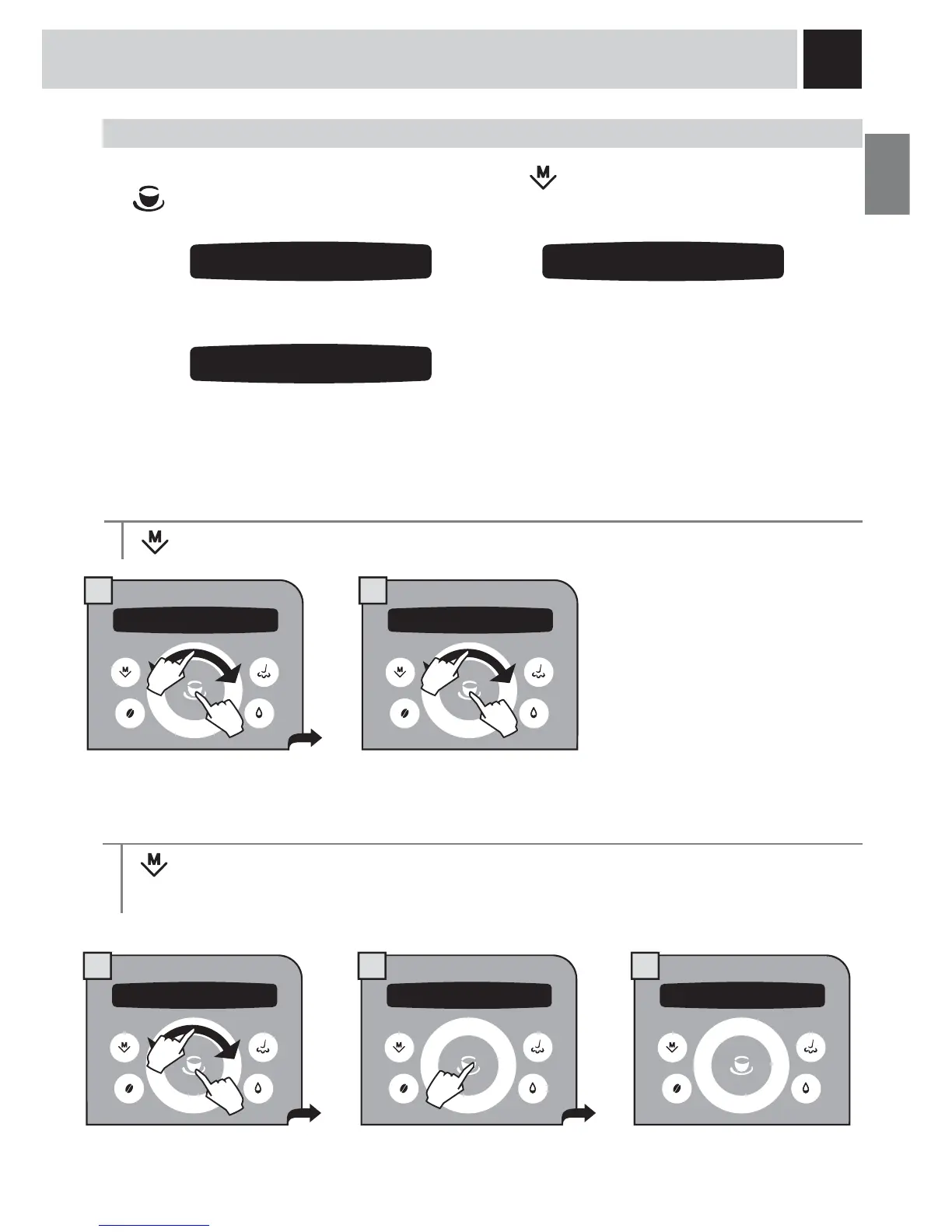
To access the machine’s maintenance programs, press the button, select “maintenance” and press the
button. Navigate the click wheel with your fi nger to:
access the specifi c “Aqua Prima”
water fi lter menu
wash the Brew Group.
“WATER FILTER” MENU
> maintenance > water filter . To manage the “Aqua Prima” water fi lter
In this menu you can:
- check the number of litres before
replacement;
- turn the fi lter state on/off;
- load/initialize the fi lter.
Litres remaining
> maintenance > water filter > litres left
To display how many litres of water can still be treated before changing the “Aqua Prima” water fi lter.
MAINTENANCE
3.1 water filter
3.2 descaling
3.3 group wash
3 maintenance 3.1 water filter
3 maintenance 3.1 water filter 3.1.1 water filter
litres left 59
1.
2.
1.
2.
1.
2.



 To Next Page