7) Assist level:
From P to 7, press button to change assist level.
8)
Distance
:
ODO/Trip/Driving duration
9)
Error code
:
Please refer to appendix table 1 for definition
10)6km mode:
In this mode, it will display on the screen。
11)Parameter setting:
Set parameters, such as: wheel size, speed limit etc
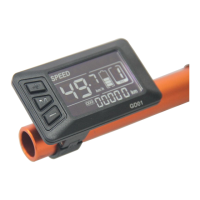
3. Presentation of screen
1) Battery level: 5 levels, voltage interval could be customized
2)
Speed
:Average SPEED/MAX SPEED/Real-time SPEED
3)
Speed unit
:Kmh/MPH
4) 6km mode:6km mode Display .
5)
Assist level
:actual assist level P~7.
6)
Head light icon
:indicates when head light and back light are on.
7)
Distance
:Trip/ODO.
8)
Error code
:“ERR” and code when there is error


 To Next Page