4. Press button definition
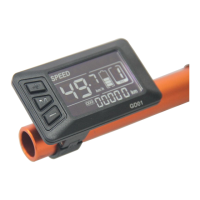
GD01 uses independent press button, in total three
buttons:
+
“UP” M “Power” -“DOWN”
5. Operation instructions
1) Power ON/OFF
When the power is off, Long press M ( Power) during 3
seconds
,
screen will display all contents and start to normal
working mode, and controller will be turned on When the power is
on, Long press M ( Power) during 3 seconds, screen will be
powered off
,
and controller will be turned off . If no any operation
both on bike and display during 10 minutes (time could be set), the
display will turn off automatically , in this case, no power
consumption for both display and controller.
2) Different Speed display:
Long press + and
M
o switch different speed information
,
Real
time speed
(
SPEED
)
3)ODO/TRIP/ Driving Time/Error Code
Short press M to switch ODO/TRIP/ Driving Time/Error Code
ODO(Accumulated distance)
→
Trip(Single trip
distance)→
TM(
Driving Time
)→ERR(Error Code)。


 To Next Page